# website Full Documentation
# Guides
## Configuration
---
root: .components.layouts.MarkdownLayout
title: Configuration
nav-title: Configuration
description: A guide for configuring the output of a generated Minecraft datapack.
keywords: minecraft, datapack, kore, guide, configuration
date-created: 2024-04-06
date-modified: 2024-01-08
routeOverride: /docs/guides/configuration
position: 2
---
# DataPack Configuration
The `configuration` function allows configuring the output of the generated datapack.
## Example
```kotlin
dataPack("mypack") {
configuration {
prettyPrint = true
prettyPrintIndent = " "
}
// ... rest of datapack code
}
```
This will configure the JSON output to be pretty printed with two spaces for indentation.
The available configuration options are:
- `prettyPrint` - Whether to pretty print the JSON. Default is `false`.
-
`prettyPrintIndent` - The string to use for indenting when pretty printing. Only whitespace characters are allowed. Default is empty string.
- `generatedFunctionsFolder` - The folder where the generated functions are stored. Defaults to `"generated_scopes"`.
-
`generateCommentOfGeneratedFunctionCall` - Whether to generate a comment when an implicit generated function is called. Default is
`true`.
Configuring a datapack is pretty useful for debugging.
---
## Creating A Datapack
---
root: .components.layouts.MarkdownLayout
title: Creating A Datapack
nav-title: Creating A Datapack
description: A guide for creating a Minecraft datapack using Kore.
keywords: minecraft, datapack, kore, guide
date-created: 2024-02-26
date-modified: 2024-01-08
routeOverride: /docs/guides/creating-a-datapack
---
# Creating a DataPack
A DataPack in Kore represents a Minecraft datapack that contains custom game data and resources.
To create a DataPack, use the `dataPack` function:
```kotlin
dataPack("my_datapack") {
// datapack code here
}.generate()
```
This will generate the datapack with the given name in the `out` folder by default. If
`generate()` is not called, the datapack will not be generated.
Check the [Generation](#generation) section for more information.
## Changing Output Folder
To change the output folder, use the `path` property:
```kotlin
dataPack("my_datapack") {
path = Path("%appdata%/.minecraft/saves/my_world/datapacks")
}
```
## Adding Icon
To add an icon to the datapack, use the `iconPath` property:
```kotlin
dataPack("my_datapack") {
iconPath = Path("icon.png")
}
```
## Configuration
See [Configuration](./configuration)
## Pack Metadata
The `dataPack` function generates a `pack.mcmeta` file containing metadata about the datapack.
Configure this metadata using the `pack` block:
```kotlin
dataPack("mydatapack") {
pack {
minFormat = packFormat(15)
maxFormat = packFormat(20)
description = textComponent("My Datapack")
}
}
```
- `minFormat` - The minimum supported pack format version.
- `maxFormat` - The maximum supported pack format version.
- `packFormat` - The explicit pack format version (optional).
- `description` - A text component for the datapack description.
- `supportedFormats` - The supported format versions (optional, automatically generated from range if needed).
Kore automatically handles backward compatibility for older game versions. If your
`minFormat` is below the threshold (82 for DataPacks, 65 for ResourcePacks), Kore will automatically include the legacy
`pack_format` and `supported_formats` fields in the generated
`pack.mcmeta` file to ensure compatibility with older versions of Minecraft.
### Targeting Minecraft 1.21.9+
Starting with Minecraft 1.21.9 (25w02a), the
`pack_format` can be a decimal value to represent snapshots or minor versions. You can set this using `packFormat(Double)`:
```kotlin
dataPack("my_1.21.9_datapack") {
pack {
minFormat = packFormat(94)
maxFormat = packFormat(94)
packFormat = packFormat(94.1)
description = textComponent("Targeting 1.21.9")
}
}
```
Note that `minFormat` and `maxFormat` still only accept integer values (or full format `[major, minor]`).
## Filters
Filters are used to filter out certain files from the datapack. For now, you can only filter out block files.
For example, to filter out all `.txt` files:
```kotlin
dataPack("my_datapack") {
filter {
blocks("stone*")
}
}
```
This will filter out all block files that start with `stone`.
## Content
The main content of the datapack is generated from the various builder functions like `biome`, `lootTable`, etc.
For example:
```kotlin
dataPack("my_datapack") {
// ...
recipes {
craftingShaped("enchanted_golden_apple") {
pattern(
"GGG",
"GAG",
"GGG"
)
key("G", Items.GOLD_BLOCK)
key("A", Items.APPLE)
result(Items.ENCHANTED_GOLDEN_APPLE)
}
}
}
```
This demonstrates adding a custom recipe to the datapack.
## Generation
To generate the datapack, call the `generate()` function:
```kotlin
dataPack("my_datapack") {
// datapack code here
}.generate()
```
This will generate the datapack with the given name in the `out` folder by default.
To change the output folder, use the `path` property:
```kotlin
dataPack("my_datapack") {
path = Path("%appdata%/.minecraft/saves/my_world/datapacks")
}.generate()
```
### Zip Generation
To generate a zip file of the datapack, use the `generateZip` function:
```kotlin
dataPack("my_datapack") {
// datapack code here
}.generateZip()
```
### Jar Generation
To generate a JAR file for your datapack, use the
`generateJar` function. This function packages the datapack into a JAR file which can then be used directly with your Minecraft installation or distributed for others to use.
```kotlin
dataPack("my_datapack") {
// datapack code here
}.generateJar()
```
By calling
`generateJar()`, the generated JAR file will be placed in the default output folder. If you wish to specify a different location, use the
`path` property:
```kotlin
dataPack("my_datapack") {
path = Path("path/to/output/folder")
}.generateJar()
```
You can also configure the JAR generation for different mod loaders such as Fabric, Forge, Quilt, and NeoForge.
This will add metadata to the JAR file that is specific to the mod loader.
You will be able to include your datapack as a mod for your mod loader and simplify the installation process for users.
Below are examples of how to set up these mod loaders:
#### Fabric
To configure Fabric mod loader, use the `fabric` block inside the `generateJar` function:
```kotlin
dataPack("my_datapack") {
// datapack code here
}.generateJar {
fabric {
version = "1.2.5"
contact {
email = "kore@kore.kore"
homepage = "https://kore.ayfri.com"
}
author("Ayfri")
}
}
```
This sets the Fabric version, and includes contact information and the author's name.
#### Forge
To configure Forge mod loader, use the `forge` block:
```kotlin
dataPack("my_datapack") {
// datapack code here
}.generateJar {
forge {
mod {
authors = "Ayfri"
credits = "Generated by Kore"
dependency("my_dependency") {
mandatory = true
version = "1.2.5"
}
}
}
}
```
This sets the mod authors, credits, and dependencies for Forge.
#### Quilt
To configure Quilt mod loader, use the `quilt` block:
```kotlin
dataPack("my_datapack") {
// datapack code here
}.generateJar {
quilt("kore") {
metadata {
contact {
email = "kore@kore.kore"
homepage = "https://kore.ayfri.com"
}
contributor("Ayfri", "Author")
}
version = "1.2.5"
}
}
```
This sets the metadata such as contact information and contributors for Quilt.
#### NeoForge
To configure NeoForge mod loader, use the `neoForge` block:
```kotlin
dataPack("my_datapack") {
// datapack code here
}.generateJar {
neoForge {
mod {
authors = "Ayfri"
credits = "Generated by Kore"
dependency("my_dependency") {
type = NeoForgeDependencyType.REQUIRED
version = "1.2.5"
}
}
}
}
```
This sets the authors, credits, and dependencies for NeoForge.
### Merging with existing datapacks
To merge the generated datapack with an existing datapack, use the DSL with the function `mergeWithDatapacks`:
```kotlin
dataPack("my_datapack") {
// datapack code here
}.generate {
mergeWithDatapacks("existing_datapack 1", "existing_datapack 2")
}
```
If a zip is provided, it will be considered as a datapack and merged with the generated datapack.
It will unzip the zip in a temporary folder of your system and merge it with the generated datapack, this will not remove the temporary folder.
#### Checking for compatibility
When merging with other datapacks, Kore will check if the pack format range overlaps. If it does not, it will print a warning message.
Example:
```kotlin
val myDatapack1 = dataPack("my_datapack 1") {
// datapack code here
pack {
minFormat = packFormat(40)
maxFormat = packFormat(40)
}
}
val myDatapack2 = dataPack("my_datapack 2") {
// datapack code here
pack {
minFormat = packFormat(50)
maxFormat = packFormat(50)
}
}
myDatapack1.generate {
mergeWithDatapacks(myDatapack2)
}
```
This will print out the following message:
```
The pack format range of the other pack is different from the current one. This may cause issues.
Format range: current: 40..40 other: 50..50.
```
It also checks for `supportedFormats` and warns if the other pack is not supported.
## Publishing and Distribution
Once you've generated your datapack, you may want to distribute it to the community. For automated publishing to platforms like Modrinth, CurseForge, and GitHub Releases, see the [GitHub Actions Publishing](./github-actions-publishing) guide.
#### Tags
When merging with other datapacks, Kore will merge the tags `minecraft/tags/function/load.json` and
`minecraft/tags/functions/tick.json`.
Example:
```kotlin
val myDatapack1 = dataPack("my_datapack 1") {
// datapack code here
load("my_main_function") {
say("Hello World!")
}
}
val myDatapack2 = dataPack("my_datapack 2") {
// datapack code here
load("load") {
say("Hello Everyone!")
}
}
myDatapack1.generate {
mergeWithDatapacks(myDatapack2)
}
```
The resulting `load.json` file will contain:
```json
{
"replace": false,
"values": [
"my_datapack_1:generated_scope/my_main_function",
"my_datapack_2:generated_scope/load"
]
}
```
---
# Commands
## Commands
---
root: .components.layouts.MarkdownLayout
title: Commands
nav-title: Commands
description: A comprehensive guide for using commands in Kore datapacks.
keywords: minecraft, datapack, kore, guide, commands, execute, data, teleport
date-created: 2026-02-03
date-modified: 2026-02-03
routeOverride: /docs/commands/commands
---
# Commands
Kore provides type-safe builders for all Minecraft commands. This page covers both simple and complex command usage with examples.
Commands are used inside [Functions](./functions) to perform actions in the game. For dynamic command arguments, see [Macros](./macros).
## Simple Commands
Simple commands are straightforward and take basic arguments like strings, numbers, or [selectors](#selectors).
### Say Command
The
`say` command broadcasts a message to all players in the chat. The message appears with the sender's name (the entity executing the command). For more advanced chat formatting, see [Chat Components](../concepts/chat_components).
```kotlin
function("greetings") {
say("Hello, world!")
say("Welcome to the server!")
}
```
Generated output:
```mcfunction
say Hello, world!
say Welcome to the server!
```
### Teleport Command
The `teleport` (or
`tp`) command instantly moves entities to a new location. You can teleport to absolute coordinates, relative positions, or another entity's location. Optionally specify rotation (yaw/pitch) for the entity to face after teleporting.
```kotlin
function("teleport_examples") {
// Teleport to coordinates
teleport(allPlayers(), 100.0, 64.0, 100.0)
// Teleport to another entity
teleport(allPlayers(), self())
// Teleport with rotation
teleport(self(), vec3(0, 100, 0), rotation(0.rot, 90.rot))
}
```
Generated output:
```mcfunction
tp @a 100 64 100
tp @a @s
tp @s 0 100 0 0 90
```
### Give Command
The
`give` command adds items directly to a player's inventory. If the inventory is full, items drop on the ground. You can specify item count and use [Components](../concepts/components) for custom item data.
```kotlin
function("give_items") {
give(allPlayers(), Items.DIAMOND_SWORD)
give(allPlayers(), Items.GOLDEN_APPLE, 64)
}
```
Generated output:
```mcfunction
give @a minecraft:diamond_sword
give @a minecraft:golden_apple 64
```
### Kill Command
The
`kill` command instantly removes entities from the world. Killed entities trigger death events (drops, death messages for players). Use selectors to target specific entity types.
```kotlin
function("cleanup") {
kill(allEntities {
type = EntityTypes.ZOMBIE
})
kill(self())
}
```
Generated output:
```mcfunction
kill @e[type=minecraft:zombie]
kill @s
```
### Effect Command
The
`effect` command applies or removes status effects (like Speed, Regeneration, Poison) from entities. Effects have duration (in seconds or infinite) and amplifier levels (0 = level I, 1 = level II, etc.).
```kotlin
function("effects") {
effect.give(allPlayers(), Effects.SPEED, 60, 1)
effect.give(self(), Effects.REGENERATION, infinite = true)
effect.clear(allPlayers())
effect.clear(self(), Effects.POISON)
}
```
Generated output:
```mcfunction
effect give @a minecraft:speed 60 1
effect give @s minecraft:regeneration infinite
effect clear @a
effect clear @s minecraft:poison
```
### Gamemode Command
The
`gamemode` command changes a player's game mode (Survival, Creative, Adventure, Spectator). Each mode has different abilities and restrictions.
```kotlin
function("modes") {
gamemode(Gamemode.CREATIVE, allPlayers())
gamemode(Gamemode.SURVIVAL, player("Steve"))
}
```
Generated output:
```mcfunction
gamemode creative @a
gamemode survival Steve
```
### Time Command
The
`time` command controls the world's day/night cycle. Time is measured in ticks (20 ticks = 1 second, 24000 ticks = 1 Minecraft day). Day starts at 1000, noon at 6000, night at 13000.
```kotlin
function("time_control") {
time.set(TimeType.DAY)
time.set(6000)
time.add(1000)
time.query(TimeQuery.DAYTIME)
}
```
Generated output:
```mcfunction
time set day
time set 6000
time add 1000
time query daytime
```
### Weather Command
The
`weather` command changes the world's weather state. Clear weather has full sunlight, rain reduces light and affects mob spawning, thunder enables lightning strikes and charged creeper creation.
```kotlin
function("weather_control") {
weather.clear()
weather.rain(6000)
weather.thunder()
}
```
Generated output:
```mcfunction
weather clear
weather rain 6000
weather thunder
```
### Summon Command
The
`summon` command spawns a new entity at the specified location. You can provide NBT data to customize the entity's properties (name, AI, equipment, etc.).
```kotlin
function("spawn_mobs") {
summon(EntityTypes.ZOMBIE, vec3(0, 64, 0))
summon(EntityTypes.CREEPER, vec3()) {
this["CustomName"] = "\"Boom\""
this["NoAI"] = true
}
}
```
Generated output:
```mcfunction
summon minecraft:zombie 0 64 0
summon minecraft:creeper ~ ~ ~ {CustomName:"\"Boom\"",NoAI:true}
```
### SetBlock Command
The `setblock` command places a single block at the specified coordinates. Use modes to control behavior: `destroy` (drops items),
`keep` (only if air), or `replace` (default).
```kotlin
function("build") {
setBlock(vec3(0, 64, 0), Blocks.DIAMOND_BLOCK)
setBlock(vec3(0, 65, 0), Blocks.STONE, SetBlockMode.REPLACE)
}
```
Generated output:
```mcfunction
setblock 0 64 0 minecraft:diamond_block
setblock 0 65 0 minecraft:stone replace
```
### Fill Command
The `fill` command fills a rectangular region with blocks. Modes include: `replace` (all blocks), `hollow` (only outer shell),
`outline` (shell without clearing inside), `keep` (only air blocks), and `destroy` (drops items).
```kotlin
function("fill_area") {
fill(vec3(0, 64, 0), vec3(10, 70, 10), Blocks.STONE)
fill(vec3(0, 64, 0), vec3(10, 70, 10), Blocks.AIR, FillMode.REPLACE)
fill(vec3(0, 64, 0), vec3(10, 70, 10), Blocks.GLASS, FillMode.HOLLOW)
}
```
Generated output:
```mcfunction
fill 0 64 0 10 70 10 minecraft:stone
fill 0 64 0 10 70 10 minecraft:air replace
fill 0 64 0 10 70 10 minecraft:glass hollow
```
### Enchant Command
The
`enchant` command adds an enchantment to the item held by the target entity. The enchantment must be compatible with the item type. For more control over enchantments, see [Enchantments](../data-driven/enchantments).
```kotlin
function("enchant_examples") {
enchant(self(), Enchantments.MENDING)
enchant(self(), Enchantments.SHARPNESS, 5)
}
```
Generated output:
```mcfunction
enchant @s minecraft:mending
enchant @s minecraft:sharpness 5
```
### Difficulty Command
The
`difficulty` command gets or sets the world's difficulty level (Peaceful, Easy, Normal, Hard). Difficulty affects mob damage, hunger depletion, and whether hostile mobs spawn.
```kotlin
function("difficulty_examples") {
difficulty() // Query current difficulty
difficulty(Difficulty.HARD)
}
```
Generated output:
```mcfunction
difficulty
difficulty hard
```
### SpawnPoint Command
The
`spawnpoint` command sets where a player respawns after death. Each player can have their own spawn point. Optionally specify the facing direction on respawn.
```kotlin
function("spawnpoint_examples") {
spawnPoint() // Set at current position
spawnPoint(self())
spawnPoint(self(), vec3(100, 64, 100))
spawnPoint(self(), vec3(100, 64, 100), rotation(90, 0))
}
```
Generated output:
```mcfunction
spawnpoint
spawnpoint @s
spawnpoint @s 100 64 100
spawnpoint @s 100 64 100 90 0
```
### SetWorldSpawn Command
The
`setworldspawn` command sets the default spawn point for all new players and players without a personal spawn point. This is where the world compass points to.
```kotlin
function("worldspawn_examples") {
setWorldSpawn()
setWorldSpawn(vec3(0, 64, 0))
setWorldSpawn(vec3(0, 64, 0), rotation(0, 0))
}
```
Generated output:
```mcfunction
setworldspawn
setworldspawn 0 64 0
setworldspawn 0 64 0 0 0
```
### StopSound Command
The
`stopsound` command stops currently playing sounds for players. You can filter by sound source (master, music, weather, etc.) and specific sound. Useful for stopping looping sounds or music.
```kotlin
function("stopsound_examples") {
stopSound(self())
stopSound(self(), PlaySoundMixer.MASTER)
stopSound(self(), PlaySoundMixer.MASTER, Sounds.Mob.Bat.TAKEOFF)
stopSoundAllSources(self())
stopSoundAllSources(self(), Sounds.Mob.Bat.TAKEOFF)
}
```
Generated output:
```mcfunction
stopsound @s
stopsound @s master
stopsound @s master minecraft:mob/bat/takeoff
stopsound @s *
stopsound @s * minecraft:mob/bat/takeoff
```
### Stopwatch Command
The `stopwatch` command manages server-side timers that count game ticks. Stopwatches persist across sessions and can be queried in execute
conditions. Useful for cooldowns, timed events, and measuring durations.
```kotlin
function("stopwatch_examples") {
val myStopwatch = stopwatch("my_timer")
stopwatchCreate(myStopwatch)
stopwatchQuery(myStopwatch)
stopwatchRestart(myStopwatch)
stopwatchRemove(myStopwatch)
}
```
Generated output:
```mcfunction
stopwatch my_datapack:my_timer create
stopwatch my_datapack:my_timer query
stopwatch my_datapack:my_timer restart
stopwatch my_datapack:my_timer remove
```
You can also use stopwatches in execute conditions:
```kotlin
function("stopwatch_condition") {
execute {
ifCondition {
stopwatch(stopWatch("my_timer"), rangeOrInt(100))
}
run {
say("Timer reached 100 ticks!")
}
}
}
```
Generated output:
```mcfunction
execute if stopwatch my_datapack:my_timer 100 run say Timer reached 100 ticks!
```
### Message Commands
The `msg` command (aliases: `tell`, `w`) sends a private message to a specific player. The `teammsg` command (alias:
`tm`) sends a message to all members of the sender's team. See [Scoreboards](../concepts/scoreboards) for team management.
```kotlin
function("message_examples") {
msg(self(), "Hello!")
tell(self(), "Hello!") // Alias for msg
w(self(), "Hello!") // Alias for msg
teamMsg("Hello team!")
tm("Hello team!") // Alias for teamMsg
}
```
Generated output:
```mcfunction
msg @s Hello!
msg @s Hello!
msg @s Hello!
teammsg Hello team!
teammsg Hello team!
```
### Spectate Command
The
`spectate` command makes a player in Spectator mode view the game from another entity's perspective. Call without arguments to stop spectating.
```kotlin
function("spectate_examples") {
spectate() // Stop spectating
spectate(self()) // Spectate target
spectate(self(), self()) // Target and spectator
}
```
Generated output:
```mcfunction
spectate
spectate @s
spectate @s @s
```
### Debug Commands
These commands are server debugging utilities. `debug` starts/stops profiling and creates a report.
`perf` captures performance metrics for 10 seconds. `jfr` starts/stops Java Flight Recorder profiling.
```kotlin
function("debug_examples") {
debugStart()
debugStop()
perfStart()
perfStop()
jfrStart()
jfrStop()
}
```
Generated output:
```mcfunction
debug start
debug stop
perf start
perf stop
jfr start
jfr stop
```
## Complex Commands
Complex commands have nested structures and multiple sub-commands. Kore provides specialized builders for these.
### Execute Command
The `execute` command is one of the most powerful commands in Minecraft. It allows you to:
- Change the execution context (who/where the command runs)
- Add conditions (only run if criteria are met)
- Store command results in scores or NBT
- Chain multiple modifiers together
Use `execute` with [Predicates](../data-driven/predicates) for complex conditions.
#### Basic Execute
```kotlin
function("execute_basic") {
execute {
asTarget(allPlayers())
run {
say("Hello from execute!")
}
}
}
```
Generated output:
```mcfunction
execute as @a run say Hello from execute!
```
#### Execute with Conditions
```kotlin
function("execute_conditions") {
execute {
asTarget(allEntities {
limit = 3
sort = Sort.RANDOM
})
ifCondition {
score(self(), "points") greaterThanOrEqualTo 10
}
run {
say("You have enough points!")
}
}
}
```
Generated output:
```mcfunction
execute as @e[limit=3,sort=random] if score @s points >= 10 run say You have enough points!
```
#### Execute with Multiple Conditions
```kotlin
function("execute_multi_conditions") {
execute {
ifCondition {
score(self(), "a") matches rangeOrInt(0)
score(self(), "b") matches rangeOrInt(1)
score(self(), "c") matches rangeOrInt(2)
}
run {
say("All conditions met!")
}
}
}
```
Generated output:
```mcfunction
execute if score @s a matches 0 if score @s b matches 1 if score @s c matches 2 run say All conditions met!
```
#### Execute with Position and Dimension
```kotlin
function("execute_position") {
execute {
at(self())
positioned(vec3(0, 100, 0))
inDimension(Dimensions.THE_NETHER)
run {
setBlock(vec3(), Blocks.GLOWSTONE)
}
}
}
```
Generated output:
```mcfunction
execute at @s positioned 0 100 0 in minecraft:the_nether run setblock ~ ~ ~ minecraft:glowstone
```
#### Execute with Alignment and Anchoring
```kotlin
function("execute_align") {
execute {
align(Axes.XYZ)
anchored(Anchor.EYES)
facing(vec3(0, 64, 0))
run {
say("Aligned and facing!")
}
}
}
```
Generated output:
```mcfunction
execute align xyz anchored eyes facing 0 64 0 run say Aligned and facing!
```
#### Execute with Entity Relations
```kotlin
function("execute_relations") {
execute {
asTarget(allEntities {
type = EntityTypes.ZOMBIE
})
on(Relation.ATTACKER)
run {
effect.give(self(), Effects.GLOWING, 10)
}
}
}
```
Generated output:
```mcfunction
execute as @e[type=minecraft:zombie] on attacker run effect give @s minecraft:glowing 10
```
#### Execute Store
Store command results in scores or NBT:
```kotlin
function("execute_store") {
execute {
storeResult {
score(self(), "my_score")
}
run {
time.query(TimeQuery.DAYTIME)
}
}
}
```
Generated output:
```mcfunction
execute store result score @s my_score run time query daytime
```
### Data Command
The
`data` command reads and writes NBT (Named Binary Tag) data on entities, block entities (chests, signs, etc.), and command storage. NBT stores complex data like inventory contents, entity attributes, and custom tags. Operations include
`get` (read), `merge` (combine), `modify` (change specific paths), and `remove` (delete).
#### Basic Data Operations
```kotlin
function("data_basic") {
data(self()) {
get("Health")
get("Inventory", 1.0)
}
}
```
Generated output:
```mcfunction
data get entity @s Health
data get entity @s Inventory 1
```
#### Data Merge
```kotlin
function("data_merge") {
data(self()) {
merge {
this["CustomName"] = "\"Hero\""
this["Invulnerable"] = true
}
}
}
```
Generated output:
```mcfunction
data merge entity @s {CustomName:"\"Hero\"",Invulnerable:true}
```
#### Data Modify
```kotlin
function("data_modify") {
data(self()) {
modify("Inventory") { append(Items.DIAMOND) }
modify("Tags") { prepend("new_tag") }
modify("Health") { set(20) }
modify("Pos[0]") { set(self(), "Pos[0]") }
}
}
```
Generated output:
```mcfunction
data modify entity @s Inventory append value "minecraft:diamond"
data modify entity @s Tags prepend value "new_tag"
data modify entity @s Health set value 20
data modify entity @s Pos[0] set from entity @s Pos[0]
```
#### Data Remove
```kotlin
function("data_remove") {
data(self()) {
remove("CustomName")
remove("Tags[0]")
}
}
```
Generated output:
```mcfunction
data remove entity @s CustomName
data remove entity @s Tags[0]
```
### Scoreboard Command
The
`scoreboard` command manages objectives (score types) and player/entity scores. Scoreboards are essential for tracking game state, creating timers, and building game mechanics. See [Scoreboards](../concepts/scoreboards) for detailed usage.
```kotlin
function("scoreboard_examples") {
// Objectives
scoreboard.objectives.add("kills", "playerKillCount", textComponent("Player Kills"))
scoreboard.objectives.remove("old_objective")
scoreboard.objectives.setDisplay(DisplaySlot.SIDEBAR, "kills")
// Players
scoreboard.players.set(allPlayers(), "kills", 0)
scoreboard.players.add(self(), "kills", 1)
scoreboard.players.remove(self(), "kills", 5)
scoreboard.players.reset(self(), "kills")
// Operations
scoreboard.players.operation(self(), "total", Operation.ADD, self(), "kills")
}
```
### Bossbar Command
The
`bossbar` command creates and controls boss bars - the progress bars normally shown during boss fights. Boss bars can display custom text, colors, and progress values. They're useful for timers, progress indicators, and UI elements.
```kotlin
function("bossbar_examples") {
bossbar.add("my_bar", textComponent("My Boss Bar"))
bossbar.set("my_bar") {
color(BossBarColor.RED)
max(100)
value(50)
visible(true)
players(allPlayers())
style(BossBarStyle.NOTCHED_10)
}
bossbar.remove("my_bar")
}
```
### Team Command
The
`team` command creates and manages teams for players and entities. Teams control PvP (friendly fire), name tag visibility, collision, and chat colors. See [Scoreboards](../concepts/scoreboards) for more on teams.
```kotlin
function("team_examples") {
teams.add("red_team", textComponent("Red Team"))
teams.modify("red_team") {
color(Color.RED)
friendlyFire(false)
seeFriendlyInvisibles(true)
}
teams.join("red_team", allPlayers())
teams.leave(self())
}
```
### Attribute Command
The
`attribute` command reads and modifies entity attributes like max health, movement speed, attack damage, and armor. You can get/set base values or add temporary modifiers that stack.
```kotlin
function("attribute_examples") {
attribute(self(), Attributes.GENERIC_MAX_HEALTH) {
get()
base.get()
base.set(40.0)
}
attribute(self(), Attributes.GENERIC_MOVEMENT_SPEED) {
modifiers.add("speed_boost", 0.1, AttributeModifierOperation.ADD_VALUE)
modifiers.remove("speed_boost")
}
}
```
### Schedule Command
The
`schedule` command delays function execution by a specified time. Useful for timers, cooldowns, and delayed effects. Time can be specified in ticks, seconds, or days. See [Scheduler Helper](../helpers/scheduler) for advanced scheduling patterns.
```kotlin
function("schedule_examples") {
val myFunction = function("delayed_action") {
say("This runs later!")
}
schedule.function(myFunction, 100.ticks)
schedule.function(myFunction, 5.seconds, ScheduleMode.REPLACE)
schedule.clear(myFunction)
}
```
### Loot Command
The
`loot` command generates items from [Loot Tables](../data-driven/loot_tables) and distributes them to players, containers, or the world. Sources include fishing, killing entities, mining blocks, or direct loot table references.
```kotlin
function("loot_examples") {
// Give loot to a player
loot(self()) {
loot(LootTables.Gameplay.CAT_MORNING_GIFT)
}
// Fish loot with a tool
loot(self()) {
fish(LootTables.Gameplay.CAT_MORNING_GIFT, vec3(), Items.FISHING_ROD)
}
// Kill loot from an entity
loot(self()) {
kill(self())
}
// Mine loot from a position
loot(self()) {
mine(vec3(), Items.DIAMOND_PICKAXE)
}
// Insert loot into a container
loot {
target {
insert(vec3())
}
source {
kill(self())
}
}
// Replace block inventory slot
loot {
target {
replaceBlock(vec3(), CONTAINER[0])
}
source {
loot(LootTables.Gameplay.CAT_MORNING_GIFT)
}
}
// Replace entity equipment slot
loot {
target {
replaceEntity(self(), ARMOR.HEAD)
}
source {
loot(LootTables.Gameplay.CAT_MORNING_GIFT)
}
}
// Inline loot table definition
loot {
target {
give(self())
}
source {
loot {
pool {
rolls(1f)
entries {
item(Items.ANVIL)
}
}
}
}
}
}
```
Generated output:
```mcfunction
loot give @s loot minecraft:gameplay/cat_morning_gift
loot give @s fish minecraft:gameplay/cat_morning_gift ~ ~ ~ minecraft:fishing_rod
loot give @s kill @s
loot give @s mine ~ ~ ~ minecraft:diamond_pickaxe
loot insert ~ ~ ~ kill @s
loot replace block ~ ~ ~ container.0 loot minecraft:gameplay/cat_morning_gift
loot replace entity @s armor.head loot minecraft:gameplay/cat_morning_gift
loot give @s loot {pools:[{rolls:1.0f,entries:[{type:"minecraft:item",name:"minecraft:anvil"}]}]}
```
### Particle Command
The `particle` command spawns visual particle effects in the world. Particles have position, spread (delta), speed, and count. Use
`force` mode to make particles visible from far away or through blocks.
```kotlin
function("particle_examples") {
// Simple particle
particle(Particles.ASH)
// Particle at position with delta and count
particle(Particles.ASH, vec3(), vec3(), 1.0, 2)
// Particle with force mode (visible from far away)
particle(Particles.ASH, vec3(), vec3(), 1.0, 2, ParticleMode.FORCE)
// Particle visible only to specific players
particle(Particles.ASH, vec3(), vec3(), 1.0, 2, ParticleMode.NORMAL, allEntities())
}
```
Generated output:
```mcfunction
particle minecraft:ash
particle minecraft:ash ~ ~ ~ ~ ~ ~ 1 2
particle minecraft:ash ~ ~ ~ ~ ~ ~ 1 2 force
particle minecraft:ash ~ ~ ~ ~ ~ ~ 1 2 normal @e
```
#### Special Particle Types
```kotlin
function("special_particles") {
particles {
// Block particles with state
block(Blocks.STONE_SLAB(states = mapOf("half" to "top")))
// Block crumble effect
blockCrumble(Blocks.STONE)
// Block marker (invisible barrier visualization)
blockMarker(Blocks.STONE)
// Falling dust
fallingDust(Blocks.STONE)
// Colored dust particles
dust(Color.PURPLE, 2.0)
dust(rgb(0xabcdef), 2.0)
// Dust color transition
dustColorTransition(Color.BLUE, 2.0, Color.RED)
// Entity effect with color
entityEffect(color = Color.GREEN)
// Item particle with components
item(Items.DIAMOND_SWORD {
enchantments {
enchantment(Enchantments.SHARPNESS, 5)
}
})
// Sculk charge with angle
sculkCharge(PI / 2)
// Shriek with delay
shriek(100)
// Trail particle
trail(Color.RED, Triple(1, 2, 3), 10)
// Vibration to position
vibration(vec3(1, 2, 3), 10)
}
}
```
### Clone Command
The
`clone` command copies blocks from one region to another. Supports cross-dimension cloning, filtering by block type, and different modes:
`replace` (all blocks), `masked` (non-air only), `move` (removes source). Use `strict` to fail if regions overlap incorrectly.
```kotlin
function("clone_examples") {
// Basic clone
clone {
begin = vec3(0, 64, 0)
end = vec3(10, 74, 10)
destination = vec3(100, 64, 100)
}
// Clone between dimensions
clone {
begin = vec3(0, 64, 0)
end = vec3(10, 74, 10)
destination = vec3(0, 64, 0)
from = Dimensions.THE_NETHER
to = Dimensions.OVERWORLD
}
// Clone with mask mode
clone {
begin = vec3(0, 64, 0)
end = vec3(10, 74, 10)
destination = vec3(100, 64, 100)
masked(CloneMode.MOVE) // Only non-air blocks, move instead of copy
}
// Clone with block filter
clone {
begin = vec3(0, 64, 0)
end = vec3(10, 74, 10)
destination = vec3(100, 64, 100)
filter(Tags.Block.BASE_STONE_OVERWORLD, CloneMode.FORCE)
}
// Strict mode (fail if regions overlap incorrectly)
clone {
begin = vec3(0, 64, 0)
end = vec3(10, 74, 10)
destination = vec3(5, 64, 5)
strict = true
}
}
```
Generated output:
```mcfunction
clone 0 64 0 10 74 10 100 64 100
clone from minecraft:the_nether 0 64 0 10 74 10 to minecraft:overworld 0 64 0
clone 0 64 0 10 74 10 100 64 100 masked move
clone 0 64 0 10 74 10 100 64 100 filtered #minecraft:base_stone_overworld force
clone 0 64 0 10 74 10 5 64 5 strict
```
## Selectors
Selectors target entities in the world. Kore provides type-safe selector builders with filters for entity type, distance, scores, NBT, and more:
```kotlin
function("selector_examples") {
// All players
say(allPlayers())
// Nearest player
teleport(nearestPlayer(), vec3(0, 64, 0))
// Random player
give(randomPlayer(), Items.DIAMOND)
// All entities with filters
kill(allEntities {
type = EntityTypes.ZOMBIE
limit = 10
sort = Sort.NEAREST
distance = rangeOrIntEnd(10)
})
// Entities with scores
effect.give(allEntities {
scores {
score("kills") greaterThanOrEqualTo 5
}
}, Effects.STRENGTH, 60)
// Entities with NBT
kill(allEntities {
nbt = nbt {
this["CustomName"] = "\"Target\""
}
})
}
```
## Macros
Macros allow dynamic command arguments that are substituted at runtime. They're useful for creating reusable functions with parameters.
```kotlin
function("greet_player") {
say("Hello, ${macro("player_name")}!")
}
// Call with arguments
load {
function("greet_player", arguments = nbt { this["player_name"] = "Steve" })
}
```
Generated output:
```mcfunction
$say Hello, $(player_name)!
```
For detailed macro usage including macro classes and validation, see [Macros](./macros).
## Raw Commands
For commands not yet supported by Kore or for special cases, use
`addLine`. This is also useful when working with [Macros](./macros) for fully dynamic commands:
```kotlin
function("raw_commands") {
addLine("say This is a raw command")
addLine("execute as @a run say Hello")
}
```
> Note: Using raw commands bypasses type safety. Prefer the DSL builders when available.
## Custom Commands
Create your own command builders for mods or custom functionality. See [Functions](./functions) for more details on the Function context:
```kotlin
fun Function.myModCommand(target: EntityArgument, value: Int) =
addLine(command("mymod", literal(target.asString()), int(value)))
// Usage
function("custom") {
myModCommand(self(), 42)
}
```
Generated output:
```mcfunction
mymod @s 42
```
## See Also
- [Functions](./functions) - Create and organize command functions
- [Macros](./macros) - Dynamic command arguments
- [Predicates](../data-driven/predicates) - Conditions for execute if predicate
- [Chat Components](../concepts/chat-components) - Formatted text in commands
- [Tags](../data-driven/tags) - Use tags in commands and selectors
### External Resources
- [Minecraft Wiki: Commands](https://minecraft.wiki/w/Commands) - Complete command reference
- [Minecraft Wiki: Target selectors](https://minecraft.wiki/w/Target_selectors) - Selector syntax
---
## Functions
---
root: .components.layouts.MarkdownLayout
title: Functions
nav-title: Functions
description: A guide for creating functions in a datapack using Kore.
keywords: minecraft, datapack, kore, guide, functions
date-created: 2024-04-06
date-modified: 2026-02-03
routeOverride: /docs/commands/functions
---
# Functions
Functions represent reusable pieces of logic callable in a datapack.
Create a function with the `function` builder:
```kotlin
function("my_function") {
say("Hello world!")
}
```
Then in game, call the function with `/function my_datapack:my_function`.
To call functions from other datapacks, see [Bindings](../advanced/bindings).
The `function` builder returns a `FunctionArgument` object that you can reuse to call the function from other functions:
```kotlin
val myFunction = function("my_function") {
say("Hello world!")
}
function("my_second_function") {
function(myFunction)
}
```
## Tags
You can set the tag of the current function you're working in with the `setTag` function:
```kotlin
function("my_function") {
setTag(tagFile = "load", tagNamespace = "minecraft")
}
```
This will add the function to the `minecraft:load` tag.
But you have simpler builders for the most common tags:
```kotlin
load {
say("Hello world!")
}
tick {
execute {
ifCondition(myPredicate)
run {
say("Hello world!")
}
}
}
```
- `load` tag: `minecraft:load`
- `tick` tag: `minecraft:tick`
This will create functions with randomly generated names, but you can also specify the name of the function:
```kotlin
load("my_load_function") {
say("Hello world!")
}
```
# Commands
Many common commands have convenience builders like `say`,
`teleport`, etc. See the [Commands](./commands) page for a comprehensive guide with examples.
For example:
```kotlin
function("commands") {
say("Hello!") // say command
teleport(player("Steve"), 100.0, 64.0, 100.0) // tp command
}
```
You can also build raw command strings and execute them:
```kotlin
addLine("say Hello from raw command!")
```
> Note: This is not recommended, but can be useful for commands not yet supported by the DSL, or if you use [Macros](./macros).
## Available Commands
All commands from the version cited in the [README](https://github.com/Ayfri/Kore/README.md) are available. For detailed documentation on each command, see [Commands](./commands).
## Custom Commands
You can pretty easily add new commands by creating your own builders. For example, imagine you created a mod that adds a new command
`/my_command` that takes a player name and a message as arguments.
You can create a builder for this command like this:
```kotlin
import io.github.ayfri.kore.functions.Function
fun Function.myCommand(player: String, message: String) = addLine(command("my_command", literal(player), literal(message)))
```
Then you can use it like any other command:
```kotlin
function("my_function") {
myCommand("Steve", "Hello!")
}
```
For commands that take complex types as arguments, you should use the `.asArg()` function inside
`literal()` function. For Argument types, you don't have to use this.
See the code of the repository for more examples.
[Link to `time` command.](https://github.com/Ayfri/Kore/blob/master/kore/src/main/kotlin/commands/Time.kt)
[Link to `weather` command.](https://github.com/Ayfri/Kore/blob/master/kore/src/main/kotlin/commands/Weather.kt)
## Complex Commands
Some commands are more complex and require more than just a few arguments. For example, the `execute` or `data` commands.
In that case, you can use complex builders that includes all the arguments of the command. But the syntax may vary depending on the command and you should definitely check the tests to see how to use them.
An example of the `execute` command:
```kotlin
execute {
asTarget(allEntities {
limit = 3
sort = Sort.RANDOM
})
ifCondition {
score(self(), "test") lessThan 10
predicate(myPredicate)
}
run { // be sure to import the run function, do not use the one from kotlin.
teleport(entity)
}
}
```
You can use predicates in the
`ifCondition` block to check complex conditions. See the [Predicates](../data-driven/predicates) documentation for more details.
You may also have commands where you can create "contexts".
An example of the `data` command:
```kotlin
data(self()) {
modify("Health", 20)
modify("Inventory[0]", Items.DIAMOND_SWORD)
}
```
# Macros
See [Macros](./macros).
# Generated Functions
The same way the `load` and `tick` builders generate functions with random names, the
`execute` builder also generates a function with a random name if you call multiple commands inside the `run` block.
```kotlin
execute {
run {
say("Hello world!")
say("Hello world2!")
}
}
```
This will generate a function with a random name that will be called by the `execute` command.
> Note: The generated functions will be generated inside a folder named `generated_scopes` in the `functions` folder.
> You can change the folder to whatever you want in [Configuration](./configuration).
> Note: The generated name will have this pattern `generated_${hashCode()}`, where `hashCode()` is the hash code of the function.
> This means that if you use the same
`execute` builder multiple times, it will generate the same function name and reuse the same function.
# Debugging
You have multiple ways to debug your functions. First, a `debug` function is available, it is pretty much the same as
`tellraw` but always displaying the message to everyone.
```kotlin
function("my_function") {
debug("Hello world!", Color.RED)
}
```
You also have a `debug` block for printing a log message to the console for each command you call inside the block.
```kotlin
function("my_function") {
debug {
say("hello !")
}
}
```
This will add a command call to
`tellraw` command, writing the exact command generated, clicking on the text will also call the command. Example of what is generated:
```mcfunction
say hello !
tellraw @a {"text":"/say hello !","click_event":{"action":"suggest_command","command":"say hello !"},"hoverEvent":{"action":"show_text","value":{"text":"Click to copy command","color":"gray","italic":true}}}
```
The last example is a function call to `startDebug()` (which is called by the
`debug` block), this will add log messages to the start and the end of the function, plus a log message for each command called inside the function.
```mcfunction
tellraw @a [{"text":"Running function ","color":"gray","italic":true},{"text":"my_datapack:my_function","color":"white","bold":true,"click_event":{"action":"run_command","command":"function my_datapack:my_function"},"hoverEvent":{"action":"show_text","value":{"text":"Click to execute function","color":"gray","italic":true}},"italic":true}]
say hello !
tellraw @a {"text":"/say hello !","click_event":{"action":"suggest_command","command":"say hello !"},"hoverEvent":{"action":"show_text","value":{"text":"Click to copy command","color":"gray","italic":true}}}
tellraw @a [{"text":"Finished running function ","color":"gray","italic":true},{"text":"my_datapack:my_function","color":"white","bold":true,"click_event":{"action":"run_command","command":"function my_datapack:my_function"},"hoverEvent":{"action":"show_text","value":{"text":"Click to execute function","color":"gray","italic":true}},"italic":true}]
```
You can call the command by clicking on the debug texts added.
Also running `toString()` in a function will return the generated function as a string, so you can manipulate it as you want.
## See Also
- [Commands](./commands) - Complete command reference
- [Macros](./macros) - Dynamic command arguments
- [Predicates](../data-driven/predicates) - Conditions in execute blocks
- [Advancements](../data-driven/advancements) - Reward functions
- [Tags](../data-driven/tags) - Function tags for load and tick events
### External Resources
- [Minecraft Wiki: Function](https://minecraft.wiki/w/Function_(Java_Edition)) - Official function format
---
## Macros
---
root: .components.layouts.MarkdownLayout
title: Macros
nav-title: Macros
description: A guide for using macros in Minecraft functions.
keywords: minecraft, datapack, kore, guide, macros, functions
date-created: 2024-04-06
date-modified: 2026-02-03
routeOverride: /docs/commands/macros
---
# Macros
Macros allow dynamic command arguments that are substituted at runtime. Added in Minecraft 1.20.2, they enable creating reusable functions with parameters. For basic command usage, see [Commands](./commands).
## Using Macros
To define a macro, use the `macro()` function:
```kotlin
say("I'm gonna use the macro ${macro("foo")}")
```
Inside a Minecraft function:
```kotlin
function("my_function") {
say("This is my macro: ${macro("bar")}")
}
```
When called, this will substitute the actual text of the macro.
You can also evaluate a list of macros and have fully dynamic commands:
```kotlin
eval("command", "arg1", "arg2")
// equals to minecraft code:
// $$(command) $(arg1) $(arg2)
```
## Calling functions with macros
You can call a function with macros by using the new `arguments` argument.
```kotlin
function("my_function", arguments = nbt { this["bar"] = "baz" })
```
That can also be a DataArgument (block position/entity selector/storage).
```kotlin
function(
"my_function",
arguments = allEntities {
type = EntityTypes.MARKER
name = "test"
},
path = "data.test" // optional path is available
)
```
## Defining Macro Classes
For more complex macro usage, you can create a `Macros` subclass to define your macros:
```kotlin
class MyMacros : Macros() {
val myMacro by "my_macro"
}
```
Then pass an instance to your function:
```kotlin
function("my_function", ::MyMacros) {
say(macros.myMacro)
}
```
Now you can access the macros on the `macros` property.
This also allows validating macros that are required when calling the function with an NBT Compound.
Exemple:
```kotlin
class TeleportMacros : Macros() {
val player by "player"
}
datapack {
val teleportToSpawn = function("teleport_to_spawn", ::TeleportMacros) {
teleport(player(macros.player), vec3())
}
load {
function(teleportToSpawn, arguments = nbt { this["name"] = "jeb_" }) // Will throw an error because function expects "player" macro
function(teleportToSpawn, arguments = nbt { this["player"] = "jeb_" }) // Works fine
}
}
```
## Best Practice
When using macros, you can create a function with arguments that calls the function with the macros:
```kotlin
fun main() {
dataPack {
function("teleport_to_spawn") {
teleport(player(macro("player")), vec3())
}
}
}
fun Function.teleportToSpawn(player: String) {
function("teleport_to_spawn", arguments = nbt { this["player"] = player })
}
```
Then you can call this function with your argument as a macro:
```kotlin
teleportToSpawn("jeb_")
```
## Limitations
- Macros can only be used in functions.
- Macros aren't variables, they are just text substitutions, you can't do operations on them.
- Macros are not type-checked.
- It would be very difficult and long for Kore to allow macros as any argument of commands because of the wide variety of argument types and contexts in Minecraft commands.
---
# Data driven
## Advancements
---
root: .components.layouts.MarkdownLayout
title: Advancements
nav-title: Advancements
description: A comprehensive guide for creating and managing advancements in Minecraft with Kore.
keywords: minecraft, datapack, kore, guide, advancements, triggers, criteria, rewards
date-created: 2024-01-08
date-modified: 2026-02-03
routeOverride: /docs/data-driven/advancements
---
# Advancements
Advancements are a system in Minecraft Java Edition that guides players through the game by setting goals and challenges to complete. They serve as in-game achievements that track player progress across various activities.
## Overview
Advancements have several key characteristics:
- **World-specific**: Progress is saved per world, not globally
- **Game mode independent**: Can be completed in any game mode (Survival, Creative, Adventure, Spectator)
- **Non-linear**: Can be completed in any order, regardless of parent-child relationships
- **Notification system**: Completed advancements trigger toast notifications and chat messages
- **Customizable**: Data packs can add custom advancements with unique criteria and rewards
## File Structure
Advancements are stored as JSON files in data packs at:
```
data//advancement/.json
```
For complete JSON specification, see the [Minecraft Wiki - Advancement Definition](https://minecraft.wiki/w/Advancement_definition).
## Creating Advancements
Use the `advancement` builder function to create advancements in Kore:
```kotlin
dataPack("my_datapack") {
advancement("my_first_advancement") {
display(Items.DIAMOND, "My First Advancement", "Complete this challenge!")
criteria {
inventoryChanged("get_diamond", Items.DIAMOND)
}
}
}
```
This generates `data/my_datapack/advancement/my_first_advancement.json`.
## Display Properties
The display configuration controls how the advancement appears in the advancement screen and notifications.
### Basic Display
```kotlin
advancement("example") {
display(Items.DIAMOND_SWORD, "Title", "Description") {
frame = AdvancementFrameType.TASK
}
}
```
### Display with Chat Components
For styled text with colors and formatting:
```kotlin
advancement("styled_advancement") {
display(
icon = Items.GOLDEN_APPLE,
title = textComponent("Golden Achievement") { color = Color.GOLD },
description = textComponent("Eat a golden apple") { color = Color.GRAY }
) {
frame = AdvancementFrameType.GOAL
}
}
```
### Display Properties Reference
| Property | Type | Default | Description |
|------------------|------------------------|----------|---------------------------------------------|
| `icon` | `AdvancementIcon` | Required | Item displayed as the advancement icon |
| `title` | `ChatComponents` | Required | Title shown in the advancement screen |
| `description` | `ChatComponents` | Required | Description text below the title |
| `frame` | `AdvancementFrameType` | `TASK` | Frame style: `TASK`, `GOAL`, or `CHALLENGE` |
| `background` | `ModelArgument?` | `null` | Background texture (root advancements only) |
| `showToast` | `Boolean?` | `true` | Show toast notification on completion |
| `announceToChat` | `Boolean?` | `true` | Announce completion in chat |
| `hidden` | `Boolean?` | `false` | Hide until completed (and hide children) |
### Frame Types
Each frame type produces different visual feedback:
| Frame | Notification Header | Header Color | Sound |
|-------------|-----------------------|--------------|---------------|
| `TASK` | "Advancement Made!" | Yellow | Standard |
| `GOAL` | "Goal Reached!" | Yellow | Standard |
| `CHALLENGE` | "Challenge Complete!" | Pink | Special music |
> **Note:** Root advancements (without a parent) don't trigger notifications or chat messages.
### Icon with Components
Customize the icon with item components like enchantments:
```kotlin
advancement("enchanted_icon") {
display(Items.DIAMOND_SWORD, "Master Swordsman", "Wield a legendary blade") {
icon(Items.DIAMOND_SWORD, count = 1) {
enchantments {
enchantment(Enchantments.SHARPNESS, 5)
enchantment(Enchantments.UNBREAKING, 3)
}
customName(textComponent("Legendary Sword", Color.GOLD))
}
frame = AdvancementFrameType.CHALLENGE
}
}
```
### Hidden Advancements
Hidden advancements remain invisible (along with their children) until completed:
```kotlin
advancement("secret_discovery") {
display(Items.ENDER_EYE, "???", "A mysterious discovery") {
hidden = true
frame = AdvancementFrameType.CHALLENGE
}
// ...criteria
}
```
## Parent Advancements
Set a parent to position the advancement in an existing tree:
```kotlin
advancement("child_advancement") {
// Reference vanilla advancement
parent = Advancements.Story.ROOT
display(Items.IRON_PICKAXE, "Mining Progress", "Continue your journey")
// ...
}
```
Or reference a custom advancement:
```kotlin
advancement("child_advancement") {
parent = AdvancementArgument("my_root", "my_namespace")
// ...
}
```
### Creating a New Tab
To create a new advancement tab, create a root advancement (no parent) with display and a background:
```kotlin
advancement("my_custom_tab") {
display(Items.COMPASS, "Custom Adventures", "Begin your journey") {
frame = AdvancementFrameType.TASK
background = Textures.Gui.Advancements.Backgrounds.STONE
}
criteria {
tick("auto_grant") // Grants immediately
}
}
```
## Criteria
Criteria define the conditions that must be met to complete the advancement. Each criterion has a **trigger
** that activates when specific game events occur.
### Basic Criteria
```kotlin
advancement("eat_apple") {
criteria {
consumeItem("eat_golden_apple") {
item {
items = listOf(Items.GOLDEN_APPLE)
}
}
}
}
```
### Multiple Criteria
Add multiple criteria to an advancement:
```kotlin
advancement("multi_criteria") {
criteria {
inventoryChanged("get_diamond", Items.DIAMOND)
inventoryChanged("get_emerald", Items.EMERALD)
enterBlock("enter_water") {
block = Blocks.WATER
}
}
}
```
### Criteria with Predicate Conditions
Add predicate conditions to criteria for additional checks:
```kotlin
advancement("conditional_criteria") {
criteria {
consumeItem("eat_apple_lucky") {
item {
items = listOf(Items.GOLDEN_APPLE)
}
conditions {
randomChance(0.5f) // 50% chance
timeCheck(6000f..18000f) // Daytime only
}
}
}
}
```
For a complete guide on predicates, see the [Predicates](./predicates) documentation.
## Triggers
Triggers are the events that activate criteria. Kore supports all vanilla triggers:
| Trigger | Description |
|--------------------------------|-------------------------------------------|
| `allayDropItemOnBlock` | Allay drops an item on a block |
| `anyBlockUse` | Player uses any block |
| `avoidVibration` | Player avoids a vibration while sneaking |
| `beeNestDestroyed` | Player breaks a bee nest/beehive |
| `bredAnimals` | Player breeds two animals |
| `brewedPotion` | Player takes item from brewing stand |
| `changedDimension` | Player travels between dimensions |
| `channeledLightning` | Player uses Channeling enchantment |
| `constructBeacon` | Beacon structure is updated |
| `consumeItem` | Player consumes an item |
| `crafterRecipeCrafted` | Crafter crafts a recipe |
| `curedZombieVillager` | Player cures a zombie villager |
| `defaultBlockUse` | Player uses a block (default interaction) |
| `effectsChanged` | Player's effects change |
| `enchantedItem` | Player enchants an item |
| `enterBlock` | Player enters a block |
| `entityHurtPlayer` | Entity hurts the player |
| `entityKilledPlayer` | Entity kills the player |
| `fallAfterExplosion` | Player falls after an explosion |
| `fallFromHeight` | Player falls from a height |
| `filledBucket` | Player fills a bucket |
| `fishingRodHooked` | Player hooks something with fishing rod |
| `heroOfTheVillage` | Player becomes Hero of the Village |
| `impossible` | Never triggers (manual grant only) |
| `inventoryChanged` | Player's inventory changes |
| `itemDurabilityChanged` | Item durability changes |
| `itemUsedOnBlock` | Player uses item on a block |
| `killedByArrow` | Player kills entities with arrows |
| `killMobNearSculkCatalyst` | Kill a mob near sculk catalyst |
| `levitation` | Player has Levitation effect |
| `lightningStrike` | Lightning strikes near player |
| `location` | Player is at a specific location |
| `netherTravel` | Player travels via Nether |
| `placedBlock` | Player places a block |
| `playerGeneratesContainerLoot` | Player generates container loot |
| `playerHurtEntity` | Player hurts an entity |
| `playerInteractedWithEntity` | Player interacts with entity |
| `playerKilledEntity` | Player kills an entity |
| `playerShearedEquipment` | Player shears equipment from entity |
| `recipeCrafted` | Player crafts a recipe |
| `recipeUnlocked` | Player unlocks a recipe |
| `rideEntityInLava` | Player rides entity in lava |
| `shotCrossbow` | Player shoots a crossbow |
| `sleptInBed` | Player sleeps in bed |
| `slideDownBlock` | Player slides down a block |
| `startedRiding` | Player starts riding |
| `summonedEntity` | Player summons an entity |
| `tameAnimal` | Player tames an animal |
| `targetHit` | Player hits a target block |
| `thrownItemPickedUpByEntity` | Entity picks up thrown item |
| `thrownItemPickedUpByPlayer` | Player picks up thrown item |
| `tick` | Every game tick (use for auto-grant) |
| `usedEnderEye` | Player uses Eye of Ender |
| `usedTotem` | Player uses Totem of Undying |
| `usingItem` | Player is using an item |
| `villagerTrade` | Player trades with villager |
| `voluntaryExile` | Player gets Bad Omen |
For detailed trigger documentation, see the [Triggers](./advancements/triggers) page.
### Trigger Examples
```kotlin
advancement("trigger_examples") {
criteria {
// Dimension travel
changedDimension("enter_nether") {
from = Dimensions.OVERWORLD
to = Dimensions.THE_NETHER
}
// Block interaction
enterBlock("step_on_pressure_plate") {
block = Blocks.STONE_PRESSURE_PLATE
}
// Entity interaction
playerKilledEntity("kill_zombie") {
entity {
type(EntityTypes.ZOMBIE)
}
}
// Effect-based
effectsChanged("get_speed") {
effect(Effects.SPEED) {
amplifier = rangeOrInt(1..3)
duration = rangeOrInt(100..200)
}
}
// Never triggers - for manual grant via commands
impossible("manual_only")
}
}
```
## Requirements
Requirements define how criteria combine to complete the advancement. By default, **all criteria must be completed** (AND logic).
### Simple Requirements
Require specific criteria by name:
```kotlin
advancement("single_requirement") {
criteria {
inventoryChanged("get_diamond", Items.DIAMOND)
inventoryChanged("get_emerald", Items.EMERALD)
}
// Only diamond is required (emerald is optional)
requirements("get_diamond")
}
```
### AND Logic (All Required)
Require multiple criteria (all must be met):
```kotlin
advancement("and_requirements") {
criteria {
inventoryChanged("get_diamond", Items.DIAMOND)
inventoryChanged("get_emerald", Items.EMERALD)
}
// Both required
requirements("get_diamond", "get_emerald")
}
```
### OR Logic (Any Required)
Use nested lists for OR groups:
```kotlin
advancement("or_requirements") {
criteria {
inventoryChanged("get_diamond", Items.DIAMOND)
inventoryChanged("get_emerald", Items.EMERALD)
inventoryChanged("get_gold", Items.GOLD_INGOT)
}
// Need diamond OR emerald, AND gold
requirements(
listOf("get_diamond", "get_emerald"), // Either diamond or emerald
listOf("get_gold") // AND gold
)
}
```
## Rewards
Define rewards granted when the advancement is completed:
```kotlin
advancement("rewarding_advancement") {
// ...display and criteria
rewards {
experience = 100
loots(LootTables.Chests.IGLOO_CHEST)
recipes(Recipes.DIAMOND_SWORD)
}
}
```
### Reward Properties
| Property | Type | Description |
|--------------|----------------------------|-----------------------------------|
| `experience` | `Int?` | Experience points awarded |
| `function` | `FunctionArgument?` | Function to execute on completion |
| `loot` | `List?` | Loot tables to roll |
| `recipes` | `List?` | Recipes to unlock |
### Function Rewards
Execute commands when the advancement is completed:
```kotlin
// Anonymous generated function
rewards {
function {
say("Congratulations!")
}
}
// Named function
rewards {
function("celebration") {
say("You did it!")
playsound(Sounds.UI_TOAST_CHALLENGE_COMPLETE, PlaySoundMixer.MASTER, self())
}
}
// Reference existing function
rewards {
function = myExistingFunction
}
```
### Multiple Rewards
```kotlin
advancement("full_rewards") {
rewards {
experience = 500
function("reward_function") {
give(self(), Items.DIAMOND, 10)
effect(self(), Effects.REGENERATION, 200, 2)
}
loots(
LootTables.Chests.END_CITY_TREASURE,
LootTables.Chests.STRONGHOLD_CORRIDOR
)
recipes(
Recipes.DIAMOND_PICKAXE,
Recipes.DIAMOND_SWORD
)
}
}
```
## Telemetry
Control whether completing this advancement sends telemetry data:
```kotlin
advancement("tracked_advancement") {
sendsTelemetryEvent = true // Default is false
}
```
## Managing Advancements with Commands
Use the `/advancement` command to grant, revoke, or test advancements.
### Using the Advancement Command Block
```kotlin
function("manage_advancements") {
advancement {
// Grant/revoke everything
grantEverything(self())
revokeEverything(self())
// Specific advancement
grant(self(), Advancements.Adventure.KILL_A_MOB)
revoke(self(), Advancements.Adventure.KILL_A_MOB)
// With route and criterion
grant(self(), AdvancementRoute.ONLY, Advancements.Story.ROOT, "criterion_name")
}
}
```
### Target-Specific Block
```kotlin
function("player_advancements") {
advancement(self()) {
grantEverything()
grant(Advancements.Story.IRON_TOOLS)
revoke(AdvancementRoute.FROM, Advancements.Nether.ROOT)
}
}
```
### Advancement Routes
| Route | Description |
|-----------|--------------------------------------------|
| `ONLY` | Only the specified advancement |
| `FROM` | Advancement and all its children |
| `THROUGH` | Advancement, all parents, and all children |
| `UNTIL` | Advancement and all its parents |
## Complete Example
Here's a comprehensive example demonstrating multiple features:
```kotlin
dataPack("adventure_pack") {
// Create a custom tab
val customRoot = advancement("custom/root") {
display(Items.COMPASS, "Custom Adventures", "Begin your custom journey") {
frame = AdvancementFrameType.TASK
background = Textures.Gui.Advancements.Backgrounds.ADVENTURE
}
criteria {
tick("start")
}
}
// Child advancement with multiple criteria
advancement("custom/explorer") {
parent = customRoot
display(Items.MAP, "Explorer", "Visit multiple biomes") {
frame = AdvancementFrameType.GOAL
showToast = true
announceToChat = true
}
criteria {
location("visit_forest") {
location {
biome = Biomes.FOREST
}
}
location("visit_desert") {
location {
biome = Biomes.DESERT
}
}
location("visit_ocean") {
location {
biome = Biomes.OCEAN
}
}
}
// Any two biomes complete the advancement
requirements(
listOf("visit_forest", "visit_desert"),
listOf("visit_forest", "visit_ocean"),
listOf("visit_desert", "visit_ocean")
)
rewards {
experience = 50
}
}
// Challenge advancement
advancement("custom/master") {
parent = customRoot
display(Items.NETHERITE_SWORD, "Master Adventurer", "Complete the ultimate challenge") {
icon(Items.NETHERITE_SWORD) {
enchantments {
enchantment(Enchantments.SHARPNESS, 5)
}
}
frame = AdvancementFrameType.CHALLENGE
hidden = true
}
criteria {
playerKilledEntity("kill_dragon") {
entity {
type(EntityTypes.ENDER_DRAGON)
}
}
playerKilledEntity("kill_wither") {
entity {
type(EntityTypes.WITHER)
}
}
}
rewards {
experience = 1000
function("master_reward") {
title(self(), textComponent("MASTER ADVENTURER", Color.GOLD), textComponent(""))
}
}
}
}
```
## Best Practices
### 1. Logical Progression
Structure advancements to guide players naturally, even though completion order is flexible.
### 2. Meaningful Rewards
Match reward value to advancement difficulty - challenging advancements should have worthwhile rewards.
### 3. Clear Descriptions
Write descriptions that clearly explain what players need to do.
### 4. Use Hidden Sparingly
Reserve hidden advancements for genuine surprises or easter eggs.
### 5. Test Criteria
Verify criteria trigger correctly in-game before releasing your data pack.
## See Also
- [Triggers](./advancements/triggers) - Complete trigger reference
- [Predicates](./predicates) - Conditions for advancement criteria
- [Loot Tables](./loot-tables) - Loot rewards
- [Functions](../commands/functions) - Function rewards
- [Tags](./tags) - Use tags in conditions
## External Resources
- [Minecraft Wiki: Advancement](https://minecraft.wiki/w/Advancement) - Game mechanics overview
- [Minecraft Wiki: Advancement Definition](https://minecraft.wiki/w/Advancement_definition) - JSON format specification
---
## Advancements Triggers
---
root: .components.layouts.MarkdownLayout
title: Advancements Triggers
nav-title: Advancements Triggers
description: A guide for using advancements triggers in Minecraft with Kore.
keywords: minecraft, datapack, kore, guide, advancements, triggers
date-created: 2024-08-01
date-modified: 2024-08-01
routeOverride: /docs/data-driven/advancements/triggers
---
## Available Triggers
Below is the comprehensive list of available trigger types. Each trigger includes a description, its properties with explanations, and an example usage in Kotlin.
---
### `allayDropItemOnBlock`
**Description:**
Triggers when an allay drops an item on a block.
**Properties:**
- `location`: The location where the item is dropped.
**Example:**
```kotlin
allayDropItemOnBlock("allay_drop") {
location {
block {
blocks(Blocks.GRASS_BLOCK, Blocks.DIRT)
}
}
}
```
---
### `anyBlockUse`
**Description:**
Triggers when a player uses any block.
**Properties:**
_None._
**Example:**
```kotlin
anyBlockUse("use_block") {
conditions {
playerProperties {
lookingAt(Blocks.CRAFTING_TABLE)
}
}
}
```
---
### `avoidVibrations`
**Description:**
Triggers when a player avoids vibrations.
**Properties:**
- `location`: The location where vibrations are avoided.
**Example:**
```kotlin
avoidVibrations("avoid_sculk") {
conditions {
location {
block = Blocks.SCULK_SENSOR
}
}
}
```
---
### `beeNestDestroyed`
**Description:**
Triggers when a bee nest is destroyed.
**Properties:**
- `block`: The type of block that was destroyed.
- `item`: The item involved in the destruction.
- `numBeesInside`: The number of bees that were inside the nest.
**Example:**
```kotlin
beeNestDestroyed("destroy_nest") {
block = Blocks.BEE_NEST
numBeesInside = rangeOrInt(1)
item {
item(Items.HONEYCOMB)
}
}
```
---
### `bredAnimals`
**Description:**
Triggers when animals are bred.
**Properties:**
- `child`: The child animal resulting from the breeding.
- `parent`: One of the parent animals.
- `partner`: The other parent animal.
**Example:**
```kotlin
bredAnimals("breed_animals") {
child {
conditions {
entityProperties {
type(EntityTypes.COW)
}
}
}
parent {
conditions {
entityProperties {
type(EntityTypes.COW)
}
}
}
partner {
conditions {
entityProperties {
type(EntityTypes.COW)
}
}
}
}
```
---
### `changedDimension`
**Description:**
Triggers when a player changes dimension.
**Properties:**
- `from`: The original dimension.
- `to`: The new dimension.
**Example:**
```kotlin
changedDimension("enter_nether") {
from = Dimensions.OVERWORLD
to = Dimensions.NETHER
}
```
---
### `channeledLightning`
**Description:**
Triggers when lightning is channeled.
**Properties:**
- `victims`: A list of entities affected by the lightning.
**Example:**
```kotlin
channeledLightning("lightning_rod") {
victim {
conditions {
entityProperties {
type(EntityTypes.CREEPER)
}
}
}
}
```
---
### `constructBeacon`
**Description:**
Triggers when a beacon is constructed.
**Properties:**
- `level`: The level of the beacon.
**Example:**
```kotlin
constructBeacon("make_beacon") {
level = rangeOrInt(4)
}
```
---
### `consumeItem`
**Description:**
Triggers when an item is consumed.
**Properties:**
- `item`: The item that was consumed.
**Example:**
```kotlin
consumeItem("eat_apple") {
item {
items = listOf(Items.GOLDEN_APPLE)
}
}
```
---
### `crafterRecipeCrafted`
**Description:**
Triggers when a recipe is crafted.
**Properties:**
- `recipeId`: The ID of the crafted recipe.
- `ingredients`: The ingredients used in the recipe.
**Example:**
```kotlin
crafterRecipeCrafted("craft_diamond") {
recipeId = Recipes.DIAMOND
ingredient(Items.DIAMOND) {
components {
damage(0)
}
}
}
```
---
### `curedZombieVillager`
**Description:**
Triggers when a zombie villager is cured.
**Properties:**
- `villager`: The villager involved in the curing.
- `zombie`: The zombie involved in the curing.
**Example:**
```kotlin
curedZombieVillager("cure_zombie") {
villager {
conditions {
entityProperties {
type(EntityTypes.VILLAGER)
}
}
}
zombie {
conditions {
entityProperties {
type(EntityTypes.ZOMBIE)
}
}
}
}
```
---
### `defaultBlockUse`
**Description:**
Triggers when a block is used with default interaction.
**Properties:**
_None._
**Example:**
```kotlin
defaultBlockUse("use_default") {
conditions {
playerProperties {
lookingAt(Blocks.CHEST)
}
}
}
```
---
### `effectsChanged`
**Description:**
Triggers when a player's effects change.
**Properties:**
- `effects`: The effects that have changed.
- `source`: The source of the effect changes.
**Example:**
```kotlin
effectsChanged("get_effect") {
effect(Effects.SPEED) {
amplifier = rangeOrInt(1..3)
duration = rangeOrInt(100..200)
}
source {
conditions {
entityProperties {
type(EntityTypes.WITCH)
}
}
}
}
```
---
### `enchantedItem`
**Description:**
Triggers when an item is enchanted.
**Properties:**
- `item`: The item that was enchanted.
- `levels`: The levels of enchantment applied.
**Example:**
```kotlin
enchantedItem("enchant_item") {
item {
item(Items.DIAMOND_SWORD)
}
levels = rangeOrInt(1..3)
}
```
---
### `enterBlock`
**Description:**
Triggers when a player enters a specific block.
**Properties:**
- `block`: The block being entered.
- `states`: The state properties of the block.
**Example:**
```kotlin
enterBlock("enter_block") {
block = Blocks.REDSTONE_LAMP
states {
this["lit"] = "true"
}
}
```
---
### `entityHurtPlayer`
**Description:**
Triggers when an entity hurts a player.
**Properties:**
- `damage`: Details about the damage inflicted.
**Example:**
```kotlin
entityHurtPlayer("hurt_player") {
damage {
sourceEntity {
type(EntityTypes.ZOMBIE)
}
taken = rangeOrDouble(5.0..10.0)
type {
tag(Tags.DamageType.IS_FALL)
}
}
}
```
---
### `entityKilledPlayer`
**Description:**
Triggers when an entity kills a player.
**Properties:**
- `entity`: The entity that killed the player.
- `killingBlow`: Details about the killing blow.
**Example:**
_Not provided in the original examples._
---
### `fallAfterExplosion`
**Description:**
Triggers after falling from an explosion.
**Properties:**
- `startPosition`: The starting position of the fall.
- `distance`: The distance fallen.
- `cause`: The cause of the fall.
**Example:**
```kotlin
fallAfterExplosion("tnt_launch") {
startPosition {
position {
y = rangeOrInt(100..200)
}
}
distance {
horizontal(10f)
}
}
```
---
### `fallFromHeight`
**Description:**
Triggers when falling from a height.
**Properties:**
- `startPosition`: The starting position of the fall.
- `distance`: The distance fallen.
**Example:**
```kotlin
fallFromHeight("high_fall") {
distance {
vertical(20f)
}
}
```
---
### `filledBucket`
**Description:**
Triggers when a bucket is filled.
**Properties:**
- `item`: The bucket item that was filled.
**Example:**
```kotlin
filledBucket("fill_bucket") {
item {
item(Items.WATER_BUCKET)
}
}
```
---
### `fishingRodHooked`
**Description:**
Triggers when a fishing rod hooks something.
**Properties:**
- `entity`: The entity hooked by the fishing rod.
- `item`: The item used as the fishing rod.
- `rod`: Details about the fishing rod.
**Example:**
```kotlin
fishingRodHooked("catch_fish") {
item {
item(Items.FISHING_ROD)
}
rod {
components {
enchantments {
enchantment(Enchantments.LUCK_OF_THE_SEA, 3)
}
}
}
}
```
---
### `heroOfTheVillage`
**Description:**
Triggers when becoming a hero of the village.
**Properties:**
_None._
**Example:**
```kotlin
heroOfTheVillage("save_village") {
conditions {
location {
dimension = Dimensions.OVERWORLD
}
}
}
```
---
### `impossible`
**Description:**
Prevents the advancement from being achieved. Useful for creating advancements that should only trigger functions.
**Properties:**
_None._
**Example:**
```kotlin
impossible("impossible")
```
---
### `inventoryChanged`
**Description:**
Triggers when inventory contents change.
**Properties:**
- `items`: The items involved in the inventory change.
- `slots`: The inventory slots affected.
**Example:**
```kotlin
inventoryChanged("get_diamond") {
item {
item(Items.DIAMOND)
}
slots {
empty = rangeOrInt(1..3)
}
}
```
---
### `itemDurabilityChanged`
**Description:**
Triggers when item durability changes.
**Properties:**
- `delta`: The change in durability.
- `durability`: The current durability of the item.
- `item`: The item whose durability changed.
**Example:**
```kotlin
itemDurabilityChanged("tool_break") {
delta = rangeOrInt(-10..-1)
item {
item(Items.DIAMOND_PICKAXE)
}
}
```
---
### `itemUsedOnBlock`
**Description:**
Triggers when an item is used on a block.
**Properties:**
- `location`: The location where the item was used.
**Example:**
```kotlin
itemUsedOnBlock("bone_meal_use") {
location {
predicate {
locationCheck {
block {
blocks(Blocks.GRASS_BLOCK, Blocks.DIRT)
}
}
}
}
}
```
---
### `killedByArrow`
**Description:**
Triggers when killed by a crossbow.
**Properties:**
- `firedFromWeapon`: The weapon used to fire the arrow.
- `uniqueEntityTypes`: The number of unique entity types involved.
- `victims`: The entities that were killed.
**Example:**
```kotlin
killedByArrow("killed_by_arrow") {
firedFromWeapon {
items = listOf(Items.BOW)
components {
enchantments {
enchantment(Enchantments.POWER, 5)
}
}
}
uniqueEntityTypes = rangeOrInt(1..5)
victim {
conditions {
entityProperties {
type(EntityTypes.PLAYER)
}
}
}
}
```
---
### `killMobNearSculkCatalyst`
**Description:**
Triggers when a mob is killed near a sculk catalyst.
**Properties:**
- `entity`: The entity that was killed.
- `killingBlow`: Details about the killing blow.
**Example:**
```kotlin
killMobNearSculkCatalyst("kill_mob") {
entity {
type(EntityTypes.ZOMBIE)
}
killingBlow {
sourceEntity {
type(EntityTypes.PLAYER)
}
}
}
```
---
### `levitation`
**Description:**
Triggers during levitation.
**Properties:**
- `distance`: The distance of levitation.
- `duration`: The duration of levitation.
**Example:**
```kotlin
levitation("float_up") {
distance {
y(10f)
}
duration = rangeOrInt(10..20)
}
```
---
### `lightningStrike`
**Description:**
Triggers on a lightning strike.
**Properties:**
- `bystander`: The bystanders affected by the lightning.
- `lightning`: Details about the lightning strike.
**Example:**
```kotlin
lightningStrike("struck") {
bystander {
type {
conditions {
entityProperties {
type(EntityTypes.CREEPER)
}
}
}
}
}
```
---
### `location`
**Description:**
Triggers every second based on location conditions.
**Properties:**
- `location`: The specific location conditions for the trigger.
**Example:**
```kotlin
location("reach_end") {
conditions {
location {
dimension = Dimensions.THE_END
}
}
}
```
---
### `netherTravel`
**Description:**
Triggers when a player enters or exits the Nether.
**Properties:**
- `distance`: The distance traveled during the dimension change.
- `startPosition`: The starting position before the change.
**Example:**
```kotlin
netherTravel("enter_nether") {
distance {
horizontal(100f)
}
startPosition {
position {
x = rangeOrInt(0..100)
z = rangeOrInt(0..100)
}
}
}
```
---
### `placedBlock`
**Description:**
Triggers when a block is placed.
**Properties:**
- `location`: The location where the block was placed.
**Example:**
```kotlin
placedBlock("place_block") {
conditions {
location {
biomes(Biomes.PLAINS)
}
}
}
```
---
### `playerGeneratesContainerLoot`
**Description:**
Triggers when container loot is generated.
**Properties:**
- `lootTable`: The loot table used to generate the container loot.
**Example:**
```kotlin
playerGeneratesContainerLoot("find_treasure", LootTables.Chests.BURIED_TREASURE)
```
---
### `playerHurtEntity`
**Description:**
Triggers when a player hurts an entity.
**Properties:**
- `damage`: Details about the damage inflicted.
- `entity`: The entity that was hurt.
**Example:**
```kotlin
playerHurtEntity("hurt_mob") {
damage {
taken = rangeOrDouble(5.0..10.0)
}
}
```
---
### `playerKilledEntity`
**Description:**
Triggers when a player kills an entity.
**Properties:**
- `entity`: The entity that was killed.
- `killingBlow`: Details about the killing blow.
**Example:**
```kotlin
playerKilledEntity("kill_mob") {
entity {
conditions {
entityProperties {
type(EntityTypes.ZOMBIE)
}
}
}
}
```
---
### `playerShearedEquipment`
**Description:**
Triggers after a player shears equipment off of a mob, such as wolf armor.
**Properties:**
- `entity`: The entity whose equipment was sheared.
- `item`: The item of equipment that was sheared off.
**Example:**
```kotlin
playerShearedEquipment("shear_wolf_armor") {
entity {
type(EntityTypes.WOLF)
}
item {
item(Items.LEATHER)
}
}
```
### `recipeCrafted`
**Description:**
Triggers when a recipe is crafted.
**Properties:**
- `recipeId`: The ID of the crafted recipe.
- `ingredients`: The ingredients used in the recipe.
**Example:**
```kotlin
recipeCrafted("craft_diamond") {
recipeId = Recipes.DIAMOND
ingredient(Items.DIAMOND) {
components {
damage(0)
}
}
}
```
---
### `recipeUnlocked`
**Description:**
Triggers when a recipe is unlocked.
**Properties:**
- `recipe`: The recipe that was unlocked.
**Example:**
```kotlin
recipeUnlocked("unlock_recipe", Recipes.DIAMOND)
```
---
### `rideEntityInLava`
**Description:**
Triggers when riding an entity in lava.
**Properties:**
- `distance`: The distance traveled while riding in lava.
- `startPosition`: The starting position before riding.
**Example:**
```kotlin
rideEntityInLava("lava_ride") {
distance {
horizontal(10f)
}
startPosition {
position {
y = rangeOrInt(100..200)
}
}
}
```
---
### `shotCrossbow`
**Description:**
Triggers when shooting a crossbow.
**Properties:**
- `item`: The crossbow item that was shot.
**Example:**
```kotlin
shotCrossbow("shoot_crossbow") {
item {
item(Items.CROSSBOW)
enchantments {
enchantment(Enchantments.MULTISHOT, 1)
}
}
}
```
---
### `sleptInBed`
**Description:**
Triggers when a player sleeps in a bed.
**Properties:**
_None._
**Example:**
```kotlin
sleptInBed("sleep_in_bed")
```
---
### `slideDownBlock`
**Description:**
Triggers when sliding down a block.
**Properties:**
- `block`: The block being slid down.
**Example:**
```kotlin
slideDownBlock("slide_down") {
block {
blocks(Blocks.SNOW_BLOCK)
}
}
```
---
### `startedRiding`
**Description:**
Triggers when a player starts riding an entity.
**Properties:**
_None._
**Example:**
```kotlin
startedRiding("ride_horse") {
conditions {
vehicle {
type(EntityTypes.HORSE)
}
}
}
```
---
### `summonedEntity`
**Description:**
Triggers when an entity is summoned.
**Properties:**
- `entity`: The entity that was summoned.
**Example:**
```kotlin
summonedEntity("summon_iron_golem") {
entity {
type(EntityTypes.IRON_GOLEM)
}
}
```
---
### `tameAnimal`
**Description:**
Triggers when an animal is tamed.
**Properties:**
- `entity`: The animal that was tamed.
**Example:**
```kotlin
tameAnimal("tame_wolf") {
entity {
type(EntityTypes.WOLF)
}
}
```
---
### `targetHit`
**Description:**
Triggers when a target block is hit.
**Properties:**
- `signalStrength`: The strength of the signal when the target is hit.
- `projectile`: The projectile used to hit the target.
**Example:**
```kotlin
targetHit("hit_target") {
signalStrength = rangeOrInt(1..15)
projectile {
conditions {
entityProperties {
type(EntityTypes.ARROW)
}
}
}
}
```
---
### `thrownItemPickedUpByEntity`
**Description:**
Triggers when a thrown item is picked up by an entity.
**Properties:**
- `entity`: The entity that picked up the item.
- `item`: The item that was picked up.
**Example:**
```kotlin
thrownItemPickedUpByEntity("feed_animal") {
entity {
type(EntityTypes.COW)
}
item {
item(Items.WHEAT)
}
}
```
---
### `thrownItemPickedUpByPlayer`
**Description:**
Triggers when a thrown item is picked up by a player.
**Properties:**
- `entity`: The entity that picked up the item.
- `item`: The item that was picked up.
**Example:**
```kotlin
thrownItemPickedUpByPlayer("catch_trident") {
item {
item(Items.TRIDENT)
}
}
```
---
### `tick`
**Description:**
Triggers every tick (20 times per second).
**Properties:**
- `conditions`: Conditions that must be met for the trigger to activate.
**Example:**
```kotlin
tick("game_tick") {
conditions {
timeCheck(6000..18000) // Daytime only
}
}
```
---
### `usedEnderEye`
**Description:**
Triggers when an ender eye is used.
**Properties:**
- `distance`: The distance traveled using the ender eye.
**Example:**
```kotlin
usedEnderEye("find_stronghold") {
distance {
horizontal(100f)
}
}
```
---
### `usedTotem`
**Description:**
Triggers when a totem is used.
**Properties:**
- `item`: The totem item that was used.
**Example:**
```kotlin
usedTotem("save_life") {
item {
item(Items.TOTEM_OF_UNDYING)
}
}
```
---
### `usingItem`
**Description:**
Triggers while using an item.
**Properties:**
- `item`: The item being used.
**Example:**
```kotlin
usingItem("shield_block") {
item {
items = listOf(Items.SHIELD)
}
}
```
---
### `villagerTrade`
**Description:**
Triggers when a villager trades.
**Properties:**
- `item`: The item involved in the trade.
- `villager`: The villager involved in the trade.
**Example:**
```kotlin
villagerTrade("trade") {
item {
item(Items.EMERALD)
}
villager {
conditions {
entityProperties {
team = "villager"
}
}
}
}
```
---
### `voluntaryExile`
**Description:**
Triggers when a player causes a raid in a village.
**Properties:**
- `location`: The location where the raid occurred.
**Example:**
```kotlin
voluntaryExile("raid_village") {
conditions {
location {
dimension = Dimensions.OVERWORLD
}
}
}
```
---
Each trigger example demonstrates the basic usage with common properties and conditions. You can customize these triggers by adding more conditions and requirements to suit your specific advancement needs.
---
## Dialogs
---
root: .components.layouts.MarkdownLayout
title: Dialogs
nav-title: Dialogs
description: Create interactive dialog screens in Minecraft with Kore's comprehensive dialog system.
keywords: minecraft, datapack, kore, dialogs, ui, interactive, forms, confirmation, notice
date-created: 2025-09-18
date-modified: 2025-09-18
routeOverride: /docs/data-driven/dialogs
---
# Dialogs
Minecraft includes a powerful dialog system that allows creating interactive modal windows for displaying information and receiving player
input. Dialogs are native Minecraft features introduced in Java Edition 1.21.6 that enable sophisticated user interfaces within the game.
With **Kore**, you can easily create and manage these dialogs using a comprehensive Kotlin DSL that maps directly to Minecraft's dialog
format.
Minecraft's dialog system supports various interaction types including:
- Displaying rich text with formatting and clickable elements
- Receiving player input through text fields, toggles, sliders, and option selections
- Executing commands via action buttons (with appropriate permissions)
- Navigating between multiple dialogs using nested structures
- Integration with the pause menu and quick actions hotkey
For the vanilla reference, see the [Minecraft Wiki – Dialog](https://minecraft.wiki/w/Dialog)
and [Commands/dialog](https://minecraft.wiki/w/Commands/dialog).
## Minecraft Dialog System Overview
Minecraft dialogs consist of three main elements:
- **Header**: Contains the title and warning button
- **Body elements**: Labels, inputs, buttons, and submit actions (scrollable if needed)
- **Optional footer**: Confirmation buttons and submit actions
When a dialog opens, player controls are temporarily disabled until the user exits through an action button, the Escape key, or the warning
button. In single-player mode, dialogs can be configured to pause the game and trigger an autosave.
## Set Up Your Data Pack Function
Begin by creating a function within your `DataPack` where you'll define your dialogs:
```kotlin
fun DataPack.createDialogs() {
// Your dialog definitions will go here
}
```
## Initialize the Dialogs Block
Use the `dialogBuilder` to start defining your dialogs:
```kotlin
val myDialog = dialogBuilder.confirmation("welcome", "Welcome!") {
// Define dialog properties here
}
```
Or use the `dialogs` DSL:
```kotlin
dialogs {
confirmation("my-dialog", "Title!") {
// Define dialog properties here
}
}
```
## Dialog Types
Minecraft currently supports five different dialog types:
### Confirmation Dialog
A dialog with two action buttons (yes/no) for binary choices:
```kotlin
val confirmDialog = dialogBuilder.confirmation("delete_world", "Delete World?") {
afterAction = AfterAction.WAIT_FOR_RESPONSE
externalTitle("Delete", Color.RED)
pause = true
bodies {
plainMessage("Are you sure you want to delete this world? This action cannot be undone.")
}
yes("Delete") {
action {
runCommand {
say("World deleted!")
}
}
}
no("Cancel") {
action {
suggestChatMessage("Cancelled deletion")
}
}
}
```
### Notice Dialog
A simple dialog with a single action button for displaying information:
```kotlin
val noticeDialog = dialogBuilder.notice("achievement", "Achievement Unlocked!") {
bodies {
item(Items.DIAMOND_SWORD) {
description = ItemDescription(textComponent("Your first diamond tool!"))
showTooltip = true
}
plainMessage("You've crafted your first diamond sword!")
}
action("Awesome!") {
tooltip("Click to continue")
action {
dynamicCustom("celebrate") {
this["achievement"] = "first_diamond_tool"
}
}
}
}
```
### Multi Action Dialog
A dialog with multiple action buttons arranged in columns, perfect for menus:
```kotlin
val menuDialog = dialogBuilder.multiAction("main_menu", "Server Menu") {
columns = 3
inputs {
text("player_name", "Your Name") {
maxLength = 16
initial = "Steve"
}
numberRange("difficulty", "Difficulty", range = 1..10, initial = 5) {
step = 1f
}
boolean("pvp_enabled", "Enable PVP") {
initial = false
onTrue = "PVP On"
onFalse = "PVP Off"
}
}
actions {
action("Start Game") {
action {
runCommand {
say("Game starting with settings!")
}
}
}
action("Settings") {
action {
openUrl("https://example.com/settings")
}
}
action("Quit") {
action {
dynamicRunCommand {
kick(allPlayers(), textComponent("Thanks for playing!"))
}
}
}
}
}
```
### Dialog List
A dialog that displays a scrollable list of other dialogs:
```kotlin
val listDialog = dialogBuilder.dialogList("dialog_menu", "Available Dialogs") {
columns = 2
buttonWidth = 200
dialogs(confirmDialog, noticeDialog, menuDialog)
// or use a tag:
// dialogs(Tags.Dialog.PAUSE_SCREEN_ADDITIONS)
exitAction("Back to Game") {
action {
dynamicRunCommand {
say("Returning to game...")
}
}
}
}
```
### Server Links Dialog
A specialized dialog for displaying server links (configured server-side):
```kotlin
val linksDialog = dialogBuilder.serverLinks("server_links", "Server Links") {
buttonWidth = 150
columns = 3
exitAction("Close") {
action {
dynamicRunCommand {
say("Links closed")
}
}
}
}
```
## Dialog Properties
All dialogs share common properties that can be customized:
### Basic Properties
```kotlin
dialogBuilder.confirmation("example", "Title") {
// External title shown on buttons leading to this dialog
externalTitle("Custom Button Text", Color.AQUA)
// Action performed after dialog interactions
afterAction = AfterAction.WAIT_FOR_RESPONSE // or CLOSE
// Whether dialog can be dismissed with Escape key
canCloseWithEscape = true
// Whether to pause the game in single-player
pause = true
}
```
### After Actions
Control what happens after dialog interactions:
- `AfterAction.NONE` - Do nothing
- `AfterAction.CLOSE` - Close the dialog (default)
- `AfterAction.WAIT_FOR_RESPONSE` - Keep dialog open awaiting response
## Body Elements
Dialogs can contain rich content between the title and action buttons:
### Plain Messages
Display text content:
```kotlin
bodies {
plainMessage("Welcome to our server!") {
width = 300
}
plainMessage(textComponent("Colored text", Color.GREEN))
}
```
### Items
Display items with descriptions:
```kotlin
bodies {
item(Items.ENCHANTED_BOOK) {
description = ItemDescription(textComponent("A mysterious tome"))
showTooltip = true
showDecorations = false
height = 64
width = 64
}
}
```
## Input Controls
Multi-action dialogs can include various input controls for user interaction:
### Text Input
Single-line or multi-line text input:
```kotlin
inputs {
text("username", "Username") {
maxLength = 20
initial = "Player"
width = 200
labelVisible = true
}
text("bio", "Biography") {
multiline(maxLines = 5, height = 100)
maxLength = 500
}
}
```
### Number Range
Slider controls for numeric input:
```kotlin
inputs {
numberRange("volume", "Volume", range = 0..100, initial = 50) {
step = 5f
labelFormat = "Volume: %d%%"
width = 250
}
// Float ranges also supported
numberRange("speed", "Speed", range = 0.1f..2.0f, initial = 1.0f) {
step = 0.1f
}
}
```
### Boolean Toggle
Checkbox-style boolean input:
```kotlin
inputs {
boolean("notifications", "Enable Notifications") {
initial = true
onTrue = "✓ Enabled"
onFalse = "✗ Disabled"
}
}
```
### Single Option
Dropdown-style selection:
```kotlin
inputs {
singleOption("gamemode", "Game Mode") {
width = 200
labelVisible = true
option("survival", "Survival", initial = true)
option("creative", "Creative")
option("adventure", "Adventure")
option("spectator", "Spectator")
}
}
```
## Actions
Dialog actions define what happens when buttons are clicked:
### Available Action Types
```kotlin
action {
// Run a command
runCommand {
say("Hello world!")
}
// Suggest a chat message
suggestChatMessage("/gamemode creative")
// Open a URL
openUrl("https://minecraft.net")
// Copy text to clipboard
copyToClipboard("Server IP: mc.example.com")
// Change page in a book
changePage(5)
// Dynamic commands with macros named after the inputs
dynamicRunCommand {
say("Player name is ${macro('username')}")
}
// Custom dynamic actions, for sending custom packets for server plugins/mods
dynamicCustom("custom_action") {
this["data"] = "value"
this["count"] = 42
}
}
```
### Action Properties
Enhance actions with labels, tooltips, and sizing:
```kotlin
action("My Button") {
tooltip("Click me for awesome results!")
width = 150
action {
runCommand { say("Button clicked!") }
}
}
```
## Using Dialogs in Commands
Commands can show and clear dialogs to players, using a reference or an inline dialog:
```kotlin
load {
// Show dialog to specific players
dialogShow(allPlayers(), myDialog)
// Create and show dialog inline
dialogShow(allPlayers()) {
confirmation("inline_dialog", "Quick Confirmation") {
yes("Yes") {
action { runCommand { say("Yes selected") } }
}
no("No") {
action { runCommand { say("No selected") } }
}
}
}
// Clear dialogs
dialogClear(allPlayers())
}
```
## Advanced Examples
### Complex Form Dialog
```kotlin
val registrationForm = dialogBuilder.multiAction("register", "Player Registration") {
columns = 1
bodies {
plainMessage("Welcome! Please fill out your information:")
}
inputs {
text("display_name", "Display Name") {
maxLength = 32
labelVisible = true
}
text("email", "Email Address") {
maxLength = 100
}
numberRange("age", "Age", range = 13..99, initial = 18) {
step = 1f
}
singleOption("region", "Region") {
option("na", "North America")
option("eu", "Europe")
option("as", "Asia")
option("other", "Other")
}
boolean("newsletter", "Subscribe to Newsletter") {
initial = false
}
text("comments", "Additional Comments") {
multiline(maxLines = 3, height = 80)
maxLength = 200
}
}
actions {
action("Register") {
action {
dynamicRunCommand {
say("Registration submitted!")
give(allPlayers(), Items.WRITTEN_BOOK)
}
}
}
action("Cancel") {
action {
suggestChatMessage("Registration cancelled")
}
}
}
}
```
### Interactive Tutorial System
```kotlin
val tutorialDialog = dialogBuilder.dialogList("tutorials", "Tutorial Menu") {
columns = 2
buttonWidth = 180
bodies {
plainMessage("Choose a tutorial to begin:")
item(Items.BOOK) {
description = ItemDescription(textComponent("Learn the basics"))
}
}
// Reference other tutorial dialogs
dialogs(
basicTutorial,
advancedTutorial,
pvpTutorial
)
exitAction("Skip Tutorials") {
action {
runCommand {
advancement.grant(allPlayers(), AdvancementArgument("tutorial:skipped"))
}
}
}
}
```
## Best Practices
1. **Keep dialogs focused**: Each dialog should serve a single, clear purpose
2. **Use appropriate dialog types**:
- Confirmation for yes/no decisions
- Notice for information display
- Multi-action for complex forms or menus
3. **Provide clear labels**: Make button and input labels descriptive
4. **Include tooltips**: Add helpful tooltips for complex actions
5. **Handle edge cases**: Provide cancel/exit options where appropriate
## Integration with Other Systems
Dialogs work seamlessly with other Kore features:
```kotlin
val conditionalDialog = dialogBuilder.confirmation("weather_change", "Change Weather?") {
// Only show if it's currently raining
yes("Make Sunny") {
action {
runCommand {
weatherClear()
}
}
}
no("Keep Current") {
action {
suggestChatMessage("Weather unchanged")
}
}
}
val firstDeathScoreboard = "first_death"
advancement("first_death") {
criteria {
tick("check_each_ticks") {
conditions {
entityProperties {
nbt {
this["Health"] = 0f
}
}
}
}
}
display(Items.AIR) {
announceToChat = false
hidden = true
}
rewards {
function {
scoreboard.objective(self(), firstDeathScoreboard).set(1)
execute {
ifCondition {
score(self(), firstDeathScoreboard) equalTo 1
}
run {
dialogShow(self(), conditionalDialog)
scoreboard.objective(self(), firstDeathScoreboard).set(2) // Prevent re-triggering
}
}
}
}
}
// Integration with advancements
load {
// Define the objective
scoreboard.objective(firstDeathScoreboard).create(ScoreboardCriteria.DUMMY)
}
```
## See also
- [Advancements](./advancements)
- [Components](./components)
- [Predicates](./predicates)
---
## Enchantments
---
root: .components.layouts.MarkdownLayout
title: Enchantments
nav-title: Enchantments
description: Create custom Minecraft enchantments using Kore's type-safe Kotlin DSL with support for all vanilla effect components and level-based values.
keywords: minecraft, datapack, kore, enchantments, effects, custom enchantments
date-created: 2025-03-02
date-modified: 2026-02-03
routeOverride: /docs/data-driven/enchantments
---
# Enchantments
Enchantments are data-driven definitions that modify item behavior, apply effects, change damage calculations, and alter various game mechanics. In Minecraft Java Edition 1.21+, enchantments are fully customizable through data packs, allowing you to create entirely new enchantments with unique effects.
## Overview
Custom enchantments have several key characteristics:
- **Data-driven**: Defined as JSON files in data packs, not hardcoded
- **Effect components**: Modular system of 30+ effect types
- **Level-based scaling**: Values can scale with enchantment level
- **Slot-aware**: Effects apply based on equipment slot configuration
- **Conditional**: Effects can have predicate requirements
### Enchantment Properties
Every enchantment defines these core properties:
| Property | Description |
|-------------------------|-----------------------------------------------------|
| `description` | Text component displayed on items |
| `supported_items` | Items that can receive the enchantment |
| `primary_items` | Items where enchantment appears in enchanting table |
| `exclusive_set` | Incompatible enchantments |
| `weight` | Probability weight (1-1024) |
| `max_level` | Maximum level (1-255) |
| `min_cost` / `max_cost` | Enchanting table level requirements |
| `anvil_cost` | Base cost for anvil application |
| `slots` | Equipment slots where effects apply |
| `effects` | Effect components that define behavior |
## File Structure
Enchantments are stored as JSON files in data packs at:
```
data//enchantment/.json
```
For complete JSON specification, see the [Minecraft Wiki - Enchantment definition](https://minecraft.wiki/w/Enchantment_definition).
## Creating Enchantments
Use the `enchantment` builder function to create enchantments in Kore:
```kotlin
dataPack("my_datapack") {
enchantment("fire_aspect_plus") {
description("Fire Aspect+")
supportedItems(Items.DIAMOND_SWORD, Items.NETHERITE_SWORD)
primaryItems(Tags.Item.SWORDS)
exclusiveSet(Enchantments.FIRE_ASPECT)
weight = 2
maxLevel = 3
minCost(15, 10) // base 15, +10 per level
maxCost(65, 10)
anvilCost = 4
slots(EquipmentSlot.MAINHAND)
effects {
// Define effects here
}
}
}
```
This generates `data/my_datapack/enchantment/fire_aspect_plus.json`.
## Basic Properties
### Description
The text shown on enchanted items:
```kotlin
enchantment("test") {
// Simple string
description("Test Enchantment")
// Or with text component for formatting
description(textComponent("Test") { color = Color.GOLD })
}
```
### Supported and Primary Items
```kotlin
enchantment("bow_enchant") {
// Items that can have this enchantment (anvil/commands)
supportedItems(Items.BOW, Items.CROSSBOW)
// Items where it appears in enchanting table (subset of supported)
primaryItems(Tags.Item.BOW_ENCHANTABLE)
}
```
### Exclusive Set
Enchantments that cannot coexist:
```kotlin
enchantment("protection_variant") {
exclusiveSet(Tags.Enchantment.ARMOR_EXCLUSIVE)
// Or individual enchantments
exclusiveSet(Enchantments.PROTECTION, Enchantments.FIRE_PROTECTION)
}
```
### Cost and Weight
```kotlin
enchantment("rare_enchant") {
weight = 1 // Very rare (compare to Mending: 2, Unbreaking: 5)
maxLevel = 5
// Level cost formula: base + (level - 1) * per_level_above_first
minCost(base = 1, perLevelAboveFirst = 11) // 1, 12, 23, 34, 45
maxCost(base = 21, perLevelAboveFirst = 11) // 21, 32, 43, 54, 65
anvilCost = 8 // Expensive to combine
}
```
### Equipment Slots
Where the enchantment's effects apply:
```kotlin
enchantment("armor_enchant") {
slots(EquipmentSlot.HEAD, EquipmentSlot.CHEST, EquipmentSlot.LEGS, EquipmentSlot.FEET)
}
enchantment("weapon_enchant") {
slots(EquipmentSlot.MAINHAND, EquipmentSlot.OFFHAND)
}
```
Available slots: `ANY`, `HAND`, `MAINHAND`, `OFFHAND`, `ARMOR`, `FEET`, `LEGS`, `CHEST`, `HEAD`, `BODY`, `SADDLE`.
## Effect Components
Effects define what the enchantment actually does. Kore supports all vanilla effect components.
### Value Effect Components
These components modify numeric values with level-based scaling:
| Component | Description |
|-----------------------------|------------------------------------|
| `ammoUse` | Ammunition consumption |
| `armorEffectiveness` | Armor effectiveness multiplier |
| `blockExperience` | XP from breaking blocks |
| `crossbowChargeTime` | Crossbow charge time |
| `damage` | Bonus attack damage |
| `damageProtection` | Damage reduction (max 80% total) |
| `equipmentDrops` | Equipment drop chance |
| `fishingLuckBonus` | Fishing luck bonus |
| `fishingTimeReduction` | Fishing speed bonus |
| `itemDamage` | Durability loss multiplier |
| `knockback` | Knockback strength |
| `mobExperience` | XP from killing mobs |
| `projectileCount` | Projectiles fired |
| `projectilePiercing` | Targets pierced |
| `projectileSpread` | Accuracy spread in degrees |
| `repairWithXp` | Durability repaired per XP |
| `smashDamagePerFallenBlock` | Mace bonus damage per block fallen |
| `tridentReturnAcceleration` | Trident return speed |
| `tridentSpinAttackStrength` | Riptide attack strength |
```kotlin
effects {
// Simple damage bonus
damage {
add(linearLevelBased(2, 0.5)) // +2 base, +0.5 per level
}
// Protection with conditions
damageProtection {
add(constantLevelBased(4)) {
requirements {
damageType(DamageTypes.IN_FIRE)
}
}
}
// Multiple value modifications
armorEffectiveness {
add(5)
multiply(1.5)
set(10)
removeBinomial(0.5) // 50% chance to remove 1
allOf {
add(2)
multiply(1.2)
}
}
}
```
### Entity Effect Components
These components trigger actions on entities:
| Component | Description |
|----------------------|-----------------------------------------------|
| `hitBlock` | After hitting a block with the enchanted item |
| `postAttack` | After damaging an entity |
| `postPiercingAttack` | After a piercing attack with an item |
| `projectileSpawned` | When a projectile is created |
| `tick` | Every game tick while equipped |
```kotlin
effects {
// Apply effects when hitting blocks
hitBlock {
applyMobEffect(Effects.SPEED) {
minDuration(5)
maxDuration(10)
minAmplifier(0)
maxAmplifier(2)
}
}
// Periodic effects
tick {
damageEntity(DamageTypes.MAGIC, 0.5, 1.0)
}
// Post-attack effects (like Thorns)
postAttack {
damageEntity(
PostAttackSpecifier.ATTACKER,
PostAttackSpecifier.VICTIM,
DamageTypes.THORNS,
1, 3
)
}
}
```
### Special Effect Components
| Component | Description |
|--------------------------|--------------------------------------|
| `attributes` | Applies attribute modifiers |
| `crossbowChargingSounds` | Custom crossbow sounds |
| `damageImmunity` | Grants immunity to damage types |
| `preventArmorChange` | Prevents removing from armor slot |
| `preventEquipmentDrop` | Prevents item from dropping on death |
| `tridentSound` | Custom trident sounds |
```kotlin
effects {
// Damage immunity (like totems)
damageImmunity {
sound {
requirements {
damageType(DamageTypes.FALLING_BLOCK)
}
}
}
// Curse-like effects
preventEquipmentDrop()
preventArmorChange()
// Attribute modifiers
attributes {
attribute(
"bonus_speed",
name,
Attributes.MOVEMENT_SPEED,
AttributeModifierOperation.ADD_MULTIPLIED_BASE,
0.1 // +10% speed
)
}
// Custom sounds
crossbowChargingSounds {
crossbowChargingSound {
start(SoundEvents.Item.Crossbow.QUICK_CHARGE_1)
mid(SoundEvents.Item.Crossbow.QUICK_CHARGE_2)
end(SoundEvents.Item.Crossbow.QUICK_CHARGE_3)
}
}
}
```
## Entity Effects
Entity effects are actions that can be triggered by effect components:
### Apply Impulse
```kotlin
applyImpulse(
direction = Vec3f(0f, 1f, 0f), // local coordinates applied to entity look vector
coordinateScale = Vec3f(1f, 1f, 1f), // world-space scaling per axis
magnitude = constantLevelBased(2) // final scaling
)
```
### Apply Mob Effect
```kotlin
applyMobEffect(Effects.SLOWNESS, Effects.WEAKNESS) {
minDuration(5)
maxDuration(linearLevelBased(5, 5))
minAmplifier(0)
maxAmplifier(constantLevelBased(1))
}
```
### Damage Entity
```kotlin
damageEntity(DamageTypes.MAGIC, minDamage = 1, maxDamage = 5)
```
### Explode
```kotlin
explode(
attributeToUser = true,
createFire = false,
blockInteraction = BlockInteraction.TNT,
smallParticle = Particles.EXPLOSION,
largeParticle = Particles.EXPLOSION_EMITTER,
sound = Sounds.Entity.Generic.EXPLODE
) {
radius(linearLevelBased(2, 1))
}
```
### Ignite
```kotlin
ignite(duration = linearLevelBased(4, 4)) // seconds
```
### Play Sound
```kotlin
playSound(SoundEvents.Entity.Firework.LAUNCH, volume = 1f)
```
### Replace Block/Disk
```kotlin
replaceBlock(simpleStateProvider(Blocks.FIRE)) {
offset(0, 1, 0)
triggerGameEvent = GameEvents.BLOCK_PLACE
}
replaceDisk(simpleStateProvider(Blocks.ICE)) {
radius(linearLevelBased(2, 1))
height(1)
}
```
### Spawn Particles
```kotlin
spawnParticles(
Particles.FLAME,
horizontalPositionType = ParticlePositionType.IN_BOUNDING_BOX,
verticalPositionType = ParticlePositionType.IN_BOUNDING_BOX
) {
horizontalVelocity(base = 0.1f, movementScale = 0f)
verticalVelocity(base = 0.5f, movementScale = 0f)
speed(0.5f)
}
```
### Run Function
```kotlin
runFunction(FunctionArgument("on_hit", "my_datapack"))
```
### Summon Entity
```kotlin
summonEntity(EntityTypes.LIGHTNING_BOLT)
```
### Change Item Damage
```kotlin
changeItemDamage(linearLevelBased(1, 1)) // Durability consumed
```
## Level-Based Values
Level-based values allow effects to scale with enchantment level:
| Type | Description | Example |
|--------------------------------------|-------------------|---------------------------------------------|
| `clampedLevelBased(value, min, max)` | Clamped range | `clampedLevelBased(linear, 1.0, 10.0)` |
| `constantLevelBased(value)` | Fixed value | `constantLevelBased(5)` |
| `exponentLevelBased(base, power)` | Exponential | `exponentLevelBased(1, 5)` → 1, 5, 25... |
| `fractionLevelBased(num, denom)` | Fractional | `fractionLevelBased(1, 2)` → 0.5, 1, 1.5... |
| `levelsSquaredLevelBased(base)` | Quadratic scaling | `levelsSquaredLevelBased(1)` → 1, 4, 9... |
| `linearLevelBased(base, perLevel)` | Linear scaling | `linearLevelBased(2, 0.5)` → 2, 2.5, 3... |
| `lookupLevelBased(list, fallback)` | Lookup table | `lookupLevelBased(listOf(1, 3, 7), 10)` |
```kotlin
effects {
damage {
// Linear: 2 + 0.5 per level → 2, 2.5, 3, 3.5, 4 for levels 1-5
add(linearLevelBased(2, 0.5))
}
blockExperience {
// Complex combination
allOf {
add(clampedLevelBased(linearLevelBased(1, 2), 0.0, 10.0))
multiply(levelsSquaredLevelBased(0.1))
}
}
}
```
## Requirements (Conditions)
Effect components can have requirements that must be met:
```kotlin
effects {
damage {
add(5) {
requirements {
// Only in rain
weatherCheck(raining = true)
}
}
}
damageProtection {
add(4) {
requirements {
// Only against fire damage
damageType(DamageTypes.IN_FIRE, DamageTypes.ON_FIRE)
}
}
}
postAttack {
applyMobEffect(
PostAttackSpecifier.ATTACKER,
PostAttackSpecifier.VICTIM,
Effects.POISON
) {
requirements {
// Only against undead
entityProperties {
type(EntityTypes.ZOMBIE, EntityTypes.SKELETON)
}
}
}
}
}
```
## Full Example
```kotlin
dataPack("custom_enchants") {
enchantment("vampiric") {
description(textComponent("Vampiric") { color = Color.DARK_RED })
supportedItems(Tags.Item.SWORDS)
primaryItems(Tags.Item.SWORD_ENCHANTABLE)
exclusiveSet(Enchantments.MENDING)
weight = 2
maxLevel = 3
minCost(20, 15)
maxCost(50, 15)
anvilCost = 8
slots(EquipmentSlot.MAINHAND)
effects {
// Lifesteal on hit
postAttack {
applyMobEffect(
PostAttackSpecifier.ATTACKER,
PostAttackSpecifier.ATTACKER,
Effects.INSTANT_HEALTH
) {
minAmplifier(0)
maxAmplifier(0)
minDuration(1)
maxDuration(1)
requirements {
randomChance(linearLevelBased(0.1, 0.1)) // 10/20/30% chance
}
}
}
// Bonus damage to undead
damage {
add(linearLevelBased(2, 1)) {
requirements {
entityProperties {
type(Tags.EntityType.UNDEAD)
}
}
}
}
// Visual feedback
hitBlock {
spawnParticles(
Particles.CRIMSON_SPORE,
horizontalPositionType = ParticlePositionType.ENTITY_POSITION,
verticalPositionType = ParticlePositionType.ENTITY_POSITION
) {
speed(0.2f)
}
}
}
}
}
```
### Generated JSON
```json
{
"description": {
"text": "Vampiric",
"color": "dark_red"
},
"supported_items": "#minecraft:swords",
"primary_items": "#minecraft:sword_enchantable",
"exclusive_set": "minecraft:mending",
"weight": 2,
"max_level": 3,
"min_cost": {
"base": 20,
"per_level_above_first": 15
},
"max_cost": {
"base": 50,
"per_level_above_first": 15
},
"anvil_cost": 8,
"slots": [
"mainhand"
],
"effects": {
"minecraft:post_attack": [
{
"enchanted": "attacker",
"affected": "attacker",
"effect": {
"type": "minecraft:apply_mob_effect",
"to_apply": "minecraft:instant_health",
"min_amplifier": 0,
"max_amplifier": 0,
"min_duration": 1,
"max_duration": 1
},
"requirements": {
"condition": "minecraft:random_chance",
"chance": {
"type": "minecraft:linear",
"base": 0.1,
"per_level_above_first": 0.1
}
}
}
],
"minecraft:damage": [
{
"effect": {
"type": "minecraft:add",
"value": {
"type": "minecraft:linear",
"base": 2,
"per_level_above_first": 1
}
},
"requirements": {
"condition": "minecraft:entity_properties",
"predicate": {
"type": "#minecraft:undead"
}
}
}
]
}
}
```
## Enchantment Providers
Enchantment providers are used by enchanting tables and loot functions to select enchantments:
```kotlin
enchantmentProvider("custom_table") {
single {
enchantment = Enchantments.SHARPNESS
}
}
enchantmentProvider("cost_based") {
byCost {
// Configuration for cost-based selection
}
}
```
## Best Practices
1. **Balance carefully** - Test enchantment power at all levels; use appropriate weights
2. **Use exclusive sets** - Prevent overpowered combinations with incompatible enchantments
3. **Scale appropriately** - Use level-based values that provide meaningful progression
4. **Add requirements** - Use conditions to create situational bonuses
5. **Consider slots** - Ensure effects only apply in appropriate equipment slots
6. **Test thoroughly** - Verify effects work correctly in all contexts (PvP, PvE, etc.)
## See Also
- [Predicates](./predicates) - Conditions for enchantment effect requirements
- [Components](../concepts/components) - Item components and matchers
- [Loot Tables](./loot-tables) - Apply enchantments via loot functions
- [Item Modifiers](./item-modifiers) - Add enchantments at runtime
- [Tags](./tags) - Use enchantment and item tags
### External Resources
- [Minecraft Wiki: Enchantment definition](https://minecraft.wiki/w/Enchantment_definition) - Official JSON format reference
- [Minecraft Wiki: Enchanting](https://minecraft.wiki/w/Enchanting) - Enchanting mechanics overview
---
## Item Modifiers
---
root: .components.layouts.MarkdownLayout
title: Item Modifiers
nav-title: Item Modifiers
description: Transform item stacks using Kore's type-safe DSL for loot functions - set counts, add enchantments, copy data, and more.
keywords: minecraft, datapack, kore, item modifiers, loot functions, /item modify, components
date-created: 2025-08-11
date-modified: 2026-02-03
routeOverride: /docs/data-driven/item-modifiers
---
# Item Modifiers
Item modifiers (also called loot functions) transform item stacks by adjusting counts, adding enchantments, copying data, setting components, and more. They can be defined as standalone JSON files referenced by commands, or used inline within loot tables.
## Overview
Item modifiers have several key characteristics:
- **Composable**: Chain multiple functions together for complex transformations
- **Conditional**: Each function can have predicate conditions
- **Context-aware**: Access loot context for killer, tool, block entity, etc.
- **Reusable**: Define once as a file, reference anywhere
### Common Use Cases
| Use Case | Functions |
|----------------------|-----------------------------------------------------------|
| Set stack count | `setCount` |
| Add enchantments | `enchantRandomly`, `enchantWithLevels`, `setEnchantments` |
| Modify durability | `setDamage` |
| Copy NBT/components | `copyComponents`, `copyCustomData`, `copyName` |
| Set name/lore | `setName`, `setLore` |
| Create explorer maps | `explorationMap` |
| Fill containers | `setContents`, `setLootTable` |
| Apply formulas | `applyBonus`, `enchantedCountIncrease` |
## File Structure
Item modifiers are stored as JSON files in data packs at:
```
data//item_modifier/.json
```
For complete JSON specification, see the [Minecraft Wiki - Item modifier](https://minecraft.wiki/w/Item_modifier).
## Creating Item Modifiers
Use the `itemModifier` builder function to create item modifiers in Kore:
```kotlin
dataPack("my_datapack") {
val modifier = itemModifier("fortune_bonus") {
enchantRandomly {
options += Enchantments.FORTUNE
}
setCount(uniform(1f, 5f))
}
}
```
This generates `data/my_datapack/item_modifier/fortune_bonus.json`.
## Using Item Modifiers
### With Commands
Apply modifiers to items using the `/item modify` command:
```kotlin
load {
items {
// Modify item in player's mainhand
modify(self(), WEAPON.MAINHAND, modifier)
// Modify item in container
modify(block(0, 64, 0), slot(0), modifier)
}
}
```
### In Loot Tables
Use functions directly in loot tables at table, pool, or entry level:
```kotlin
lootTable("treasure") {
// Table-level functions (applied to all drops)
functions {
enchantRandomly()
}
pool {
// Pool-level functions
functions {
setCount(uniform(1f, 3f))
}
entries {
item(Items.DIAMOND) {
// Entry-level functions
functions {
setName("Lucky Diamond")
}
}
}
}
}
```
## Function Reference
### Count and Damage
#### setCount
Sets or modifies the stack count:
```kotlin
itemModifier("set_count") {
// Exact count
setCount(5f)
// Random range
setCount(uniform(1f, 10f))
// Add to current count
setCount(5f, add = true)
// With condition
setCount(10f) {
conditions {
killedByPlayer()
}
}
}
```
#### setDamage
Sets item durability (1.0 = full, 0.0 = broken):
```kotlin
itemModifier("damage") {
// Set to 80% durability
setDamage(0.8f)
// Random damage
setDamage(uniform(0.5f, 1.0f))
// Add to current damage
setDamage(-0.1f, add = true) // Repair 10%
}
```
#### limitCount
Clamps stack count to a range:
```kotlin
itemModifier("limit") {
// Exact limit
limitCount(64)
// Range
limitCount(providersRange(min = constant(1f), max = constant(32f)))
}
```
### Enchantments
#### enchantRandomly
Adds a random enchantment:
```kotlin
itemModifier("random_enchant") {
// Any enchantment
enchantRandomly()
// From specific list
enchantRandomly {
options += Enchantments.SHARPNESS
options += Enchantments.SMITE
options += Enchantments.BANE_OF_ARTHROPODS
}
// Only compatible enchantments
enchantRandomly(onlyCompatible = true)
}
```
#### enchantWithLevels
Enchants as if using an enchanting table:
```kotlin
itemModifier("table_enchant") {
// Fixed level
enchantWithLevels(levels = constant(30f))
// Random level range
enchantWithLevels(levels = uniform(20f, 39f))
// Limit to specific enchantments
enchantWithLevels(Enchantments.PROTECTION, levels = constant(30f))
}
```
#### setEnchantments
Sets specific enchantments and levels:
```kotlin
itemModifier("specific_enchants") {
setEnchantments {
enchantment(Enchantments.SHARPNESS, 5)
enchantment(Enchantments.UNBREAKING, 3)
enchantment(Enchantments.MENDING, 1)
}
}
```
#### enchantedCountIncrease
Increases count based on enchantment level (like Looting):
```kotlin
itemModifier("looting_bonus") {
enchantedCountIncrease(Enchantments.LOOTING, count = 1f, limit = 5)
}
```
### Names and Lore
#### setName
Sets the item's display name:
```kotlin
itemModifier("named") {
// Simple string
setName("Legendary Sword")
// Text component with formatting
setName(textComponent("Legendary Sword") {
color = Color.GOLD
bold = true
})
// Set item name vs custom name
setName("Base Name") {
target = SetNameTarget.ITEM_NAME // or CUSTOM_NAME
}
}
```
#### setLore
Sets or modifies item lore:
```kotlin
itemModifier("lore") {
setLore {
lore("First line", Color.GRAY)
lore("Second line", Color.DARK_GRAY)
// Insert at specific position
mode(Mode.INSERT, offset = 0)
}
}
```
### Components
#### setComponents
Directly set item components:
```kotlin
itemModifier("components") {
setComponents {
customName(textComponent("Custom Item", Color.GOLD))
damage(10)
unbreakable(showInTooltip = false)
// Remove component with !
!food {}
}
}
```
#### copyComponents
Copy components from a source:
```kotlin
itemModifier("copy_from_block") {
copyComponents {
source = Source.BLOCK_ENTITY
// Include specific components
include(ItemComponentTypes.CUSTOM_NAME, ItemComponentTypes.LORE)
// Or exclude specific components
exclude(ItemComponentTypes.DAMAGE)
}
}
```
#### copyName
Copy entity/block name to item:
```kotlin
itemModifier("named_drop") {
copyName(Source.BLOCK_ENTITY)
// Or from entity
copyName(Source.THIS)
copyName(Source.KILLER)
}
```
#### copyCustomData
Copy NBT data to custom_data component:
```kotlin
itemModifier("copy_nbt") {
copyCustomData {
source(Source.BLOCK_ENTITY)
operations {
operation("Items", "BlockItems", CopyOperation.REPLACE)
operation("Lock", "OriginalLock", CopyOperation.MERGE)
}
}
}
```
### Container Contents
#### setContents
Fill container items (bundles, shulker boxes):
```kotlin
itemModifier("filled_bundle") {
setContents(ContentComponentTypes.BUNDLE_CONTENTS) {
entries {
item(Items.DIAMOND) {
functions {
setCount(16f)
}
}
item(Items.EMERALD) {
functions {
setCount(32f)
}
}
}
}
}
```
#### setLootTable
Set a container's loot table:
```kotlin
itemModifier("chest_loot") {
setLootTable(
LootTableType.CHEST,
LootTables.Chests.SIMPLE_DUNGEON,
seed = 12345L
)
}
```
#### modifyContents
Apply modifiers to items inside a container:
```kotlin
itemModifier("enchant_bundle_contents") {
modifyContents(ContentComponentTypes.BUNDLE_CONTENTS) {
modifiers {
enchantRandomly()
}
}
}
```
### Maps and Exploration
#### explorationMap
Convert empty map to explorer map:
```kotlin
itemModifier("treasure_map") {
explorationMap {
destination = Tags.Worldgen.Structure.BURIED_TREASURE
decoration = MapDecorationTypes.RED_X
zoom = 2
searchRadius = 50
skipExistingChunks = true
}
}
```
### Special Items
#### setInstrument
Set goat horn instrument:
```kotlin
itemModifier("horn") {
setInstrument(Tags.Instrument.GOAT_HORNS)
}
```
#### setPotion
Set potion type:
```kotlin
itemModifier("potion") {
setPotion(Potions.STRONG_HEALING)
}
```
#### setStewEffect
Set suspicious stew effects:
```kotlin
itemModifier("stew") {
setStewEffect {
potionEffect(Effects.REGENERATION, duration = 100)
potionEffect(Effects.SATURATION, duration = 200)
}
}
```
#### setFireworks
Configure firework rocket:
```kotlin
itemModifier("firework") {
setFireworks(flightDuration = 2) {
explosions {
explosion(FireworkExplosionShape.LARGE_BALL) {
colors(Color.RED, Color.ORANGE)
fadeColors(Color.YELLOW)
hasTrail = true
hasTwinkle = true
}
}
}
}
```
#### setBookCover
Set written book cover:
```kotlin
itemModifier("book") {
setBookCover(
title = "Adventure Log",
author = "Player",
generation = 0
)
}
```
### Attributes
#### setAttributes
Add attribute modifiers:
```kotlin
itemModifier("buffed") {
setAttributes {
attribute(
attribute = Attributes.ATTACK_DAMAGE,
operation = AttributeModifierOperation.ADD_VALUE,
amount = constant(5f),
id = "bonus_damage",
slot = EquipmentSlot.MAINHAND
)
attribute(
attribute = Attributes.MOVEMENT_SPEED,
operation = AttributeModifierOperation.ADD_MULTIPLIED_BASE,
amount = constant(0.1f),
id = "speed_boost",
slot = EquipmentSlot.FEET
)
}
}
```
### Banners and Patterns
#### setBannerPattern
Add banner patterns:
```kotlin
itemModifier("banner") {
setBannerPattern(append = true) {
pattern(BannerPatterns.STRIPE_TOP, DyeColors.RED)
pattern(BannerPatterns.STRIPE_BOTTOM, DyeColors.BLUE)
}
}
```
### Block State
#### copyState
Copy block state to item:
```kotlin
itemModifier("block_state") {
copyState(Blocks.FURNACE) {
properties("facing", "lit")
}
}
```
### Bonus Formulas
#### applyBonus
Apply enchantment-based bonus formulas:
```kotlin
itemModifier("fortune") {
// Ore drops formula
applyBonus(Enchantments.FORTUNE) {
formula = OreDrops()
}
// Uniform bonus
applyBonus(Enchantments.FORTUNE) {
formula = UniformBonusCount(bonusMultiplier = 1f)
}
// Binomial distribution
applyBonus(Enchantments.FORTUNE) {
formula = BinomialWithBonusCount(extra = 3, probability = 0.5f)
}
}
```
### Smelting and Decay
#### furnaceSmelt
Smelt the item as if in a furnace:
```kotlin
itemModifier("auto_smelt") {
furnaceSmelt()
}
```
#### explosionDecay
Random chance to destroy items based on explosion:
```kotlin
itemModifier("explosion") {
explosionDecay()
}
```
### Player Heads
#### fillPlayerHead
Set player head skin:
```kotlin
itemModifier("head") {
fillPlayerHead(Source.KILLER)
}
```
### Tooltips
#### toggleTooltips
Show/hide tooltip sections:
```kotlin
itemModifier("clean_tooltip") {
toggleTooltips {
enchantments = false
modifiers = false
canBreak = false
canPlaceOn = false
}
}
```
### Composition
#### sequence
Run multiple functions in sequence:
```kotlin
itemModifier("complex") {
sequence {
setCount(1f)
enchantRandomly()
setName("Mystery Item")
}
}
```
#### filtered
Apply functions only to matching items:
```kotlin
itemModifier("filter") {
filtered {
itemFilter(Items.DIAMOND, Items.EMERALD)
modifiers {
setCount(uniform(1f, 5f))
}
}
}
```
#### reference
Reference another item modifier:
```kotlin
val baseModifier = itemModifier("base") {
setCount(1f)
}
itemModifier("extended") {
reference(baseModifier)
enchantRandomly()
}
```
## Conditions
Every function can have conditions that must pass:
```kotlin
itemModifier("conditional") {
setCount(10f) {
conditions {
// Multiple conditions are AND-ed
killedByPlayer()
randomChance(0.5f)
}
}
enchantRandomly {
conditions {
weatherCheck(raining = true)
}
}
}
```
See [Predicates](./predicates) for all available conditions.
## Full Example
```kotlin
dataPack("legendary_items") {
val legendaryModifier = itemModifier("legendary_weapon") {
// High-level enchantments
enchantWithLevels(levels = constant(30f)) {
conditions {
randomChance(0.3f)
}
}
// Guaranteed enchantments
setEnchantments {
enchantment(Enchantments.UNBREAKING, 3)
}
// Custom name with formatting
setName(textComponent("Legendary Weapon") {
color = Color.GOLD
bold = true
})
// Lore
setLore {
lore("Forged in ancient flames", Color.GRAY)
lore("", Color.WHITE)
lore("▸ +5 Attack Damage", Color.GREEN)
mode(Mode.REPLACE_ALL)
}
// Attributes
setAttributes(replace = false) {
attribute(
attribute = Attributes.ATTACK_DAMAGE,
operation = AttributeModifierOperation.ADD_VALUE,
amount = constant(5f),
id = "legendary_damage",
slot = EquipmentSlot.MAINHAND
)
}
// Full durability
setDamage(1.0f)
}
// Use in loot table
lootTable("boss_weapon") {
pool {
rolls = constant(1f)
entries {
item(Items.DIAMOND_SWORD) {
functions {
reference(legendaryModifier)
}
}
}
}
}
// Use with command
load {
items {
modify(self(), WEAPON.MAINHAND, legendaryModifier)
}
}
}
```
### Generated JSON
```json
[
{
"function": "minecraft:enchant_with_levels",
"levels": 30.0,
"conditions": [
{
"condition": "minecraft:random_chance",
"chance": 0.3
}
]
},
{
"function": "minecraft:set_enchantments",
"enchantments": {
"minecraft:unbreaking": 3
}
},
{
"function": "minecraft:set_name",
"name": {
"text": "Legendary Weapon",
"color": "gold",
"bold": true
}
},
{
"function": "minecraft:set_lore",
"lore": [
{
"text": "Forged in ancient flames",
"color": "gray"
},
{
"text": ""
},
{
"text": "▸ +5 Attack Damage",
"color": "green"
}
],
"mode": "replace_all"
},
{
"function": "minecraft:set_attributes",
"modifiers": [
{
"attribute": "minecraft:attack_damage",
"id": "minecraft:legendary_damage",
"amount": 5.0,
"operation": "add_value",
"slot": "mainhand"
}
],
"replace": false
},
{
"function": "minecraft:set_damage",
"damage": 1.0
}
]
```
## Best Practices
1. **Keep modifiers focused** - Create small, reusable modifiers and compose with `reference()`
2. **Use conditions wisely** - Guard expensive operations with appropriate conditions
3. **Prefer components** - Use `setComponents` for direct component manipulation when possible
4. **Consider context** - Some functions require specific loot contexts (killer, tool, etc.)
5. **Test thoroughly** - Verify modifiers work in all intended contexts (loot, commands, etc.)
## See Also
- [Predicates](./predicates) - Conditions for item functions
- [Components](../concepts/components) - Understanding item components
- [Loot Tables](./loot-tables) - Use item modifiers in loot tables
- [Commands](../commands/commands) - Using the `/item` command
### External Resources
- [Minecraft Wiki: Item modifier](https://minecraft.wiki/w/Item_modifier) - Official JSON format reference
---
## Loot Tables
---
root: .components.layouts.MarkdownLayout
title: Loot Tables
nav-title: Loot Tables
description: Create and customize Minecraft loot tables using Kore's type-safe Kotlin DSL for drops, container contents, fishing, and more.
keywords: minecraft, datapack, kore, loot tables, pools, entries, item modifiers, drops
date-created: 2025-08-11
date-modified: 2026-02-03
routeOverride: /docs/data-driven/loot-tables
---
# Loot Tables
Loot tables are JSON files that dictate what items should generate in various game situations. They control drops from mobs and blocks, contents of naturally generated containers (chests, barrels, dispensers), fishing rewards, archaeology brushing results, bartering exchanges, and more.
## Overview
Loot tables have several key characteristics:
- **Context-dependent**: Different loot contexts provide different parameters (killer entity, tool, luck level, etc.)
- **Randomized**: Use number providers for rolls and weighted entries for varied results
- **Conditional**: Apply predicates to pools, entries, and functions
- **Composable**: Reference other loot tables as entries for modularity
- **Transformable**: Apply item modifier functions to modify generated items
## File Structure
Loot tables are stored as JSON files in data packs at:
```
data//loot_table/.json
```
For complete JSON specification, see the [Minecraft Wiki - Loot table](https://minecraft.wiki/w/Loot_table).
## Creating Loot Tables
Use the `lootTable` builder function to create loot tables in Kore:
```kotlin
dataPack("my_datapack") {
lootTable("custom_chest") {
pool {
rolls = constant(3f)
entries {
item(Items.DIAMOND) {
weight = 1
}
item(Items.GOLD_INGOT) {
weight = 5
}
item(Items.IRON_INGOT) {
weight = 10
}
}
}
}
}
```
This generates `data/my_datapack/loot_table/custom_chest.json`.
## Table Structure
A loot table consists of:
| Property | Type | Description |
|------------------|--------------------------|-----------------------------------------------------|
| `type` | `LootTableType` | Optional context type for validation |
| `pools` | `List` | One or more pools that generate items |
| `functions` | `ItemModifier` | Optional global item functions applied to all drops |
| `randomSequence` | `RandomSequenceArgument` | Optional deterministic random sequence |
### Setting the Type
The type validates that the loot table uses appropriate context parameters:
```kotlin
lootTable("entity_drops") {
type = LootTableType.ENTITY
pool {
// Entity context allows accessing killer, damage source, etc.
}
}
```
Available types: `ADVANCEMENT_ENTITY`, `ADVANCEMENT_LOCATION`, `ADVANCEMENT_REWARD`, `ARCHEOLOGY`, `BARTER`, `BLOCK`, `BLOCK_USE`,
`CHEST`, `COMMAND`, `EMPTY`, `ENTITY`, `EQUIPMENT`, `FISHING`, `GIFT`, `GENERIC`, `SELECTOR`, `SHEARING`, `VAULT`.
### Global Functions
Apply item modifier functions to all items dropped by the table:
```kotlin
lootTable("enchanted_loot") {
functions {
enchantRandomly {
options += Enchantments.LOOTING
}
}
pool {
entries {
item(Items.DIAMOND_SWORD)
}
}
}
```
## Pools
Each pool represents an independent set of rolls. A table can have multiple pools that all contribute to the final loot.
### Pool Properties
| Property | Type | Description |
|--------------|-------------------|------------------------------------------------|
| `rolls` | `NumberProvider` | How many times to select from entries |
| `bonusRolls` | `NumberProvider` | Additional rolls per luck level |
| `conditions` | `Predicate` | Conditions that must pass for pool to activate |
| `entries` | `List` | Possible entries to select from |
| `functions` | `ItemModifier` | Functions applied to items from this pool |
### Basic Pool
```kotlin
lootTable("simple_pool") {
pool {
rolls = constant(2f)
bonusRolls = constant(1f)
entries {
item(Items.EMERALD)
}
}
}
```
### Conditional Pool
```kotlin
lootTable("weather_dependent") {
pool {
rolls = constant(1f)
conditions {
weatherCheck(raining = true)
}
entries {
item(Items.WATER_BUCKET)
}
}
}
```
### Pool with Functions
```kotlin
lootTable("modified_drops") {
pool {
rolls = constant(1f)
entries {
item(Items.DIAMOND_PICKAXE)
}
functions {
setDamage(0.5f)
enchantWithLevels(levels = constant(30f))
}
}
}
```
## Number Providers
Number providers determine dynamic numeric values for rolls, counts, and other quantities.
| Provider | Description | Example |
|-------------------------|----------------------------|-----------------------------------------|
| `constant(value)` | Fixed value | `constant(5f)` |
| `uniform(min, max)` | Random between min and max | `uniform(1f, 5f)` |
| `binomial(n, p)` | Binomial distribution | `binomial(5, 0.5f)` |
| `scoreNumber(...)` | Value from scoreboard | `scoreNumber("kills", EntityType.THIS)` |
| `enchantmentLevel(...)` | Based on enchantment level | `enchantmentLevel(5)` |
```kotlin
pool {
rolls = uniform(2f, 5f) // 2-5 rolls randomly
bonusRolls = constant(1f) // +1 roll per luck level
entries {
item(Items.GOLD_INGOT)
}
}
```
## Entries
Entries define what can be selected during a pool roll. There are singleton entries (yield items) and composite entries (combine other entries).
### Singleton Entries
#### Item Entry
Drops a specific item:
```kotlin
entries {
item(Items.DIAMOND) {
weight = 1
quality = 2
conditions {
randomChance(0.5f)
}
functions {
setCount(uniform(1f, 3f))
}
}
}
```
#### Loot Table Entry
References another loot table:
```kotlin
entries {
lootTable(LootTables.Gameplay.PIGLIN_BARTERING) {
weight = 1
functions {
setCount(2f)
}
}
}
```
#### Tag Entry
Drops items from an item tag:
```kotlin
entries {
tag(Tags.Item.ARROWS) {
expand = true // Each item becomes a separate entry
weight = 1
}
}
```
#### Dynamic Entry
For block-specific drops (shulker box contents, decorated pot sherds):
```kotlin
entries {
dynamic("contents") {
// Drops contents of shulker boxes
}
}
```
#### Empty Entry
A weighted entry that drops nothing (useful for rarity):
```kotlin
entries {
empty {
weight = 10 // 10x more likely than weight=1 entries
}
}
```
### Composite Entries
#### Alternatives
Selects the first entry whose conditions pass:
```kotlin
entries {
alternatives {
children {
item(Items.DIAMOND) {
conditions {
randomChance(0.1f)
}
}
item(Items.GOLD_INGOT) {
conditions {
randomChance(0.3f)
}
}
item(Items.IRON_INGOT) // Fallback
}
}
}
```
#### Group
All children are added to the pool if conditions pass:
```kotlin
entries {
group {
conditions {
weatherCheck(raining = true)
}
children {
item(Items.WATER_BUCKET)
item(Items.FISH)
}
}
}
```
#### Sequence
Children are added until one fails its conditions:
```kotlin
entries {
sequence {
children {
item(Items.DIAMOND) {
conditions { randomChance(0.5f) }
}
item(Items.EMERALD) {
conditions { randomChance(0.5f) }
}
item(Items.GOLD_INGOT)
}
}
}
```
### Entry Properties
Singleton entries share these properties:
| Property | Type | Description |
|--------------|----------------|----------------------------------------------------------|
| `weight` | `Int` | Selection weight (higher = more likely) |
| `quality` | `Int` | Modifies weight based on luck: `weight + quality × luck` |
| `conditions` | `Predicate` | Entry only available if conditions pass |
| `functions` | `ItemModifier` | Functions applied to this entry's items |
## Conditions (Predicates)
Conditions control when pools, entries, or functions apply. They use the same Predicate system as advancements.
```kotlin
pool {
conditions {
// Multiple conditions are AND-ed
weatherCheck(raining = true)
randomChance(0.5f)
// Check entity properties
entityProperties {
type(EntityTypes.PLAYER)
}
// Check killer
killedByPlayer()
// Check tool
matchTool {
items = listOf(Items.DIAMOND_PICKAXE)
}
}
}
```
See [Predicates](./predicates) for the complete list of available conditions.
## Functions (Item Modifiers)
Functions transform the generated items. They can be applied at table, pool, or entry level.
### Common Functions
```kotlin
functions {
// Set stack count
setCount(uniform(1f, 5f))
// Apply enchantments
enchantRandomly {
options += Enchantments.FORTUNE
}
// Set damage (durability)
setDamage(0.8f)
// Add custom name
setName("Legendary Sword")
// Conditional function
setCount(10f) {
conditions {
killedByPlayer()
}
}
}
```
See [Item Modifiers](./item-modifiers) for the complete list of available functions.
## Full Example
```kotlin
dataPack("treasure_hunt") {
// Custom boss drop table
lootTable("boss_drops") {
type = LootTableType.ENTITY
// Global enchantment on all drops
functions {
enchantRandomly()
}
// Guaranteed drops
pool {
rolls = constant(1f)
entries {
item(Items.NETHER_STAR)
}
}
// Rare equipment drops
pool {
rolls = constant(1f)
bonusRolls = constant(0.5f)
conditions {
killedByPlayer()
}
entries {
item(Items.NETHERITE_SWORD) {
weight = 1
functions {
enchantWithLevels(levels = constant(30f))
setName("Boss Slayer")
}
}
item(Items.DIAMOND_SWORD) {
weight = 5
functions {
enchantWithLevels(levels = uniform(15f, 25f))
}
}
empty {
weight = 10
}
}
}
// Bonus loot from existing table
pool {
rolls = uniform(1f, 3f)
entries {
lootTable(LootTables.Chests.END_CITY_TREASURE)
}
}
}
}
```
### Generated JSON
```json
{
"type": "minecraft:entity",
"functions": [
{
"function": "minecraft:enchant_randomly"
}
],
"pools": [
{
"rolls": 1.0,
"entries": [
{
"type": "minecraft:item",
"name": "minecraft:nether_star"
}
]
},
{
"rolls": 1.0,
"bonus_rolls": 0.5,
"conditions": [
{
"condition": "minecraft:killed_by_player"
}
],
"entries": [
{
"type": "minecraft:item",
"name": "minecraft:netherite_sword",
"weight": 1,
"functions": [
{
"function": "minecraft:enchant_with_levels",
"levels": 30.0
},
{
"function": "minecraft:set_name",
"name": "Boss Slayer"
}
]
},
{
"type": "minecraft:item",
"name": "minecraft:diamond_sword",
"weight": 5,
"functions": [
{
"function": "minecraft:enchant_with_levels",
"levels": {
"type": "minecraft:uniform",
"min": 15.0,
"max": 25.0
}
}
]
},
{
"type": "minecraft:empty",
"weight": 10
}
]
},
{
"rolls": {
"type": "minecraft:uniform",
"min": 1.0,
"max": 3.0
},
"entries": [
{
"type": "minecraft:loot_table",
"name": "minecraft:chests/end_city_treasure"
}
]
}
]
}
```
## Using with Commands
Spawn loot from a table using the `/loot` command:
```kotlin
load {
// Give loot directly to player
loot(self(), myLootTable)
// Spawn loot at position
loot(vec3(0, 64, 0), myLootTable)
// Insert loot into container
loot(block(0, 64, 0), myLootTable)
}
```
## Overriding Vanilla Tables
To modify vanilla loot tables, create a file with the same path in your datapack:
```kotlin
dataPack("better_zombies") {
// This overrides minecraft:entities/zombie
lootTable("entities/zombie") {
namespace = "minecraft"
pool {
rolls = constant(1f)
entries {
item(Items.ROTTEN_FLESH) {
functions {
setCount(uniform(0f, 2f))
lootingEnchant(uniform(0f, 1f))
}
}
}
}
// Add custom drops
pool {
rolls = constant(1f)
conditions {
randomChance(0.1f)
}
entries {
item(Items.DIAMOND)
}
}
}
}
```
## Best Practices
1. **Use appropriate types** - Set the `type` field to catch invalid context parameter usage early
2. **Organize with multiple pools** - Use separate pools for different drop categories (guaranteed, rare, conditional)
3. **Leverage composition** - Reference other loot tables instead of duplicating entries
4. **Weight appropriately** - Use meaningful weights (e.g., 1/5/10/50) for clear rarity tiers
5. **Apply conditions at the right level** - Pool conditions for entire categories, entry conditions for specific items
## See Also
- [Predicates](./predicates) - Conditions used in loot table pools and entries
- [Item Modifiers](./item-modifiers) - Functions applied to loot table items
- [Advancements](./advancements) - Rewards can reference loot tables
- [Commands](../commands/commands) - Using the `/loot` command
- [Tags](./tags) - Use item tags for tag entries
### External Resources
- [Minecraft Wiki: Loot table](https://minecraft.wiki/w/Loot_table) - Official JSON format reference
- [Minecraft Wiki: Loot context](https://minecraft.wiki/w/Loot_context) - Understanding loot contexts
---
## Predicates
---
root: .components.layouts.MarkdownLayout
title: Predicates
nav-title: Predicates
description: Learn how to use predicates in your Kore datapacks
keywords: minecraft, datapack, kore, predicates, conditions, entity properties
date-created: 2024-01-08
date-modified: 2026-02-03
routeOverride: /docs/data-driven/predicates
---
# Predicates
Predicates are JSON structures used in data packs to check conditions within the world. They return a pass or fail result to the invoker, which acts differently based on the result. In practical terms, predicates are a flexible way for data packs to encode "if this, then that" logic without needing custom code.
Predicates can be used in:
- **Commands**: Via `/execute if predicate` or target selector argument `predicate=`
- **Loot tables**: As conditions for loot entries
- **Advancements**: As trigger conditions
- **Other predicates**: Via the `reference` condition
Kore provides a type-safe DSL to create predicates, eliminating the need to write raw JSON.
## Basic Usage
Here's a simple example of creating a predicate that checks if a player is holding a diamond pickaxe:
```kotlin
val myPredicate = predicate("test") {
matchTool {
item(Items.DIAMOND_PICKAXE)
}
}
```
The `predicate` function creates and registers a predicate in your DataPack. It produces a file at
`data//predicate/.json` and returns a `PredicateArgument` that can be used in commands.
## Conditions
Predicates can have multiple conditions that must be met. You can combine them using `allOf` or `anyOf`:
```kotlin
predicate("complex_test") {
allOf {
enchantmentActiveCheck(true)
randomChance(0.5f)
randomChanceWithEnchantedBonus(
unenchantedChance = 3f,
enchantedChance = 2,
Enchantments.EFFICIENCY
)
weatherCheck(raining = true, thundering = false)
}
}
```
You can also use the `inverted` condition to invert the result of a predicate:
```kotlin
predicate("inverted_test") {
inverted {
randomChance(0.5f)
}
}
```
### Available Conditions
Conditions are categorized by their **loot context requirements
**. Some conditions can be invoked from any context, while others require specific data to be available.
#### Universal Conditions (invokable from any context)
| Condition | Description |
|--------------------|------------------------------------------------------------------------------------|
| `allOf` | Evaluates a list of predicates and passes if **all** of them pass |
| `anyOf` | Evaluates a list of predicates and passes if **any one** of them passes |
| `entityProperties` | Checks properties of an entity |
| `inverted` | Inverts another predicate condition |
| `randomChance` | Generates a random number between 0.0 and 1.0, passes if less than specified value |
| `reference` | Invokes another predicate file and returns its result (cannot be cyclic) |
| `timeCheck` | Compares the current day time against given values (supports `period` for modulo) |
| `valueCheck` | Compares a number against another number or range |
| `weatherCheck` | Checks the current game weather (raining, thundering) |
#### Context-Dependent Conditions
These conditions require specific loot context data and will **always fail** if that data is not provided:
| Condition | Required Context | Description |
|----------------------------------|-----------------------------|---------------------------------------------------------------------------------------|
| `blockStateProperty` | Block state | Checks the mined block and its block states |
| `damageSourceProperties` | Origin + damage source | Checks properties of the damage source |
| `enchantmentActiveCheck` | Enchantment active status | Checks if an enchantment is active (only usable from `enchanted_location` context) |
| `entityScores` | Specified entity | Checks the scoreboard scores of an entity |
| `killedByPlayer` | `attacking_player` entity | Checks if there is an attacking player entity |
| `locationCheck` | Origin | Checks the current location against location criteria (supports offsets) |
| `matchTool` | Tool | Checks tool used to mine the block |
| `randomChanceWithEnchantedBonus` | Attacker entity (optional) | Random chance modified by enchantment level (level 0 if no attacker) |
| `survivesExplosion` | Explosion radius (optional) | Returns success with 1 ÷ explosion radius probability (always passes if no explosion) |
| `tableBonus` | Tool (optional) | Passes with probability from a list indexed by enchantment power (level 0 if no tool) |
## Entity Properties
The
`entityProperties` condition allows you to check various properties of an entity. You must specify which entity to check using the
`entity` parameter:
### Entity Context Options
| Value | Description |
|----------------------|-----------------------------------------------------------|
| `this` | The entity that invoked the predicate (default) |
| `attacker` | The entity that attacked |
| `direct_attacker` | The direct cause of damage (e.g., arrow, not the shooter) |
| `attacking_player` | The attacking player specifically |
| `target_entity` | The targeted entity |
| `interacting_entity` | The entity interacting with something |
### Entity Predicate Example
```kotlin
predicate("entity_check") {
entityProperties {
// Check entity components (e.g., axolotl variant)
components {
axolotlVariant(AxolotlVariants.CYAN)
damage(12)
!unbreakable() // Negated component check
}
// Check effects
effects {
this[Effects.INVISIBILITY] = effect {
amplifier = rangeOrInt(1)
}
}
// Check equipment
equipment {
mainHand = itemStack(Items.DIAMOND_SWORD)
}
// Check entity flags
flags {
isBaby = true
}
// Check location
location {
block {
blocks(Blocks.STONE)
}
}
// Check movement
movement {
x(1.0, 4.0)
horizontalSpeed(1.0)
}
// Check what affects entity movement
movementAffectedBy {
canSeeSky = true
}
// Check NBT data
nbt {
this["foo"] = "bar"
}
// Check entity passenger
passenger {
team = "foo"
}
// Check custom data predicates
predicates {
customData {
this["foo"] = "bar"
}
}
// Check specific inventory slots
slots {
this[WEAPON.MAINHAND] = itemStack(Items.DIAMOND_SWORD)
}
// Check block the entity is standing on
steppingOn {
blocks(Blocks.STONE)
components {
damage(5)
}
predicates {
customData {
this["foo"] = "bar"
}
}
state("up", "bottom")
}
// Check entity type
type(EntityTypes.MARKER)
// Check player-specific properties
playerTypeSpecific {
gamemodes(Gamemode.SURVIVAL)
}
// Check entity vehicle with distance
vehicle {
distance {
x(1f..4f)
z(1f)
}
}
}
}
```
## Sub-Predicates
Sub-predicates are nested data structures that allow you to define specific properties to check within a predicate condition. Each condition type can have its own set of sub-predicates.
### Entity Sub-Predicates
The `entityProperties` condition supports various sub-predicates to check different aspects of an entity:
| Sub-Predicate | Description | Example |
|----------------------|------------------------------------------|--------------------------------------------------------------------------|
| `components` | Check entity data components | `components { axolotlVariant(AxolotlVariants.CYAN) }` |
| `distance` | Check distance between entities | `distance { x(1f..4f) }` |
| `effects` | Check potion effects | `effects { this[Effects.SPEED] = effect { amplifier = rangeOrInt(1) } }` |
| `equipment` | Check equipped items | `equipment { mainHand = itemStack(Items.DIAMOND_SWORD) }` |
| `flags` | Check entity flags (baby, on fire, etc.) | `flags { isBaby = true }` |
| `location` | Check entity location | `location { block { blocks(Blocks.STONE) } }` |
| `movement` | Check entity movement | `movement { x(1.0, 4.0); horizontalSpeed(1.0) }` |
| `movementAffectedBy` | Check what affects entity movement | `movementAffectedBy { canSeeSky = true }` |
| `nbt` | Check entity NBT data | `nbt { this["foo"] = "bar" }` |
| `passenger` | Check entity passenger | `passenger { team = "foo" }` |
| `periodicTicks` | Check entity periodic ticks | `periodicTicks = 20` |
| `predicates` | Check custom data predicates | `predicates { customData { this["key"] = "value" } }` |
| `slots` | Check specific inventory slots | `slots { this[WEAPON.MAINHAND] = itemStack(Items.DIAMOND_SWORD) }` |
| `steppingOn` | Check block the entity is standing on | `steppingOn { blocks(Blocks.STONE) }` |
| `targetedEntity` | Check entity being targeted | `targetedEntity { type(EntityTypes.ZOMBIE) }` |
| `team` | Check entity team | `team = "my_team"` |
| `type` | Check entity type | `type(EntityTypes.MARKER)` |
| `typeSpecific` | Check type-specific properties | See [Type-Specific Properties](#entity-type-specific-properties) |
| `vehicle` | Check entity vehicle | `vehicle { distance { x(1f..4f) } }` |
The `Entity` class provides all the functions for these sub-predicates.
### Entity Type-Specific Properties
Entities can still expose a handful of hard-coded type-specific predicates (mainly utility ones such as fishing hooks, lightning, player, raider, sheep and slime). All the visual
*variant* checks that existed before snapshot **25w04a** were migrated by Mojang to the new **components
** system. Kore therefore removed the dedicated helpers (`axolotlTypeSpecific`,
`catTypeSpecific`, …) in favor of component matching.
#### Component-based variant checks (25w04a +)
You can now query an entity’s data components directly from `entityProperties` with the `components` block:
```kotlin
// Check axolotl variant via its component
predicate("axolotl_component_check") {
entityProperties {
components {
axolotlVariant(AxolotlVariants.LUCY)
}
}
}
```
Any component you can put on an **item** can be matched on an **entity
** in exactly the same way – just call the corresponding extension inside the `components {}` scope.
#### Remaining built-in `typeSpecific` helpers
These helpers are still available because they cover information that is **not** represented by components:
##### Fishing Hook
Check if a fishing hook is in open water:
```kotlin
predicate("fishing_hook_check") {
entityProperties {
fishingHookTypeSpecific(inOpenWater = true)
}
}
```
##### Lightning
Check lightning bolt properties like blocks set on fire:
```kotlin
predicate("lightning_check") {
entityProperties {
lightningTypeSpecific {
blocksSetOnFire = rangeOrInt(1..5)
}
}
}
```
##### Player
Check player-specific properties including gamemode, unlocked recipes, and input state:
```kotlin
predicate("player_check") {
entityProperties {
playerTypeSpecific {
gamemodes(Gamemode.CREATIVE)
recipes {
this[Recipes.BOW] = true
}
input {
forward = true
backward = false
left = true
right = false
jump = true
sneak = false
sprint = true
}
}
}
}
```
##### Raider
Check raider properties like raid participation and captain status:
```kotlin
predicate("raider_check") {
entityProperties {
raiderTypeSpecific(hasRaid = true, isCaptain = false)
}
}
```
##### Sheep
Check if a sheep has been sheared:
```kotlin
predicate("sheep_check") {
entityProperties {
sheepTypeSpecific(sheared = true)
}
}
```
##### Slime
Check slime size:
```kotlin
predicate("slime_check") {
entityProperties {
slimeTypeSpecific(rangeOrInt(2))
}
}
```
> **Note** All former
`*TypeSpecific` helpers that dealt with variants (axolotl, cat, fox, frog, horse, llama, mooshroom, painting, parrot, pig, rabbit, salmon, tropical fish, villager, wolf) have been removed. Update your predicates to use component matching instead.
### Item Sub-Predicates
When using `matchTool` or checking equipment, you can use item sub-predicates. There are two main ways to check item properties:
1. Basic item properties:
```kotlin
predicate("basic_item_check") {
matchTool {
item(Items.DIAMOND_SWORD)
count = rangeOrInt(1..64)
durability = rangeOrInt(0..100)
}
}
```
2. Component Matchers - A powerful system to check component properties:
```kotlin
predicate("component_check") {
matchTool {
item(Items.DIAMOND_SWORD)
predicates {
// Check damage and durability
damage {
durability(1)
damage = rangeOrInt(4..5)
}
// Check enchantments
enchantments {
enchantment(Enchantments.SHARPNESS, level = 3)
}
}
}
}
```
Component Matchers allow you to check various item components like:
- Attribute modifiers
- Container contents (bundles, shulker boxes)
- Damage and durability
- Enchantments
- Firework properties
- Book contents
- And many more
Each matcher corresponds to a component type in Minecraft and provides type-safe ways to check their properties. For a complete list of available matchers, refer to the
`arguments.components.matchers` package in the source code.
## Using Predicates in Commands
Predicates can be invoked in commands in two ways:
### Execute If Predicate
Use `/execute if predicate` to conditionally run commands:
```kotlin
function("test") {
execute {
ifCondition {
predicate(myPredicate)
}
run {
debug("predicate validated!")
}
}
}
```
### Target Selector Argument
Use the `predicate=` selector argument to filter entities:
```kotlin
function("filter_entities") {
// Kill all entities matching the predicate
kill(allEntities { predicate = myPredicate })
}
```
### Pairing with Inventory Manager
Predicates excel at validating complex item properties. When you need to both validate and actively manage inventories (e.g., keep a GUI slot populated with an item matching specific components), use them alongside the [Inventory Manager](./helpers/inventory-manager).
## Item Predicates
You can also create predicates for items with enchantments:
```kotlin
predicate("enchanted_tool") {
matchTool {
item(Items.DIAMOND_PICKAXE)
predicates {
enchantments(enchantment(Enchantments.EFFICIENCY))
}
}
}
```
## Referencing Other Predicates
Use the `reference` condition to invoke another predicate file:
```kotlin
val basePredicate = predicate("base_check") {
weatherCheck(raining = true)
}
predicate("combined_check") {
allOf {
reference(basePredicate)
randomChance(0.5f)
}
}
```
> **Warning**: Cyclic references (predicate A references B, which references A) will cause a parsing failure.
## Best Practices
1. **Descriptive names**: Give your predicates names that reflect their purpose (e.g., `is_holding_sword`, `in_rain_at_night`)
2. **Logical composition**: Use `allOf` and `anyOf` to combine multiple conditions clearly
3. **Reusability**: Keep predicates focused on a single concern and use `reference` to compose them
4. **Context awareness
**: Be mindful of which loot context your predicate will be invoked from. Context-dependent conditions will silently fail if required data is missing
5. **Testing**: Test your predicates in-game using `/execute if predicate ` to verify they work as expected
Predicates are powerful tools for creating complex conditions in your datapack. They enable sophisticated game mechanics and enhance player experience without requiring custom code.
## See Also
- [Loot Tables](./loot-tables) - Use predicates as conditions for loot entries
- [Advancements](./advancements) - Use predicates as trigger conditions
- [Item Modifiers](./item-modifiers) - Modify items conditionally with predicates
- [Components](../concepts/components) - Item and entity data components used in predicate checks
- [Commands](../commands/commands) - Using predicates with `/execute if predicate`
- [Inventory Manager](./helpers/inventory-manager) - Pair predicates with inventory management
- [Tags](./tags) - Use tags in predicate conditions
### External Resources
- [Minecraft Wiki: Predicate](https://minecraft.wiki/w/Predicate) - Official JSON format reference
- [Minecraft Wiki: Loot context](https://minecraft.wiki/w/Loot_context) - Understanding loot contexts for conditions
---
## Recipes
---
root: .components.layouts.MarkdownLayout
title: Recipes
nav-title: Recipes
description: Create custom Minecraft recipes using Kore's type-safe Kotlin DSL for crafting, smelting, smithing, and more.
keywords: minecraft, datapack, kore, recipes, crafting, smelting, smithing, stonecutting
date-created: 2024-01-08
date-modified: 2026-02-03
routeOverride: /docs/data-driven/recipes
---
# Recipes
Recipes define how items are transformed through crafting tables, furnaces, smithing tables, stonecutters, and other workstations. Kore provides a type-safe DSL to create all vanilla recipe types programmatically.
## Overview
Recipes have several key characteristics:
- **Type-specific**: Each workstation has its own recipe format
- **Discoverable**: Recipes can be unlocked via advancements
- **Customizable results**: Output items can have custom components
- **Tag-based ingredients**: Use item tags for flexible ingredient matching
### Recipe Types
| Type | Workstation | Description |
|----------------------|----------------|------------------------------|
| `crafting_shaped` | Crafting Table | Pattern-based crafting |
| `crafting_shapeless` | Crafting Table | Order-independent crafting |
| `crafting_transmute` | Crafting Table | Transform item with material |
| `crafting_special_*` | Crafting Table | Built-in special recipes |
| `smelting` | Furnace | Standard smelting |
| `blasting` | Blast Furnace | Faster ore smelting |
| `smoking` | Smoker | Faster food cooking |
| `campfire_cooking` | Campfire | Slow food cooking |
| `smithing_transform` | Smithing Table | Upgrade items |
| `smithing_trim` | Smithing Table | Apply armor trims |
| `stonecutting` | Stonecutter | Cut blocks |
## File Structure
Recipes are stored as JSON files in data packs at:
```
data//recipe/.json
```
For complete JSON specification, see the [Minecraft Wiki - Recipe](https://minecraft.wiki/w/Recipe).
## Creating Recipes
Use the `recipes` block inside a data pack to define recipes:
```kotlin
dataPack("my_datapack") {
recipes {
craftingShaped("diamond_sword_upgrade") {
pattern(
" E ",
" D ",
" S "
)
keys {
"E" to Items.EMERALD
"D" to Items.DIAMOND_SWORD
"S" to Items.STICK
}
result(Items.DIAMOND_SWORD) {
enchantments {
enchantment(Enchantments.SHARPNESS, 5)
}
}
}
}
}
```
This generates `data/my_datapack/recipe/diamond_sword_upgrade.json`.
## Crafting Recipes
### Shaped Crafting
Pattern-based recipes where ingredient positions matter:
```kotlin
recipes {
craftingShaped("my_pickaxe") {
// Define the pattern (up to 3x3)
pattern(
"DDD",
" S ",
" S "
)
// Map characters to items
key("D", Items.DIAMOND)
key("S", Items.STICK)
// Or use keys block
keys {
"D" to Items.DIAMOND
"S" to Items.STICK
}
// Set the result
result(Items.DIAMOND_PICKAXE)
// Optional: set category for recipe book
category = CraftingCategory.EQUIPMENT
}
}
```
#### Pattern Rules
- Patterns can be 1x1 to 3x3
- Use space ` ` for empty slots
- Each character must be mapped in `key()` or `keys {}`
- Patterns are automatically trimmed (no need for padding)
```kotlin
// 2x2 recipe
craftingShaped("torch") {
pattern(
"C",
"S"
)
keys {
"C" to Items.COAL
"S" to Items.STICK
}
result(Items.TORCH)
count = 4
}
// Using tags as ingredients
craftingShaped("planks") {
pattern("L")
key("L", Tags.Item.LOGS)
result(Items.OAK_PLANKS)
count = 4
}
```
### Shapeless Crafting
Order-independent recipes:
```kotlin
recipes {
craftingShapeless("mushroom_stew") {
ingredient(Items.BOWL)
ingredient(Items.BROWN_MUSHROOM)
ingredient(Items.RED_MUSHROOM)
result(Items.MUSHROOM_STEW)
}
}
```
#### Multiple of Same Ingredient
```kotlin
craftingShapeless("book") {
ingredient(Items.PAPER)
ingredient(Items.PAPER)
ingredient(Items.PAPER)
ingredient(Items.LEATHER)
result(Items.BOOK)
}
```
#### Using Tags
```kotlin
craftingShapeless("dye_mix") {
ingredient(Tags.Item.DYES)
ingredient(Tags.Item.DYES)
result(Items.MAGENTA_DYE)
count = 2
}
```
### Transmute Crafting
Transform an item while preserving its components:
```kotlin
recipes {
craftingTransmute("dye_shulker") {
input(Tags.Item.SHULKER_BOXES)
material(Items.BLUE_DYE)
result(Items.BLUE_SHULKER_BOX)
}
}
```
The result item copies all components from the input item.
### Special Crafting
Special recipes use built-in game logic for complex crafting that can't be data-driven:
```kotlin
recipes {
craftingSpecial("armor_dye", CraftingSpecialArmorDye)
craftingSpecial("banner_copy", CraftingSpecialBannerDuplicate)
craftingSpecial("book_clone", CraftingSpecialBookCloning)
craftingSpecial("firework_rocket", CraftingSpecialFireworkRocket)
craftingSpecial("firework_star", CraftingSpecialFireworkStar)
craftingSpecial("map_clone", CraftingSpecialMapCloning)
craftingSpecial("map_extend", CraftingSpecialMapExtending)
craftingSpecial("repair", CraftingSpecialRepairItem)
craftingSpecial("shield_decor", CraftingSpecialShieldDecoration)
craftingSpecial("shulker_color", CraftingSpecialShulkerboxColoring)
craftingSpecial("tipped_arrow", CraftingSpecialTippedArrow)
craftingSpecial("suspicious_stew", CraftingSpecialSuspiciousStew)
}
```
These are useful when the vanilla datapack is disabled and you need to re-enable specific special recipes.
## Cooking Recipes
All cooking recipes share a similar structure:
| Property | Description |
|---------------|-----------------------------------|
| `ingredient` | Input item or tag |
| `result` | Output item |
| `experience` | XP awarded when collecting output |
| `cookingTime` | Time in ticks |
### Smelting (Furnace)
```kotlin
recipes {
smelting("iron_ingot") {
ingredient(Items.RAW_IRON)
result(Items.IRON_INGOT)
experience = 0.7
cookingTime = 200 // 10 seconds (default)
}
// Using tags
smelting("glass") {
ingredient(Tags.Item.SMELTS_TO_GLASS)
result(Items.GLASS)
experience = 0.1
}
}
```
### Blasting (Blast Furnace)
Twice as fast as smelting (100 ticks default):
```kotlin
recipes {
blasting("iron_ingot_fast") {
ingredient(Items.RAW_IRON)
result(Items.IRON_INGOT)
experience = 0.7
cookingTime = 100 // 5 seconds (default)
}
}
```
### Smoking (Smoker)
For food items, twice as fast as furnace:
```kotlin
recipes {
smoking("cooked_beef") {
ingredient(Items.BEEF)
result(Items.COOKED_BEEF)
experience = 0.35
cookingTime = 100
}
}
```
### Campfire Cooking
Slow cooking without fuel:
```kotlin
recipes {
campfireCooking("baked_potato") {
ingredient(Items.POTATO)
result(Items.BAKED_POTATO)
experience = 0.35
cookingTime = 600 // 30 seconds (default)
}
}
```
## Smithing Recipes
### Smithing Transform
Upgrade items at the smithing table:
```kotlin
recipes {
smithingTransform("netherite_sword") {
template(Items.NETHERITE_UPGRADE_SMITHING_TEMPLATE)
base(Items.DIAMOND_SWORD)
addition(Items.NETHERITE_INGOT)
result(Items.NETHERITE_SWORD)
}
}
```
The result item copies components from the base item.
#### Multiple Addition Options
```kotlin
smithingTransform("custom_upgrade") {
template(Items.NETHERITE_UPGRADE_SMITHING_TEMPLATE)
base(Items.DIAMOND_SWORD)
addition(Items.NETHERITE_INGOT, Items.NETHERITE_SCRAP) // Either works
result(Items.NETHERITE_SWORD)
}
```
### Smithing Trim
Apply armor trims:
```kotlin
recipes {
smithingTrim("sentry_trim") {
template(Items.SENTRY_ARMOR_TRIM_SMITHING_TEMPLATE)
base(Tags.Item.TRIMMABLE_ARMOR)
addition(Tags.Item.TRIM_MATERIALS)
pattern = TrimPatterns.SENTRY
}
}
```
## Stonecutting
Single-item recipes for the stonecutter:
```kotlin
recipes {
stoneCutting("stone_slab") {
ingredient(Items.STONE)
result(Items.STONE_SLAB)
count = 2
}
stoneCutting("stone_stairs") {
ingredient(Items.STONE)
result(Items.STONE_STAIRS)
}
// Multiple outputs from same ingredient (separate recipes)
stoneCutting("stone_bricks") {
ingredient(Items.STONE)
result(Items.STONE_BRICKS)
}
}
```
## Result Items with Components
Add custom components to recipe results:
```kotlin
recipes {
craftingShaped("enchanted_book") {
pattern(
"E E",
" B ",
"E E"
)
keys {
"E" to Items.EMERALD
"B" to Items.BOOK
}
result(Items.ENCHANTED_BOOK) {
enchantments {
enchantment(Enchantments.SHARPNESS, 5)
}
}
}
craftingShaped("damaged_sword") {
pattern(
" D",
" D",
" S"
)
keys {
"D" to Items.DAMAGED_DIAMOND
"S" to Items.STICK
}
result(Items.DIAMOND_SWORD) {
damage(100) // Partially damaged
}
}
craftingShapeless("named_diamond") {
ingredient(Items.DIAMOND)
ingredient(Items.PAPER)
result(Items.DIAMOND) {
customName(textComponent("Certified Diamond", Color.AQUA))
lore(textComponent("100% Genuine", Color.GRAY))
}
}
}
```
## Recipe Categories
Organize recipes in the recipe book:
```kotlin
craftingShaped("tool") {
// ... pattern and keys
result(Items.DIAMOND_PICKAXE)
category = CraftingCategory.EQUIPMENT
}
smelting("food") {
// ... ingredient and result
category = SmeltingCategory.FOOD
}
```
### Crafting Categories
- `BUILDING` - Building blocks
- `REDSTONE` - Redstone components
- `EQUIPMENT` - Tools, weapons, armor
- `MISC` - Everything else
### Cooking Categories
- `FOOD` - Food items
- `BLOCKS` - Block transformations (sand → glass)
- `MISC` - Everything else
## Recipe Groups
Group similar recipes in the recipe book:
```kotlin
recipes {
craftingShaped("oak_planks") {
pattern("L")
key("L", Items.OAK_LOG)
result(Items.OAK_PLANKS)
count = 4
group = "planks"
}
craftingShaped("birch_planks") {
pattern("L")
key("L", Items.BIRCH_LOG)
result(Items.BIRCH_PLANKS)
count = 4
group = "planks"
}
}
```
Recipes with the same group appear together in the recipe book.
## Using Recipes in Commands
### Reference Recipes
Store a recipe reference for use in commands:
```kotlin
val myRecipe = recipesBuilder.craftingShaped("special_item") {
pattern(
" G ",
"GBG",
" G "
)
keys {
"G" to Items.GOLD_BLOCK
"B" to Items.DIAMOND_BLOCK
}
result(Items.BEACON)
}
load {
// Give recipe to all players
recipeGive(allPlayers(), myRecipe)
}
```
### Give/Take Recipes
```kotlin
load {
// Give specific recipe
recipeGive(self(), myRecipe)
// Take recipe
recipeTake(self(), myRecipe)
// Give all recipes
recipeGive(allPlayers(), "*")
}
```
## Overriding Vanilla Recipes
Override vanilla recipes by using the minecraft namespace:
```kotlin
dataPack("better_recipes") {
recipes {
// Override vanilla diamond sword recipe
craftingShaped("diamond_sword") {
namespace = "minecraft"
pattern(
" D ",
" D ",
" S "
)
keys {
"D" to Items.DIAMOND
"S" to Items.STICK
}
result(Items.DIAMOND_SWORD) {
enchantments {
enchantment(Enchantments.UNBREAKING, 1)
}
}
}
}
}
```
## Full Example
```kotlin
dataPack("custom_recipes") {
recipes {
// Shaped crafting with components
craftingShaped("legendary_sword") {
pattern(
" N ",
" N ",
" B "
)
keys {
"N" to Items.NETHERITE_INGOT
"B" to Items.BLAZE_ROD
}
result(Items.NETHERITE_SWORD) {
customName(textComponent("Blade of Flames", Color.GOLD))
enchantments {
enchantment(Enchantments.FIRE_ASPECT, 2)
enchantment(Enchantments.SHARPNESS, 5)
}
unbreakable()
}
category = CraftingCategory.EQUIPMENT
}
// Shapeless recipe
craftingShapeless("quick_tnt") {
ingredient(Items.GUNPOWDER)
ingredient(Items.GUNPOWDER)
ingredient(Items.GUNPOWDER)
ingredient(Items.GUNPOWDER)
ingredient(Tags.Item.SAND)
result(Items.TNT)
}
// Transmute recipe
craftingTransmute("repaint_bed") {
input(Tags.Item.BEDS)
material(Items.WHITE_DYE)
result(Items.WHITE_BED)
}
// Smelting with experience
smelting("ancient_debris") {
ingredient(Items.ANCIENT_DEBRIS)
result(Items.NETHERITE_SCRAP)
experience = 2.0
cookingTime = 200
category = SmeltingCategory.MISC
}
// Smithing upgrade
smithingTransform("netherite_boots") {
template(Items.NETHERITE_UPGRADE_SMITHING_TEMPLATE)
base(Items.DIAMOND_BOOTS)
addition(Items.NETHERITE_INGOT)
result(Items.NETHERITE_BOOTS)
}
// Smithing trim
smithingTrim("ward_trim") {
template(Items.WARD_ARMOR_TRIM_SMITHING_TEMPLATE)
base(Tags.Item.TRIMMABLE_ARMOR)
addition(Tags.Item.TRIM_MATERIALS)
pattern = TrimPatterns.WARD
}
// Stonecutting variants
stoneCutting("cut_copper_slab") {
ingredient(Items.COPPER_BLOCK)
result(Items.CUT_COPPER_SLAB)
count = 8
}
}
// Reference recipe in function
val beaconRecipe = recipesBuilder.craftingShaped("easy_beacon") {
pattern(
"GGG",
"GSG",
"OOO"
)
keys {
"G" to Items.GLASS
"S" to Items.NETHER_STAR
"O" to Items.OBSIDIAN
}
result(Items.BEACON)
}
load {
recipeGive(allPlayers(), beaconRecipe)
}
}
```
### Generated JSON (Shaped Recipe)
```json
{
"type": "minecraft:crafting_shaped",
"category": "equipment",
"pattern": [
" N ",
" N ",
" B "
],
"key": {
"N": "minecraft:netherite_ingot",
"B": "minecraft:blaze_rod"
},
"result": {
"id": "minecraft:netherite_sword",
"components": {
"custom_name": {
"text": "Blade of Flames",
"color": "gold"
},
"enchantments": {
"minecraft:fire_aspect": 2,
"minecraft:sharpness": 5
},
"unbreakable": {}
}
}
}
```
## Best Practices
1. **Use meaningful names** - Recipe file names should describe the output
2. **Group related recipes** - Use the `group` field for recipe book organization
3. **Prefer tags** - Use item tags for flexible ingredient matching
4. **Set categories** - Help players find recipes in the recipe book
5. **Test in-game** - Verify recipes work as expected in all crafting interfaces
6. **Consider balance** - Ensure custom recipes maintain game balance
## See Also
- [Advancements](./advancements) - Unlock recipes as advancement rewards
- [Components](../concepts/components) - Customize recipe result items
- [Commands](../commands/commands) - Give or take recipes with commands
- [Tags](./tags) - Use item tags for flexible ingredient matching
### External Resources
- [Minecraft Wiki: Recipe](https://minecraft.wiki/w/Recipe) - Official JSON format reference
- [Minecraft Wiki: Crafting](https://minecraft.wiki/w/Crafting) - Crafting mechanics overview
---
## Tags
---
root: .components.layouts.MarkdownLayout
title: Tags
nav-title: Tags
description: Create and manage tags for grouping game elements with Kore's type-safe DSL
keywords: minecraft, datapack, kore, tags, grouping, blocks, items, entities, functions
date-created: 2026-02-03
date-modified: 2026-02-03
routeOverride: /docs/data-driven/tags
---
# Tags
Tags are JSON structures used in data packs to group related game elements together. They allow you to reference multiple items, blocks, entities, or other resources as a single unit. Tags are extensively used in commands, loot tables, advancements, recipes, and other data-driven features.
## Basic Usage
Kore provides a generic `tag` function as well as specialized helper functions for each tag type:
```kotlin
// Generic tag with explicit type
tag("my_blocks", "block") {
add(Blocks.STONE)
add(Blocks.GRANITE)
add(Blocks.DIORITE)
}
// Specialized helper function
blockTag("my_blocks") {
add(Blocks.STONE)
add(Blocks.GRANITE)
add(Blocks.DIORITE)
}
```
This creates a tag file at `data//tags/block/my_blocks.json`.
## Adding Values
There are several ways to add values to a tag:
### Simple Addition
```kotlin
blockTag("building_blocks") {
// Add a single block
add(Blocks.STONE)
// Using operators
this += Blocks.COBBLESTONE
this += "minecraft:granite"
// Add with namespace
add("custom_stone", namespace = "mymod")
}
```
### Adding Other Tags
You can include other tags within a tag by prefixing with `#`:
```kotlin
blockTag("all_stones") {
// Reference another tag
add("#minecraft:stone_bricks", tag = true)
// Or using the name/namespace form
add("base_stone_overworld", namespace = "minecraft", tag = true)
}
```
### Optional Entries
Mark entries as optional with the `required` parameter. Optional entries won't cause errors if they don't exist:
```kotlin
itemTag("optional_items") {
add(Items.DIAMOND, required = true) // Must exist
add("mymod:custom_gem", required = false) // Optional
// Using TagEntry directly
this += TagEntry("minecraft:emerald", required = false)
}
```
### Replace Mode
By default, tags merge with existing tags of the same name. Set `replace = true` to completely override:
```kotlin
// This will replace the vanilla tag entirely
blockTag("logs", namespace = "minecraft", replace = true) {
add(Blocks.OAK_LOG)
add(Blocks.BIRCH_LOG)
// Other logs won't be included
}
```
## Tag Types
Kore provides specialized helper functions for all tag types. Here are the most commonly used ones:
### Block Tags
```kotlin
blockTag("fragile_blocks") {
add(Blocks.GLASS)
add(Blocks.ICE)
add(Blocks.GLOWSTONE)
}
```
### Item Tags
```kotlin
itemTag("valuable_gems") {
add(Items.DIAMOND)
add(Items.EMERALD)
add(Items.AMETHYST_SHARD)
}
```
### Entity Type Tags
```kotlin
entityTypeTag("friendly_mobs") {
add(EntityTypes.VILLAGER)
add(EntityTypes.IRON_GOLEM)
add(EntityTypes.CAT)
}
```
### Function Tags
Function tags are special - they define groups of functions that can be called together or triggered by game events:
```kotlin
// Create functions to be tagged
function("on_load") {
say("Datapack loaded!")
}
function("setup_scores") {
scoreboard.objectives.add("kills", ScoreboardCriteria.PLAYER_KILL_COUNT)
}
// Tag them to run on load
functionTag("load", namespace = "minecraft") {
add("on_load", namespace = name)
add("setup_scores", namespace = name)
}
```
The `minecraft:load` and `minecraft:tick` function tags are special:
- `minecraft:load` - Functions run once when the datapack loads
- `minecraft:tick` - Functions run every game tick
### Biome Tags
```kotlin
biomeTag("hot_biomes") {
add(Biomes.DESERT)
add(Biomes.BADLANDS)
add(Biomes.SAVANNA)
}
```
### Damage Type Tags
```kotlin
damageTypeTag("magic_damage") {
add(DamageTypes.MAGIC)
add(DamageTypes.INDIRECT_MAGIC)
add(DamageTypes.DRAGON_BREATH)
}
```
### Enchantment Tags
```kotlin
enchantmentTag("combat_enchants") {
add(Enchantments.SHARPNESS)
add(Enchantments.SMITE)
add(Enchantments.BANE_OF_ARTHROPODS)
}
```
### Fluid Tags
```kotlin
fluidTag("dangerous_fluids") {
add(Fluids.LAVA)
add(Fluids.FLOWING_LAVA)
}
```
## Complete List of Tag Helpers
Kore provides helpers for all vanilla tag types:
| Function | Tag Type | Path |
|-------------------------------|----------------------|---------------------------------------------|
| `bannerPatternTag` | Banner patterns | `tags/banner_pattern` |
| `biomeTag` | Biomes | `tags/worldgen/biome` |
| `blockTag` | Blocks | `tags/block` |
| `catVariantTag` | Cat variants | `tags/cat_variant` |
| `configuredCarverTag` | World carvers | `tags/worldgen/configured_carver` |
| `configuredFeatureTag` | World features | `tags/worldgen/configured_feature` |
| `configuredStructureTag` | Structures | `tags/worldgen/structure` |
| `damageTypeTag` | Damage types | `tags/damage_type` |
| `enchantmentTag` | Enchantments | `tags/enchantment` |
| `entityTypeTag` | Entity types | `tags/entity_type` |
| `flatLevelGeneratorPresetTag` | Flat world presets | `tags/worldgen/flat_level_generator_preset` |
| `fluidTag` | Fluids | `tags/fluid` |
| `frogVariantTag` | Frog variants | `tags/frog_variant` |
| `functionTag` | Functions | `tags/function` |
| `gameEventTag` | Game events | `tags/game_event` |
| `instrumentTag` | Goat horns | `tags/instrument` |
| `itemTag` | Items | `tags/item` |
| `noiseSettingsTag` | Noise settings | `tags/worldgen/noise_settings` |
| `noiseTag` | Noise | `tags/worldgen/noise` |
| `paintingVariantTag` | Paintings | `tags/painting_variant` |
| `pigVariantTag` | Pig variants | `tags/pig_variant` |
| `placedFeatureTag` | Placed features | `tags/worldgen/placed_feature` |
| `pointOfInterestTypeTag` | POI types | `tags/point_of_interest_type` |
| `processorListTag` | Structure processors | `tags/worldgen/processor_list` |
| `structureTag` | Structures | `tags/worldgen/structure` |
| `templatePoolTag` | Jigsaw pools | `tags/worldgen/template_pool` |
| `trimMaterialTag` | Trim materials | `tags/trim_material` |
| `trimPatternTag` | Trim patterns | `tags/trim_pattern` |
| `wolfVariantTag` | Wolf variants | `tags/wolf_variant` |
| `worldPresetTag` | World presets | `tags/worldgen/world_preset` |
## Modifying Existing Tags
Use `addToTag` to append to an existing tag without creating duplicates:
```kotlin
// First creation
blockTag("my_ores") {
add(Blocks.IRON_ORE)
add(Blocks.GOLD_ORE)
}
// Later in code, add more entries
addToTag("my_ores", "block") {
add(Blocks.DIAMOND_ORE)
add(Blocks.EMERALD_ORE)
}
```
## Using Tags in Commands
Tags can be referenced in commands with the `#` prefix:
```kotlin
function("clear_valuables") {
// Clear all items matching a tag
clear(allPlayers(), tag = ItemTagArgument("valuable_gems", name))
}
function("kill_hostiles") {
// Kill entities matching a tag
kill(allEntities {
type = "#minecraft:raiders"
})
}
```
## Using Tags in Predicates
Tags work seamlessly with [Predicates](./predicates):
```kotlin
predicate("holding_tool") {
matchTool {
items(Tags.Item.PICKAXES)
}
}
predicate("in_hot_biome") {
locationCheck {
biomes(BiomeTagArgument("hot_biomes", name))
}
}
```
## Using Tags in Recipes
Tags are commonly used in [Recipes](./recipes) for flexible ingredient matching:
```kotlin
craftingShapeless("any_planks_to_sticks") {
ingredient(Tags.Item.PLANKS)
ingredient(Tags.Item.PLANKS)
result(Items.STICK, 4)
}
```
## Generated JSON
A basic tag generates JSON like this:
```json
{
"replace": false,
"values": [
"minecraft:stone",
"minecraft:granite",
"minecraft:diorite"
]
}
```
With optional entries:
```json
{
"replace": false,
"values": [
"minecraft:diamond",
{
"id": "mymod:custom_gem",
"required": false
}
]
}
```
With tag references:
```json
{
"replace": false,
"values": [
"#minecraft:stone_bricks",
"minecraft:cobblestone"
]
}
```
## Best Practices
1. **Use meaningful names**: Name tags based on their purpose (e.g., `mineable/pickaxe` not `pickaxe_blocks`)
2. **Leverage existing tags**: Reference vanilla tags when appropriate instead of duplicating entries
3. **Keep tags focused**: Each tag should serve a single, clear purpose
4. **Use optional entries**: Mark modded content as `required = false` for cross-mod compatibility
5. **Avoid replace when possible**: Merging with existing tags maintains compatibility with other datapacks
## See Also
- [Predicates](./predicates) - Use tags in predicate conditions
- [Recipes](./recipes) - Use tags for flexible recipe ingredients
- [Loot Tables](./loot-tables) - Use tags in loot conditions
- [Functions](../commands/functions) - Creating functions to use with function tags
- [Trims](./trims) - Trim material and pattern tags
### External Resources
- [Minecraft Wiki: Tag (Java Edition)](https://minecraft.wiki/w/Tag_(Java_Edition)) - Complete reference for all tag types and vanilla tags
---
## Trims
---
root: .components.layouts.MarkdownLayout
title: Trims
nav-title: Trims
description: Create custom armor trim materials and patterns with Kore's type-safe DSL
keywords: minecraft, datapack, kore, trims, armor, trim material, trim pattern, customization
date-created: 2026-02-03
date-modified: 2026-02-03
routeOverride: /docs/data-driven/trims
---
# Trims
Armor trims are a customization system that allows players to add decorative patterns to their armor pieces. Trims consist of two components:
**materials** (which determine the color/texture) and **patterns
** (which determine the shape/design). Kore provides type-safe DSL builders for creating custom trim materials and patterns.
## Trim Materials
Trim materials define the color palette and appearance when a trim is applied to armor. Each material specifies:
- **Asset name**: Points to the color palette texture
- **Description**: The text shown in-game when hovering over trimmed armor
- **Override armor materials**: Optional per-armor-type color overrides (e.g., different colors for netherite vs. iron armor)
### Basic Usage
```kotlin
trimMaterial("ruby", TrimColorPalettes.AMETHYST, textComponent("Ruby Trim")) {
description("Ruby", Color.RED)
}
```
This creates a trim material file at `data//trim_material/ruby.json`.
### Material with Armor Overrides
Some materials look different depending on the base armor material. For example, netherite armor uses a darker variant:
```kotlin
trimMaterial("custom_gold", TrimColorPalettes.GOLD, textComponent("Custom Gold")) {
description("Custom Gold Trim", Color.GOLD)
overrideArmorMaterial(ArmorMaterial.NETHERITE, Color.hex("4a3c2e"))
}
```
You can also set multiple overrides at once:
```kotlin
trimMaterial("rainbow", TrimColorPalettes.AMETHYST, textComponent("Rainbow")) {
description("Rainbow Trim")
overrideArmorMaterials(
ArmorMaterial.IRON to Color.hex("c0c0c0"),
ArmorMaterial.GOLD to Color.hex("ffd700"),
ArmorMaterial.DIAMOND to Color.hex("00ffff"),
ArmorMaterial.NETHERITE to Color.hex("4a4a4a")
)
}
```
### Generated JSON
A trim material generates JSON like this:
```json
{
"asset_name": "minecraft:amethyst",
"description": {
"text": "Ruby",
"color": "#FF0000"
}
}
```
With armor overrides:
```json
{
"asset_name": "minecraft:gold",
"description": {
"text": "Custom Gold Trim",
"color": "gold"
},
"override_armor_materials": {
"netherite": "#4a3c2e"
}
}
```
## Trim Patterns
Trim patterns define the visual design applied to armor. Each pattern specifies:
- **Asset ID**: Points to the pattern texture model
- **Description**: The text shown in-game when hovering over trimmed armor
- **Decal**: Whether the pattern should render as a decal overlay (like netherite patterns)
### Basic Usage
```kotlin
trimPattern("stripes", Models.TRIMS_MODELS_ARMOR_COAST, textComponent("Stripes")) {
description("Striped Pattern", Color.GRAY)
}
```
This creates a trim pattern file at `data//trim_pattern/stripes.json`.
### Pattern as Decal
Setting
`decal = true` makes the pattern render as an overlay, which is useful for patterns that should appear on top of the base armor texture without replacing it (similar to how netherite trim patterns work):
```kotlin
trimPattern("overlay", Models.TRIMS_MODELS_ARMOR_SENTRY, textComponent("Overlay"), decal = true) {
description("Overlay Pattern")
}
```
### Generated JSON
A trim pattern generates JSON like this:
```json
{
"asset_id": "minecraft:trims/models/armor/coast",
"description": {
"text": "Striped Pattern",
"color": "gray"
},
"decal": false
}
```
With decal enabled:
```json
{
"asset_id": "minecraft:trims/models/armor/sentry",
"description": {
"text": "Overlay Pattern"
},
"decal": true
}
```
## See Also
- [Chat Components](../concepts/chat_components) - For trim description text formatting
- [Tags](./tags) - Organize trim materials and patterns into groups
### External Resources
- [Minecraft Wiki: Tutorial - Adding custom trims](https://minecraft.wiki/w/Tutorial:Adding_custom_trims) - Official guide for creating custom trims
- [Minecraft Wiki: Armor - Trimming](https://minecraft.wiki/w/Armor#Trimming) - Information about armor trimming mechanics
---
## Variants
---
root: .components.layouts.MarkdownLayout
title: Variants
nav-title: Variants
description: Define entity and painting variants with Kore's type-safe DSL
keywords: minecraft, datapack, kore, variants, cat, cow, chicken, frog, pig, wolf, painting
date-created: 2026-02-03
date-modified: 2026-02-03
routeOverride: /docs/data-driven/variants
---
# Variants
Variants allow you to customize the appearance and spawn conditions of various entities and paintings in Minecraft. Kore provides type-safe DSL builders for creating custom variants for cats, cows, chickens, frogs, pigs, wolves, and paintings.
## Entity Variants
### Spawn Conditions
Most entity variants support spawn conditions that control when and where the variant appears. Available condition types:
- **add(priority)**: Base condition with just a priority
- **biome(priority, biomes...)**: Spawn in specific biomes or biome tags
- **moonBrightness(priority, value)**: Spawn based on moon brightness (single value)
- **moonBrightness(priority, min, max)**: Spawn based on moon brightness (range)
- **structures(priority, structures...)**: Spawn near specific structures or structure tags
Higher priority values take precedence when multiple conditions match.
### Cat Variants
Cat variants define the texture and spawn conditions for cats. You can specify biomes, moon brightness, and structures as spawn conditions.
```kotlin
catVariant("test_cat_variant", Textures.Entity.Cat.TABBY) {
spawnConditions {
add(10)
biome(5, Biomes.PLAINS)
biome(2, Tags.Worldgen.Biome.IS_OVERWORLD)
moonBrightness(1, 1.0)
moonBrightness(1, 0.5, 0.75)
structures(0, ConfiguredStructures.VILLAGE_PLAINS)
}
}
```
Produces JSON:
```json
{
"asset_id": "minecraft:entity/cat/tabby",
"spawn_conditions": [
{
"priority": 10
},
{
"priority": 5,
"condition": {
"type": "minecraft:biome",
"biomes": "minecraft:plains"
}
},
{
"priority": 2,
"condition": {
"type": "minecraft:biome",
"biomes": "#minecraft:is_overworld"
}
},
{
"priority": 1,
"condition": {
"type": "minecraft:moon_brightness",
"range": 1.0
}
},
{
"priority": 1,
"condition": {
"type": "minecraft:moon_brightness",
"range": {
"min": 0.5,
"max": 0.75
}
}
},
{
"priority": 0,
"condition": {
"type": "minecraft:structure",
"structures": "minecraft:village_plains"
}
}
]
}
```
### Cow Variants
Cow variants define the texture, model, and spawn conditions for cows.
```kotlin
cowVariant("test_cow_variant", Textures.Entity.Cow.COLD_COW, CowModel.COLD) {
spawnConditions {
structures(0, Tags.Worldgen.Structure.MINESHAFT)
}
}
```
Produces JSON:
```json
{
"asset_id": "minecraft:entity/cow/cold_cow",
"model": "cold",
"spawn_conditions": [
{
"priority": 0,
"condition": {
"type": "minecraft:structure",
"structures": "#minecraft:mineshaft"
}
}
]
}
```
### Chicken Variants
Chicken variants define the texture, model, and spawn conditions for chickens.
```kotlin
chickenVariant("test_chicken_variant", Textures.Entity.Chicken.TEMPERATE_CHICKEN, ChickenModel.NORMAL) {
spawnConditions {
structures(0, Tags.Worldgen.Structure.VILLAGE)
}
}
```
Produces JSON:
```json
{
"asset_id": "minecraft:entity/chicken/temperate_chicken",
"model": "normal",
"spawn_conditions": [
{
"priority": 0,
"condition": {
"type": "minecraft:structure",
"structures": "#minecraft:village"
}
}
]
}
```
### Frog Variants
Frog variants define the texture and spawn conditions for frogs.
```kotlin
frogVariant("test_frog_variant", Textures.Entity.Frog.TEMPERATE_FROG) {
spawnConditions {
add(10)
biome(5, Biomes.SNOWY_PLAINS)
biome(2, Tags.Worldgen.Biome.SPAWNS_COLD_VARIANT_FROGS)
moonBrightness(1, 1.0)
moonBrightness(1, 0.5, 0.75)
structures(0, ConfiguredStructures.END_CITY)
}
}
```
Produces JSON:
```json
{
"asset_id": "minecraft:entity/frog/temperate_frog",
"spawn_conditions": [
{
"priority": 10
},
{
"priority": 5,
"condition": {
"type": "minecraft:biome",
"biomes": "minecraft:snowy_plains"
}
},
{
"priority": 2,
"condition": {
"type": "minecraft:biome",
"biomes": "#minecraft:spawns_cold_variant_frogs"
}
},
{
"priority": 1,
"condition": {
"type": "minecraft:moon_brightness",
"range": 1.0
}
},
{
"priority": 1,
"condition": {
"type": "minecraft:moon_brightness",
"range": {
"min": 0.5,
"max": 0.75
}
}
},
{
"priority": 0,
"condition": {
"type": "minecraft:structure",
"structures": "minecraft:end_city"
}
}
]
}
```
### Pig Variants
Pig variants define the texture, model, and spawn conditions for pigs.
```kotlin
pigVariant("test_pig_variant", Textures.Entity.Pig.COLD_PIG, PigModel.COLD) {
spawnConditions {
structures(0, Tags.Worldgen.Structure.ON_TREASURE_MAPS)
}
}
```
Produces JSON:
```json
{
"asset_id": "minecraft:entity/pig/cold_pig",
"model": "cold",
"spawn_conditions": [
{
"priority": 0,
"condition": {
"type": "minecraft:structure",
"structures": "#minecraft:on_treasure_maps"
}
}
]
}
```
### Wolf Variants
Wolf variants define separate textures for angry, tame, and wild states, along with spawn conditions.
```kotlin
wolfVariant("test_wolf_variant") {
assets(
angry = Textures.Entity.Wolf.WOLF_STRIPED,
tame = Textures.Entity.Wolf.WOLF_RUSTY_ANGRY,
wild = Textures.Entity.Wolf.WOLF_BLACK,
)
spawnConditions {
biome(5, Biomes.OCEAN, Biomes.SNOWY_SLOPES)
}
}
```
Produces JSON:
```json
{
"assets": {
"angry": "minecraft:entity/wolf/wolf_striped",
"tame": "minecraft:entity/wolf/wolf_rusty_angry",
"wild": "minecraft:entity/wolf/wolf_black"
},
"spawn_conditions": [
{
"priority": 5,
"condition": {
"type": "minecraft:biome",
"biomes": [
"minecraft:ocean",
"minecraft:snowy_slopes"
]
}
}
]
}
```
### Wolf Sound Variants
Wolf sound variants define custom sounds for wolves. Sound variants are independent of color variants and spawning biome. Wolves will make the sounds associated with their variant when they bark, pant, whine, growl, die, or get hurt.
```kotlin
wolfSoundVariant("funny") {
ambientSound = SoundEvents.Entity.Pig.AMBIENT
deathSound = SoundEvents.Entity.Creeper.DEATH
growlSound = SoundEvents.Entity.Player.LEVELUP
hurtSound = SoundEvents.Entity.Zombie.HURT
pantSound = SoundEvents.Entity.EnderDragon.FLAP
whineSound = SoundEvents.Entity.Cat.PURR
}
```
Produces JSON:
```json
{
"ambient_sound": "minecraft:entity.pig.ambient",
"death_sound": "minecraft:entity.creeper.death",
"growl_sound": "minecraft:entity.player.levelup",
"hurt_sound": "minecraft:entity.zombie.hurt",
"pant_sound": "minecraft:entity.ender_dragon.flap",
"whine_sound": "minecraft:entity.cat.purr"
}
```
## Other Variants
### Painting Variants
Painting variants define custom paintings with dimensions and optional metadata like author and title.
```kotlin
// Basic painting variant
paintingVariant(
assetId = Textures.Painting.KEBAB,
height = 16,
width = 16
)
```
Produces JSON:
```json
{
"asset_id": "minecraft:kebab",
"height": 16,
"width": 16
}
```
With default dimensions (1x1):
```kotlin
paintingVariant(
assetId = Textures.Painting.AZTEC
)
```
Produces JSON:
```json
{
"asset_id": "minecraft:aztec",
"height": 1,
"width": 1
}
```
With author and title:
```kotlin
paintingVariant(
assetId = Textures.Painting.AZTEC,
) {
author = textComponent("Ayfri")
title = textComponent("Aztec")
}
```
Produces JSON:
```json
{
"asset_id": "minecraft:aztec",
"height": 1,
"width": 1,
"author": "Ayfri",
"title": "Aztec"
}
```
### See Also
- [Chat Components](../concepts/chat_components) - For painting title and author text formatting
- [Tags](./tags) - Use variant tags for spawn conditions
---
## World Generation
---
root: .components.layouts.MarkdownLayout
title: World Generation
nav-title: Worldgen
description: Overview of custom world generation (1.21+) with Kore's Kotlin DSL.
keywords: minecraft, datapack, kore, worldgen, dimension, biome, features, structures, noise
date-created: 2025-08-11
date-modified: 2026-02-03
routeOverride: /docs/data-driven/worldgen
---
# World Generation
This guide covers custom world generation using Kore's Kotlin DSL. It maps common datapack JSON files to concise Kotlin builders.
## What is World Generation?
World generation (worldgen) is the procedural generation process Minecraft uses to algorithmically generate terrain, biomes, features, and
structures. Because there are over 18 quintillion (2⁶⁴) possible worlds, the game generates them using randomness, algorithms, and some
manually built decorations.
The generation process uses **gradient noise algorithms** (like Perlin noise) to ensure terrain has both continuity and randomness. Multiple
noise functions with different frequencies and amplitudes (called **octaves**) are combined to create natural-looking variation with hills,
valleys, and other terrain features.
See [World generation](https://minecraft.wiki/w/World_generation) for the full technical breakdown.
## Generation Steps
Minecraft generates chunks through multiple sequential steps. Incomplete chunks are called **proto-chunks**, while fully generated chunks
accessible to players are **level chunks**:
1. **structures_starts** - Calculate starting points for structure pieces
2. **structures_references** - Store references to nearby structure starts
3. **biomes** - Determine and store biomes (no terrain yet)
4. **noise** - Generate base terrain shape and liquid bodies
5. **surface** - Replace terrain surface with biome-dependent blocks
6. **carvers** - Carve caves and canyons
7. **features** - Place features, structures, and generate heightmaps
8. **light** - Calculate light levels for all blocks
9. **spawn** - Spawn initial mobs
10. **full** - Generation complete, proto-chunk becomes level chunk
Reference: [World generation steps](https://minecraft.wiki/w/World_generation#Steps)
## Documentation Structure
World generation is split into focused pages:
- [**Biomes**](./worldgen/biomes) - Climate, visuals, mob spawns, carvers, and feature lists
- [**Features**](./worldgen/features) - Configured and placed features (trees, ores, vegetation)
- [**Noise & Terrain**](./worldgen/noise) - Density functions, noise definitions, and noise settings
- [**Dimensions**](./worldgen/dimensions) - Dimensions and dimension types
- [**Structures**](./worldgen/structures) - Structures, template pools, processors, and structure sets
- [**World Presets**](./worldgen/world-presets) - World presets and flat level generator presets
## Decoration Steps
Minecraft runs 11 decoration steps in order for each chunk; structures of a step place before features in that step.
| Step | Name | Examples |
|------|--------------------------|---------------------------------------------|
| 1 | `raw_generation` | Small end islands |
| 2 | `lakes` | Lava lakes |
| 3 | `local_modifications` | Geodes, icebergs |
| 4 | `underground_structures` | Trial chambers, mineshafts |
| 5 | `surface_structures` | Desert wells, blue ice patches |
| 6 | `strongholds` | Unused (strongholds use surface_structures) |
| 7 | `underground_ores` | Ore blobs, sand/gravel/clay disks |
| 8 | `underground_decoration` | Infested blobs, nether gravel/blackstone |
| 9 | `fluid_springs` | Water/lava springs |
| 10 | `vegetal_decoration` | Trees, cacti, kelp, vegetation |
| 11 | `top_layer_modification` | Freeze top layer |
Reference: [Decoration steps](https://minecraft.wiki/w/World_Generation#Decoration_steps)
## Output Paths
Kore APIs generate JSON under standard datapack directories (replace `` with your namespace):
| API | Output Path |
|---------------------------------|--------------------------------------------------------------|
| `biome(...)` | `data//worldgen/biome/.json` |
| `configuredCarver(...)` | `data//worldgen/configured_carver/.json` |
| `configuredFeature(...)` | `data//worldgen/configured_feature/.json` |
| `densityFunction(...)` | `data//worldgen/density_function/.json` |
| `dimension(...)` | `data//dimension/.json` |
| `dimensionType(...)` | `data//dimension_type/.json` |
| `flatLevelGeneratorPreset(...)` | `data//worldgen/flat_level_generator_preset/.json` |
| `noise(...)` | `data//worldgen/noise/.json` |
| `noiseSettings(...)` | `data//worldgen/noise_settings/.json` |
| `processorList(...)` | `data//worldgen/processor_list/.json` |
| `structureSet(...)` | `data//worldgen/structure_set/.json` |
| `structures { ... }` | `data//worldgen/structure/.json` |
| `templatePool(...)` | `data//worldgen/template_pool/.json` |
| `worldPreset(...)` | `data//worldgen/world_preset/.json` |
## Quick Start Example
```kotlin
val dp = DataPack("my_pack")
// 1) Dimension type
val dimType = dp.dimensionType("example_type") {
minY = -64
height = 384
hasSkylight = true
}
// 2) Noise settings
val terrain = dp.noiseSettings("example_noise") {
noiseOptions(-64, 384, 1, 2)
}
// 3) Biome with features
val plains = dp.biome("example_plains") {
temperature = 0.8f
downfall = 0.4f
hasPrecipitation = true
effects {
skyColor = 0x78A7FF
fogColor = 0xC0D8FF
waterColor = 0x3F76E4
waterFogColor = 0x050533
}
}
// 4) Dimension
val dim = dp.dimension("example_dimension", type = dimType) {
// noiseGenerator(settings = terrain, biomeSource = ...)
}
// 5) World preset
dp.worldPreset("example_preset") {
dimension(DimensionTypes.OVERWORLD) {
type = dimType
}
}
```
## Tips & Testing
- **In-game commands:**
- Teleport: `/execute in : run tp @s 0 200 0`
- Locate: `/locate structure :`
- Reload: `/reload`
- **Validation:** Check your configs against the [Minecraft Wiki](https://minecraft.wiki/w/World_generation) JSON schemas.
- **Performance:** Keep feature counts and structure spacing reasonable.
- **Testing:** Use GameTest for deterministic validation; see [Test Features](../advanced/test-features).
## Cross-References
- [Predicates](../data-driven/predicates) - Condition logic for features
- [Test Features](../advanced/test-features) - Automated validation with GameTest
---
## Biomes
---
root: .components.layouts.MarkdownLayout
title: Biomes
nav-title: Biomes
description: Define biomes with climate, effects, spawns, carvers, and features using Kore's DSL.
keywords: minecraft, datapack, kore, worldgen, biome, carver, spawner, effects
date-created: 2026-02-03
date-modified: 2026-02-03
routeOverride: /docs/data-driven/worldgen/biomes
---
# Biomes
Biomes define climate, visuals, mob spawns, carvers, and the placed features list for each decoration step. In Minecraft, biomes control not
just the terrain appearance but also weather behavior, mob spawning rules, and which features generate.
## How Biomes Work
In the Overworld, biome placement is determined by 6 climate parameters:
- **Temperature** - Controls snow/ice coverage and vegetation types (5 levels from frozen to hot)
- **Humidity** - Affects vegetation density (5 levels from arid to humid)
- **Continentalness** - Determines ocean/beach/inland placement
- **Erosion** - Controls flat vs mountainous terrain (7 levels)
- **Weirdness** - Triggers biome variants (e.g., Jungle → Bamboo Jungle)
- **Depth** - Determines surface vs cave biomes
These parameters form a 6D space where each biome occupies defined intervals. The game selects the closest matching biome for any given
location.
References: [Biome](https://minecraft.wiki/w/Biome), [Biome definition](https://minecraft.wiki/w/Biome_definition)
## Basic Biome
```kotlin
val myBiome = dp.biome("my_biome") {
temperature = 0.8f
downfall = 0.4f
hasPrecipitation = true
effects {
skyColor = 0x78A7FF
fogColor = 0xC0D8FF
waterColor = 0x3F76E4
waterFogColor = 0x050533
}
}
```
## Effects
The `effects` block controls visual and audio aspects of the biome. These settings define the atmosphere players experience, from sky color
to ambient sounds.
Reference: [Biome definition - Effects](https://minecraft.wiki/w/Biome_definition#Effects)
```kotlin
effects {
// Required colors
skyColor = 0x78A7FF
fogColor = 0xC0D8FF
waterColor = 0x3F76E4
waterFogColor = 0x050533
// Optional colors
foliageColor = 0x59AE30
grassColor = 0x79C05A
// Optional ambient effects
// ambientSound = ...
// moodSound { ... }
// additionsSound { ... }
// music { ... }
// particle { ... }
}
```
## Spawners
Define mob spawn rules per category. Each spawner entry specifies the entity type, spawn weight (relative probability), and count range.
Higher weights mean more frequent spawns relative to other entries in the same category.
Reference: [Biome definition - Mob spawning](https://minecraft.wiki/w/Biome_definition#Mob_spawning)
```kotlin
spawners {
creature {
spawner(EntityTypes.COW, weight = 6, minCount = 2, maxCount = 4)
spawner(EntityTypes.SHEEP, weight = 8, minCount = 2, maxCount = 4)
}
monster {
spawner(EntityTypes.SKELETON, weight = 80, minCount = 1, maxCount = 2)
spawner(EntityTypes.ZOMBIE, weight = 80, minCount = 1, maxCount = 2)
}
// Other categories: ambient, waterCreature, undergroundWaterCreature, waterAmbient, misc, axolotls
}
```
## Spawn Costs
Spawn costs control mob density using an energy budget system. Each mob type has an `energyBudget` (max population density) and `charge` (
cost per mob). This prevents overcrowding while allowing natural mob distribution.
Reference: [Biome definition - Spawn costs](https://minecraft.wiki/w/Biome_definition#Spawn_costs)
```kotlin
spawnCosts {
this[EntityTypes.COW] = spawnCost(energyBudget = 1.2f, charge = 0.1f)
this[EntityTypes.SHEEP] = spawnCost(energyBudget = 1.0f, charge = 0.08f)
}
```
## Carvers
Carvers hollow out terrain to create caves and canyons. They run during the `carvers` generation step, after terrain noise but before
features. Two carving modes exist: `air` for standard caves and `liquid` for underwater caves.
Reference: [Carver](https://minecraft.wiki/w/Carver)
```kotlin
carvers {
air(myCaveCarver) // Carves air (caves)
liquid(myUnderwaterCave) // Carves underwater caves
}
```
See [Carvers](#carvers-cavescanyons) below for creating configured carvers.
## Features
Features are attached to biomes via decoration steps. Each step runs in order during chunk generation, with structures placing before
features within the same step. See the [main worldgen page](../worldgen#decoration-steps) for the full step list.
Reference: [Biome definition - Features](https://minecraft.wiki/w/Biome_definition#Features)
```kotlin
features {
fluidSprings = listOf(...)
lakes = listOf(...)
localModifications = listOf(...)
rawGeneration = listOf(...)
strongholds = listOf(...)
surfaceStructures = listOf(...)
topLayerModification = listOf(...)
undergroundDecoration = listOf(...)
undergroundOres = listOf(orePlaced)
undergroundStructures = listOf(...)
vegetalDecoration = listOf(treePlaced, flowerPlaced)
}
```
See [Features](./features) for creating configured and placed features.
---
# Carvers (Caves/Canyons)
Configured carvers remove terrain to form cave systems and canyons. They use noise-based algorithms to create natural-looking underground
spaces. Carvers run after terrain generation but before features, ensuring caves don't destroy placed decorations.
Minecraft has two carver types:
- **Cave carvers** - Create winding tunnel systems with variable radius
- **Canyon carvers** - Create deep ravines with steep walls
References: [Carver](https://minecraft.wiki/w/Carver), [Configured carver](https://minecraft.wiki/w/Configured_carver)
## Cave Carver
```kotlin
val caveCfg = caveConfig {
floorLevel = constant(-0.2f)
horizontalRadiusMultiplier = constant(1.0f)
lavaLevel = absolute(8)
probability = 0.08
verticalRadiusMultiplier = constant(0.7f)
y = uniformHeightProvider(32, 128)
yScale = constant(0.5f)
}
val cave = dp.configuredCarver("my_cave", caveCfg) {}
```
## Canyon Carver
```kotlin
val canyonCfg = canyonConfig {
lavaLevel = absolute(8)
probability = 0.02
y = uniformHeightProvider(10, 67)
yScale = constant(3.0f)
// Additional canyon-specific settings...
}
val canyon = dp.configuredCarver("my_canyon", canyonCfg) {}
```
---
# Complete Biome Example
```kotlin
fun DataPack.createHighlandsBiome() {
// Create a cave carver
val caveCfg = caveConfig {
floorLevel = constant(-0.2f)
horizontalRadiusMultiplier = constant(1.0f)
lavaLevel = absolute(8)
probability = 0.08
verticalRadiusMultiplier = constant(0.7f)
y = uniformHeightProvider(32, 128)
yScale = constant(0.5f)
}
val cave = configuredCarver("highlands_cave", caveCfg) {}
// Create placed features (see Features page)
val treePlaced = /* ... */
val orePlaced = /* ... */
// Create the biome
biome("highlands") {
temperature = 0.8f
downfall = 0.3f
hasPrecipitation = true
effects {
fogColor = 0xBFEFFF
skyColor = 0x99D9FF
waterColor = 0x34A7F0
waterFogColor = 0x0A2C4F
}
spawners {
creature {
spawner(EntityTypes.COW, 6, 2, 4)
spawner(EntityTypes.SHEEP, 8, 2, 4)
}
monster {
spawner(EntityTypes.SKELETON, 80, 1, 2)
spawner(EntityTypes.ZOMBIE, 80, 1, 2)
}
}
spawnCosts {
this[EntityTypes.COW] = spawnCost(1.2f, 0.1f)
this[EntityTypes.SHEEP] = spawnCost(1.0f, 0.08f)
}
carvers { air(cave) }
features {
undergroundOres = listOf(orePlaced)
vegetalDecoration = listOf(treePlaced)
}
}
}
```
---
## Dimensions
---
root: .components.layouts.MarkdownLayout
title: Dimensions
nav-title: Dimensions
description: Create custom dimensions and dimension types with Kore's DSL.
keywords: minecraft, datapack, kore, worldgen, dimension, dimension type, generator
date-created: 2026-02-03
date-modified: 2026-02-03
routeOverride: /docs/data-driven/worldgen/dimensions
---
# Dimensions
Dimensions are complete, separate worlds within Minecraft. Each dimension combines a **dimension type** (world rules like height, lighting,
and behavior) with a **generator** (how terrain is created). Vanilla Minecraft has three dimensions: Overworld, Nether, and End.
With datapacks, you can create unlimited custom dimensions with unique terrain, rules, and atmosphere. Players can travel between dimensions
using portals or commands.
References: [Dimension](https://minecraft.wiki/w/Dimension), [Dimension definition](https://minecraft.wiki/w/Dimension_definition), [Custom dimension](https://minecraft.wiki/w/Custom_dimension)
---
## Dimension Type
Dimension types define the fundamental rules of a world: vertical bounds, lighting behavior, time flow, and special mechanics. These
settings affect gameplay significantly-for example, `ultrawarm` dimensions evaporate water and make lava flow faster (like the Nether).
Reference: [Dimension type](https://minecraft.wiki/w/Dimension_type)
```kotlin
val myDimType = dp.dimensionType("my_dim_type") {
ambientLight = 0f
bedWorks = true
hasCeiling = false
hasRaids = true
hasSkylight = true
height = 384
logicalHeight = 384
minY = -64
natural = true
piglinSafe = false
respawnAnchorWorks = false
ultrawarm = false
}
```
### Dimension Type Properties
| Property | Description |
|----------------------|-----------------------------------------|
| `ambientLight` | Base light level (0.0 to 1.0) |
| `bedWorks` | Beds can set spawn point |
| `effects` | Visual effects (overworld/nether/end) |
| `hasCeiling` | Whether dimension has bedrock ceiling |
| `hasRaids` | Raids can occur |
| `hasSkylight` | Whether sky provides light |
| `height` | Total height (multiple of 16, max 4064) |
| `infiniburn` | Block tag for infinite burning |
| `logicalHeight` | Max height for teleportation/portals |
| `minY` | Minimum Y coordinate (multiple of 16) |
| `natural` | Compasses/clocks work normally |
| `piglinSafe` | Piglins don't zombify |
| `respawnAnchorWorks` | Respawn anchors can be used |
| `ultrawarm` | Water evaporates, lava flows faster |
---
## Dimension
A dimension combines a dimension type with a generator that produces terrain. The generator determines the terrain algorithm and biome
distribution.
```kotlin
val dim = dp.dimension("my_dimension", type = myDimType) {
// Choose a generator (see below)
}
```
### Noise Generator
The noise generator is the standard terrain generator used by vanilla dimensions. It combines **noise settings** (terrain shape algorithm)
with a **biome source** (which biomes appear where).
Reference: [Noise generator](https://minecraft.wiki/w/Dimension_definition#Noise_generator)
```kotlin
dimension("my_dimension", type = myDimType) {
noiseGenerator(
settings = myNoiseSettings,
biomeSource = /* BiomeSource */
)
}
```
#### Biome Sources
Biome sources determine how biomes are distributed across the dimension. Different sources suit different use cases:
Reference: [Biome source](https://minecraft.wiki/w/Biome_source)
```kotlin
// Single biome everywhere (simplest option)
noiseGenerator(
settings = terrain,
biomeSource = fixed(myBiome)
)
// Checkerboard pattern
noiseGenerator(
settings = terrain,
biomeSource = checkerboard(scale = 3, biome1, biome2, biome3)
)
// Multi-noise (vanilla-like biome distribution)
noiseGenerator(
settings = terrain,
biomeSource = multiNoise {
// biome entries with climate parameters
}
)
// The End biome source
noiseGenerator(
settings = terrain,
biomeSource = theEnd()
)
```
### Flat Generator
The flat generator creates superflat worlds with user-defined block layers. Useful for testing, creative building, or specialized gameplay.
Reference: [Superflat](https://minecraft.wiki/w/Superflat)
```kotlin
dimension("flat_world", type = myDimType) {
flatGenerator(biome = Biomes.PLAINS) {
layers {
layer(Blocks.BEDROCK, height = 1)
layer(Blocks.DIRT, height = 2)
layer(Blocks.GRASS_BLOCK, height = 1)
}
// structureOverrides = ...
}
}
```
### Debug Generator
The debug generator creates a world showing every block state in a grid pattern. Primarily used for development and testing.
Reference: [Debug mode](https://minecraft.wiki/w/Debug_mode)
```kotlin
dimension("debug_world", type = myDimType) {
debugGenerator()
}
```
---
## Complete Example
```kotlin
fun DataPack.createSkyDimension() {
// 1) Dimension type with high ambient light
val skyType = dimensionType("sky_type") {
ambientLight = 0.5f
bedWorks = true
hasCeiling = false
hasRaids = false
hasSkylight = true
height = 256
logicalHeight = 256
minY = 0
natural = true
piglinSafe = false
respawnAnchorWorks = false
ultrawarm = false
}
// 2) Simple noise settings
val skyTerrain = noiseSettings("sky_terrain") {
noiseOptions(minY = 0, height = 256, sizeHorizontal = 1, sizeVertical = 2)
defaultBlock(Blocks.STONE) {}
defaultFluid(Blocks.WATER) { this["level"] = "0" }
}
// 3) Create a biome
val skyBiome = biome("sky_biome") {
temperature = 0.5f
downfall = 0.0f
hasPrecipitation = false
effects {
skyColor = 0xFFFFFF
fogColor = 0xFFFFFF
waterColor = 0x3F76E4
waterFogColor = 0x050533
}
}
// 4) Create the dimension
dimension("sky", type = skyType) {
noiseGenerator(
settings = skyTerrain,
biomeSource = fixed(skyBiome)
)
}
}
```
---
## Features
---
root: .components.layouts.MarkdownLayout
title: Features
nav-title: Features
description: Create configured and placed features (trees, ores, vegetation) with Kore's DSL.
keywords: minecraft, datapack, kore, worldgen, configured feature, placed feature, tree, ore
date-created: 2026-02-03
date-modified: 2026-02-03
routeOverride: /docs/data-driven/worldgen/features
---
# Features
Features are world generation elements like trees, ores, flowers, and other decorations placed during the `features` generation step. They
represent everything from single blocks to complex multi-block structures like trees and geodes.
## Two-Part System
Minecraft separates feature definition into two parts:
- **Configured feature** - Defines *what* to place (tree species, ore type, flower) with all its parameters (block types, sizes, shapes)
- **Placed feature** - Defines *where* and *how often* to place (count per chunk, height range, rarity, biome restrictions)
This separation allows reusing the same configured feature with different placement rules. For example, one tree configuration can be placed
densely in forests but sparsely in plains.
References: [Configured feature](https://minecraft.wiki/w/Configured_feature), [Placed feature](https://minecraft.wiki/w/Placed_feature), [Feature](https://minecraft.wiki/w/Feature)
---
## Configured Features
Configured features define the feature type and its parameters. Kore provides builder functions for common feature types.
### Tree
Trees are complex features with trunk placers, foliage placers, and decorators. The trunk and foliage providers define which blocks to use,
while placers control the shape.
```kotlin
val treeCfg = tree {
blobFoliagePlacer(radius = constant(2), offset = constant(0), height = 3)
dirtProvider = simpleStateProvider(Blocks.DIRT)
foliageProvider = simpleStateProvider(Blocks.OAK_LEAVES)
straightTrunkPlacer(baseHeight = 6, heightRandA = 3, heightRandB = 1)
trunkProvider = simpleStateProvider(Blocks.OAK_LOG)
}
val tree = dp.configuredFeature("my_tree", treeCfg) {}
```
### Ore
Ore features place clusters of blocks that replace existing terrain. The `size` controls maximum vein size, while
`discardChanceOnAirExposure` prevents ores from generating in caves (set to 0 for full veins, 1 to skip all exposed blocks).
Reference: [Ore feature](https://minecraft.wiki/w/Ore_(feature))
```kotlin
val oreCfg = ore(
size = 10, // Max blocks per vein
discardChanceOnAirExposure = 0.1, // Skip blocks exposed to air
targets = listOf(Target()) // Rule tests for replacement
)
val ore = dp.configuredFeature("my_ore", oreCfg) {}
```
### Simple Block
```kotlin
val flowerCfg = simpleBlock(toPlace = simpleStateProvider(Blocks.DANDELION))
val flower = dp.configuredFeature("my_flower", flowerCfg) {}
```
### Other Feature Types
Kore supports many feature types. Here are the most commonly used:
| Feature Type | Description | Example Use |
|------------------|-------------------------------|--------------------------------|
| `blockPile` | Piles of blocks | Pumpkin patches, melon patches |
| `diskFeature` | Circular disk of blocks | Clay, sand, gravel patches |
| `fossilFeature` | Structure-based fossils | Underground fossils |
| `geode` | Hollow structures with layers | Amethyst geodes |
| `icebergFeature` | Iceberg structures | Ocean icebergs |
| `lakeFeature` | Liquid pools | Underground lava lakes |
| `randomPatch` | Scattered block placements | Flowers, grass, mushrooms |
| `springFeature` | Fluid source blocks | Water/lava springs |
Reference: [Feature types](https://minecraft.wiki/w/Configured_feature#Types)
---
## Placed Features
Placed features wrap a configured feature with **placement modifiers** that control where and how often the feature generates. Modifiers are
applied in sequence, filtering and transforming placement positions.
Reference: [Placed feature](https://minecraft.wiki/w/Placed_feature)
```kotlin
val treePlaced = dp.placedFeature("my_tree_placed", treeConfigured) {
inSquare()
count(constant(10))
heightRange(uniformHeightProvider(64, 128))
biome()
}
```
### Placement Modifiers
Modifiers process in order, each one filtering or transforming the placement stream. Common patterns:
- Start with `count()` or `rarityFilter()` to control frequency
- Use `inSquare()` to spread horizontally within the chunk
- Apply `heightRange()` or `heightmap()` for vertical positioning
- End with `biome()` to respect biome boundaries
Reference: [Placement modifier](https://minecraft.wiki/w/Placed_feature#Placement_modifiers)
| Modifier | Description |
|---------------------------------------|-------------------------------|
| `biome()` | Only place in valid biomes |
| `blockPredicateFilter(predicate)` | Custom block condition |
| `count(n)` | Place n times per chunk |
| `countOnEveryLayer(n)` | Place n times on every layer |
| `environmentScan(...)` | Scan for valid placement |
| `heightmap(type)` | Place relative to heightmap |
| `heightRange(provider)` | Vertical placement range |
| `inSquare()` | Spread horizontally in chunk |
| `rarityFilter(chance)` | 1/chance probability to place |
| `surfaceRelativeThresholdFilter(...)` | Surface-relative placement |
| `surfaceWaterDepthFilter(maxDepth)` | Max water depth filter |
### Height Providers
Height providers control vertical distribution. Different providers create different ore/feature distributions:
- **Uniform** - Equal chance at all heights (good for evenly distributed ores)
- **Trapezoid** - Peaks in the middle, tapers at edges (vanilla iron ore pattern)
- **Very biased to bottom** - Concentrates near minimum Y (vanilla diamond pattern)
Reference: [Height provider](https://minecraft.wiki/w/Height_provider)
```kotlin
// Uniform distribution between min and max
heightRange(uniformHeightProvider(minY = 0, maxY = 64))
// Triangular distribution (peaks at center)
heightRange(trapezoidHeightProvider(minY = 0, maxY = 64, plateau = 20))
// Constant height
heightRange(constantHeightProvider(y = 32))
// Relative to world bounds
heightRange(veryBiasedToBottomHeightProvider(minY = 0, maxY = 64))
```
---
## Complete Example
```kotlin
fun DataPack.createForestFeatures() {
// 1) Tree configured feature
val oakTreeCfg = tree {
blobFoliagePlacer(radius = constant(2), offset = constant(0), height = 3)
dirtProvider = simpleStateProvider(Blocks.DIRT)
foliageProvider = simpleStateProvider(Blocks.OAK_LEAVES)
straightTrunkPlacer(baseHeight = 5, heightRandA = 2, heightRandB = 0)
trunkProvider = simpleStateProvider(Blocks.OAK_LOG)
}
val oakTree = configuredFeature("oak_tree", oakTreeCfg) {}
// 2) Tree placed feature
val oakTreePlaced = placedFeature("oak_tree_placed", oakTree) {
inSquare()
count(constant(8))
heightRange(uniformHeightProvider(64, 100))
biome()
}
// 3) Flower configured feature
val flowerCfg = simpleBlock(toPlace = simpleStateProvider(Blocks.POPPY))
val flower = configuredFeature("forest_flower", flowerCfg) {}
// 4) Flower placed feature
val flowerPlaced = placedFeature("forest_flower_placed", flower) {
inSquare()
rarityFilter(4)
heightRange(uniformHeightProvider(64, 100))
biome()
}
// 5) Ore configured feature
val ironOreCfg = ore(
size = 9,
discardChanceOnAirExposure = 0.0,
targets = listOf(Target())
)
val ironOre = configuredFeature("iron_ore", ironOreCfg) {}
// 6) Ore placed feature
val ironOrePlaced = placedFeature("iron_ore_placed", ironOre) {
inSquare()
count(constant(20))
heightRange(uniformHeightProvider(-64, 72))
biome()
}
// 7) Use in biome
biome("custom_forest") {
temperature = 0.7f
downfall = 0.8f
hasPrecipitation = true
effects {
skyColor = 0x78A7FF
fogColor = 0xC0D8FF
waterColor = 0x3F76E4
waterFogColor = 0x050533
}
features {
undergroundOres = listOf(ironOrePlaced)
vegetalDecoration = listOf(oakTreePlaced, flowerPlaced)
}
}
}
```
---
## Noise & Terrain
---
root: .components.layouts.MarkdownLayout
title: Noise & Terrain
nav-title: Noise
description: Define terrain shaping with density functions, noise definitions, and noise settings.
keywords: minecraft, datapack, kore, worldgen, noise, density function, noise settings, terrain
date-created: 2026-02-03
date-modified: 2026-02-03
routeOverride: /docs/data-driven/worldgen/noise
---
# Noise & Terrain
Noise and density functions are the mathematical foundation of Minecraft's terrain generation. They control everything from mountain heights
to cave shapes, creating the continuous, natural-looking landscapes players explore.
## How Terrain Generation Works
Minecraft uses **density functions** to determine whether each position in 3D space should be solid or air. Positive density = solid block,
negative density = air. These functions sample from **noise definitions** (Perlin noise with configurable octaves) to create smooth, natural
variation.
The **noise router** connects density functions to specific terrain aspects: base terrain shape, cave carving, aquifer placement, ore vein
distribution, and biome parameters.
References: [Density function](https://minecraft.wiki/w/Density_function), [Noise](https://minecraft.wiki/w/Noise), [Noise settings](https://minecraft.wiki/w/Noise_settings)
---
## Density Functions
Density functions are composable mathematical operations that output a density value for any 3D position. They can be combined, transformed,
and cached to build complex terrain shapes from simple primitives.
Reference: [Density function](https://minecraft.wiki/w/Density_function)
```kotlin
val df = dp.densityFunction("my_density", type = /* DensityFunctionType */) {}
```
### Common Density Function Types
| Type | Description |
|-----------------------------------------------|--------------------------------|
| `constant` | Fixed value everywhere |
| `noise` | Sample from a noise definition |
| `yClampedGradient` | Gradient based on Y coordinate |
| `add`, `mul` | Combine two density functions |
| `min`, `max` | Take min/max of two functions |
| `blend_density` | Blend between functions |
| `cache_2d`, `cache_once`, `cache_all_in_cell` | Caching wrappers |
| `interpolated` | Smooth interpolation |
| `flat_cache` | 2D cache for flat operations |
| `spline` | Cubic spline interpolation |
---
## Noise Definitions
Noise definitions configure Perlin noise parameters. Perlin noise creates smooth, continuous random values that look natural. **Octaves**
layer multiple noise samples at different scales-lower octaves create large features (continents), higher octaves add fine detail (small
hills).
Reference: [Noise](https://minecraft.wiki/w/Noise)
```kotlin
val noise = dp.noise("my_noise") {
firstOctave = -7
amplitudes = listOf(1.0, 1.0, 0.5)
}
```
### Parameters
| Parameter | Description |
|---------------|-------------------------------------------|
| `firstOctave` | Starting octave (negative = larger scale) |
| `amplitudes` | List of amplitude weights per octave |
**Understanding octaves:** `firstOctave = -7` means the first octave operates at 2⁷ = 128 block scale. Each subsequent octave doubles in
frequency (halves in scale). Amplitudes weight each octave's contribution-typically decreasing for higher octaves to add detail without
overwhelming the base shape.
---
## Noise Settings
Noise settings define the complete terrain generation configuration for a dimension. They specify world bounds, default blocks, the noise
router (which density functions control which terrain aspects), and surface rules.
Reference: [Noise settings](https://minecraft.wiki/w/Noise_settings)
```kotlin
val terrain = dp.noiseSettings("my_terrain") {
// Vertical bounds
noiseOptions(minY = -64, height = 384, sizeHorizontal = 1, sizeVertical = 2)
// Default blocks
defaultBlock(Blocks.STONE) {}
defaultFluid(Blocks.WATER) { this["level"] = "0" }
// Noise router (terrain shaping)
// noiseRouter { ... }
// Surface rules
// surfaceRule = ...
// Spawn target
// spawnTarget = ...
}
```
### Noise Options
```kotlin
noiseOptions(
minY = -64, // Minimum Y level
height = 384, // Total height (must be multiple of 16)
sizeHorizontal = 1, // Horizontal noise size (1, 2, or 4)
sizeVertical = 2 // Vertical noise size (1, 2, or 4)
)
```
### Default Blocks
```kotlin
// Solid terrain block
defaultBlock(Blocks.STONE) {}
// Fluid block with properties
defaultFluid(Blocks.WATER) { this["level"] = "0" }
```
### Noise Router
The noise router maps density functions to specific terrain generation roles. Each field controls a different aspect of world generation:
Reference: [Noise router](https://minecraft.wiki/w/Noise_settings#Noise_router)
```kotlin
noiseRouter {
// Core terrain
finalDensity = /* density function */
initialDensity = /* density function */
// Aquifers and ore veins
barrier = /* density function */
fluidLevelFloodedness = /* density function */
fluidLevelSpread = /* density function */
lava = /* density function */
veinToggle = /* density function */
veinRidged = /* density function */
veinGap = /* density function */
// Biome and erosion
continents = /* density function */
erosion = /* density function */
depth = /* density function */
ridges = /* density function */
temperature = /* density function */
vegetation = /* density function */
}
```
### Surface Rules
Surface rules determine which blocks appear on the terrain surface. They're evaluated top-to-bottom, with the first matching rule winning.
Conditions can check biome, depth, noise values, and more.
Reference: [Surface rule](https://minecraft.wiki/w/Surface_rule)
```kotlin
surfaceRule = sequence(
condition(
biome(Biomes.DESERT),
block(Blocks.SAND)
),
condition(
stoneDepthFloor(offset = 0, addSurfaceDepth = false, secondaryDepthRange = 0),
block(Blocks.GRASS_BLOCK)
),
block(Blocks.STONE)
)
```
---
## Complete Example
```kotlin
fun DataPack.createCustomTerrain() {
// 1) Custom noise definition
val hillsNoise = noise("hills_noise") {
firstOctave = -5
amplitudes = listOf(1.0, 0.5, 0.25)
}
// 2) Noise settings for terrain
val terrain = noiseSettings("custom_terrain") {
noiseOptions(minY = -64, height = 384, sizeHorizontal = 1, sizeVertical = 2)
defaultBlock(Blocks.STONE) {}
defaultFluid(Blocks.WATER) { this["level"] = "0" }
}
// 3) Use in dimension
val dimType = dimensionType("custom_type") {
minY = -64
height = 384
hasSkylight = true
}
dimension("custom_world", type = dimType) {
noiseGenerator(
settings = terrain,
biomeSource = /* your biome source */
)
}
}
```
---
## Structures
---
root: .components.layouts.MarkdownLayout
title: Structures
nav-title: Structures
description: Create structures with template pools, processors, and structure sets using Kore's DSL.
keywords: minecraft, datapack, kore, worldgen, structure, template pool, processor, jigsaw
date-created: 2026-02-03
date-modified: 2026-02-03
routeOverride: /docs/data-driven/worldgen/structures
---
# Structures
Structures are large, complex generated features like villages, temples, strongholds, and dungeons. Unlike simple features (trees, ores),
structures can span multiple chunks and consist of interconnected pieces assembled using the **jigsaw system**.
## Structure Generation Pipeline
Structure generation involves four interconnected components:
1. **Processor list** - Modifies blocks when placing structure pieces (aging, randomization, gravity adjustment)
2. **Template pool** - Defines weighted collections of structure pieces that can connect via jigsaw blocks
3. **Configured structure** - Specifies the structure type, starting pool, biome restrictions, and terrain adaptation
4. **Structure set** - Controls world-scale placement: spacing between structures, clustering, and exclusion zones
Structures generate during the `structures_starts` step, before terrain features. This allows terrain to adapt around structures rather than
structures cutting through terrain.
References: [Structure](https://minecraft.wiki/w/Structure), [Structure definition](https://minecraft.wiki/w/Structure_definition), [Structure set](https://minecraft.wiki/w/Structure_set), [Template pool](https://minecraft.wiki/w/Template_pool), [Processor list](https://minecraft.wiki/w/Processor_list)
---
## Processor List
Processor lists transform blocks when structure pieces are placed. They enable effects like aging (cracked bricks, mossy stone),
randomization (varied block types), and terrain adaptation (gravity for surface structures).
Reference: [Processor list](https://minecraft.wiki/w/Processor_list)
```kotlin
val processors = dp.processorList("my_processors") {
processors = listOf(
// Add processor entries here
)
}
```
### Common Processors
| Processor | Description |
|--------------------|---------------------------------------------|
| `block_rot` | Randomly rotates blocks |
| `block_ignore` | Ignores certain blocks during placement |
| `block_age` | Ages blocks (cracks, moss) |
| `gravity` | Adjusts Y position to terrain |
| `rule` | Replaces blocks based on rules |
| `protected_blocks` | Prevents certain blocks from being replaced |
| `capped` | Limits processor applications |
---
## Template Pool
Template pools define weighted collections of structure pieces for jigsaw structures. The jigsaw system connects pieces by matching jigsaw
block names, allowing modular structure assembly. Each pool can reference other pools for recursive generation (e.g., village houses
connecting to streets connecting to more houses).
Reference: [Template pool](https://minecraft.wiki/w/Template_pool)
```kotlin
val pool = dp.templatePool("my_pool") {
fallback = TemplatePools.Empty
elements {
// Add weighted template pool entries
}
}
```
### Pool Elements
```kotlin
elements {
// Single piece with weight
singlePoolElement(
location = "my_namespace:structures/house",
projection = Projection.RIGID,
processors = myProcessors,
weight = 1
)
// Empty element (for spacing)
emptyPoolElement(weight = 1)
// Feature element
featurePoolElement(
feature = myPlacedFeature,
projection = Projection.TERRAIN_MATCHING,
weight = 1
)
// List of elements (all placed together)
listPoolElement(
elements = listOf(/* ... */),
projection = Projection.RIGID,
weight = 1
)
}
```
### Projection Types
| Type | Description |
|--------------------|--------------------------|
| `RIGID` | Maintains original shape |
| `TERRAIN_MATCHING` | Adapts to terrain height |
---
## Configured Structure
Configured structures define the structure type, starting template pool, biome restrictions, generation step, and terrain adaptation
settings. The structure type determines the generation algorithm (jigsaw assembly, single piece, or specialized logic).
Reference: [Structure definition](https://minecraft.wiki/w/Structure_definition)
```kotlin
dp.structures {
// Use the StructuresBuilder DSL
}
```
### Structure Types
Common structure types include:
- `jigsaw` - Modular structures using template pools
- `buried_treasure` - Single buried chest
- `desert_pyramid` - Desert temple
- `end_city` - End city
- `fortress` - Nether fortress
- `igloo` - Igloo with optional basement
- `jungle_temple` - Jungle temple
- `mineshaft` - Underground mineshaft
- `monument` - Ocean monument
- `nether_fossil` - Nether fossil
- `ocean_ruin` - Ocean ruins
- `ruined_portal` - Ruined portal
- `shipwreck` - Shipwreck
- `stronghold` - Stronghold
- `swamp_hut` - Witch hut
- `woodland_mansion` - Woodland mansion
---
## Structure Set
Structure sets control world-scale placement using a grid-based system. **Spacing** defines the grid cell size (average distance), while *
*separation** ensures minimum distance between structures. Multiple structures can share a set with weights for mutual exclusion (only one
generates per cell).
Reference: [Structure set](https://minecraft.wiki/w/Structure_set)
```kotlin
val structSet = dp.structureSet("my_structures") {
structure(myConfiguredStructure, weight = 1)
// Placement type
randomSpreadPlacement(spacing = 32, separation = 8) {
// Optional: salt, spreadType, etc.
}
}
```
### Placement Types
#### Random Spread
The most common placement type. Divides the world into a grid where each cell may contain one structure at a random position. The `salt`
value ensures different structure sets don't align their grids.
```kotlin
randomSpreadPlacement(
spacing = 32, // Average distance between structures
separation = 8 // Minimum distance between structures
) {
salt = 12345 // Seed modifier for randomization
spreadType = SpreadType.LINEAR // or TRIANGULAR
}
```
#### Concentric Rings
Places structures in expanding rings around the world origin. Used by strongholds to ensure they're distributed at increasing distances from
spawn.
Reference: [Structure set - Concentric rings](https://minecraft.wiki/w/Structure_set#concentric_rings)
```kotlin
concentricRingsPlacement(
distance = 32,
spread = 3,
count = 128
)
```
---
## Complete Example
```kotlin
fun DataPack.createCustomVillage() {
// 1) Processor list for aging blocks
val villageProcessors = processorList("village_processors") {
processors = listOf(
// Add aging, gravity, etc.
)
}
// 2) Template pool for houses
val housesPool = templatePool("village/houses") {
fallback = TemplatePools.Empty
elements {
singlePoolElement(
location = "my_pack:village/house_small",
projection = Projection.RIGID,
processors = villageProcessors,
weight = 3
)
singlePoolElement(
location = "my_pack:village/house_large",
projection = Projection.RIGID,
processors = villageProcessors,
weight = 1
)
}
}
// 3) Start pool (village center)
val startPool = templatePool("village/start") {
fallback = TemplatePools.Empty
elements {
singlePoolElement(
location = "my_pack:village/center",
projection = Projection.RIGID,
processors = villageProcessors,
weight = 1
)
}
}
// 4) Configured structure (via structures builder)
structures {
// Define jigsaw structure referencing startPool
}
// 5) Structure set for placement
structureSet("custom_villages") {
// structure(customVillage, weight = 1)
randomSpreadPlacement(spacing = 34, separation = 8) {
salt = 10387312
}
}
}
```
---
## World Presets
---
root: .components.layouts.MarkdownLayout
title: World Presets
nav-title: World Presets
description: Create world presets and flat level generator presets with Kore's DSL.
keywords: minecraft, datapack, kore, worldgen, world preset, flat, superflat
date-created: 2026-02-03
date-modified: 2026-02-03
routeOverride: /docs/data-driven/worldgen/world-presets
---
# World Presets
World presets define complete world configurations that appear in the "World Type" dropdown during world creation. They specify which
dimensions exist and how each generates terrain. Vanilla presets include Default, Superflat, Large Biomes, Amplified, and Single Biome.
Custom world presets let you offer players pre-configured world types with your custom dimensions, terrain, and biomes.
Reference: [World preset](https://minecraft.wiki/w/World_preset)
---
## World Preset
A world preset defines the complete dimension configuration for a world. At minimum, it should include an Overworld dimension, but can also
customize or replace the Nether and End, or add entirely new dimensions.
```kotlin
dp.worldPreset("my_preset") {
dimension(DimensionTypes.OVERWORLD) {
type = myDimType
// Generator configuration
}
// Optionally add NETHER, END, or custom dimensions
}
```
### Basic Example
```kotlin
dp.worldPreset("custom_world") {
// Overworld with custom terrain
dimension(DimensionTypes.OVERWORLD) {
type = myOverworldType
noiseGenerator(
settings = myNoiseSettings,
biomeSource = multiNoise { /* ... */ }
)
}
// Standard Nether
dimension(DimensionTypes.THE_NETHER) {
type = DimensionTypes.THE_NETHER
noiseGenerator(
settings = NoiseSettings.NETHER,
biomeSource = multiNoise { /* ... */ }
)
}
// Standard End
dimension(DimensionTypes.THE_END) {
type = DimensionTypes.THE_END
noiseGenerator(
settings = NoiseSettings.END,
biomeSource = theEnd()
)
}
}
```
### Custom Dimension in Preset
```kotlin
dp.worldPreset("aether_world") {
// Replace Overworld with custom dimension
dimension(DimensionTypes.OVERWORLD) {
type = aetherDimType
noiseGenerator(
settings = aetherNoise,
biomeSource = checkerboard(scale = 3, highlands, forest, shores)
)
}
}
```
---
## Flat Level Generator Preset
Flat level generator presets appear in the Superflat customization screen, offering quick-select layer configurations. Vanilla presets
include Classic Flat, Tunnelers' Dream, Water World, and Redstone Ready.
Reference: [Superflat - Presets](https://minecraft.wiki/w/Superflat#Presets)
```kotlin
val flatPreset = dp.flatLevelGeneratorPreset("classic_flat") {
// Display item in UI
// displayItem = Items.GRASS_BLOCK
// Flat world settings
// layers, biome, structure overrides
}
```
### Flat Generator Layers
When using a flat generator in a dimension:
```kotlin
dimension("flat_world", type = myDimType) {
flatGenerator(biome = Biomes.PLAINS) {
layers {
layer(Blocks.BEDROCK, height = 1)
layer(Blocks.STONE, height = 3)
layer(Blocks.DIRT, height = 3)
layer(Blocks.GRASS_BLOCK, height = 1)
}
// structureOverrides = ...
}
}
```
---
## Complete Example
```kotlin
fun DataPack.createSkylandsPreset() {
// 1) Custom dimension type
val skyType = dimensionType("skylands_type") {
minY = 0
height = 256
hasSkylight = true
hasCeiling = false
natural = true
bedWorks = true
hasRaids = true
ambientLight = 0.1f
}
// 2) Noise settings
val skyNoise = noiseSettings("skylands_noise") {
noiseOptions(minY = 0, height = 256, sizeHorizontal = 2, sizeVertical = 1)
defaultBlock(Blocks.STONE) {}
defaultFluid(Blocks.WATER) { this["level"] = "0" }
}
// 3) Biome
val skyBiome = biome("skylands_biome") {
temperature = 0.5f
downfall = 0.5f
hasPrecipitation = true
effects {
skyColor = 0x87CEEB
fogColor = 0xC0D8FF
waterColor = 0x3F76E4
waterFogColor = 0x050533
}
}
// 4) World preset
worldPreset("skylands") {
dimension(DimensionTypes.OVERWORLD) {
type = skyType
noiseGenerator(
settings = skyNoise,
biomeSource = fixed(skyBiome)
)
}
}
}
```
---
# Concepts
## Chat Components
---
root: .components.layouts.MarkdownLayout
title: Chat Components
nav-title: Chat Components
description: A guide for creating Chat Components in a Minecraft datapack using Kore.
keywords: minecraft, datapack, kore, guide, chat-components
date-created: 2024-09-05
date-modified: 2026-01-27
routeOverride: /docs/concepts/chat-components
---
# Chat Components
Chat Components are used to create rich text messages in Minecraft. They can include formatting, interactivity, and nested components. Kore
has functions to create and manipulate Chat Components in a datapack.
Note that they always works by groups named `ChatComponents`, whenever you create a chat component, you actually create a
`ChatComponents`, and you can chain multiple components together using the `+` operator.
Minecraft sometimes does not allow "complex" chat components with data resolving (`score`, `nbt` and
`entity` chat components), if you use them, you'll get an empty text component. Simple chat components are inheriting the
`SimpleComponent` interface, and you have a
`containsOnlySimpleComponents` property to check if a `ChatComponents` only contains simple components.
You also have a `containsOnlyText()` function to check if a
`ChatComponents` only contains plain text components with no formatting.
### Common Properties
- `bold` - Whether the text is bold.
- `clickEvent` - The action to perform when the text is clicked.
- `color` - The color of the text.
- `extra` - Additional components to display after this one (prefer using the `+` operator).
- `font` - The font to use.
- `hoverEvent` - The action to perform when the text is hovered over.
- `insertion` - The text to insert into the chat when the text is shift-clicked.
- `italic` - Whether the text is italic.
- `obfuscated` - Whether the text is obfuscated.
- `shadowColor` - The color of the shadow behind the text.
- `strikethrough` - Whether the text is strikethrough.
- `text` - The text to display.
- `underlined` - Whether the text is underlined.
## PlainTextComponent
The `PlainTextComponent` displays simple text with optional formatting such as color and bold.
To create a `PlainTextComponent`, use the `textComponent` function.
### Example
```kotlin
val plainText = textComponent("Hello, world!") {
color = Color.RED
bold = true
}
```
In-game output:

See how to set custom colors in the [Colors](./colors) article.
### Combined Components
Components can be combined using the `+` operator, use the `text` function to create a simple text component and not a
`ChatComponents`.
```kotlin
val combinedComponents = textComponent("Hello, ") + text("world!") {
color = Color.RED
bold = true
}
```
In-game output:

> (only the "world!" part is bold and red)
## EntityComponent
The `EntityComponent` displays the name of an entity selected by a selector. If multiple entities are found, their names are displayed in
the form `Name1, Name2` etc.
The `separator` property can be used to change the separator between the names of the entities.
If no entities are found, the component displays nothing.
### Example
```kotlin
val entityComponent = entityComponent(self())
```
In-game example:
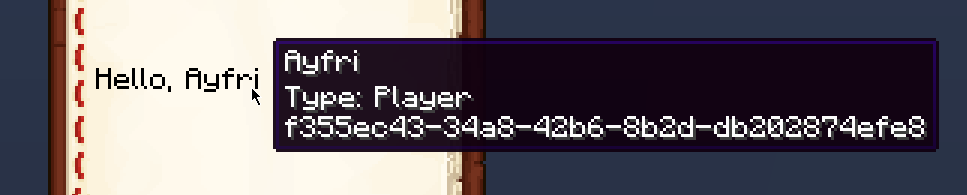
## KeybindComponent
The `KeybindComponent` displays a keybind. The keybind is displayed in the player's keybind settings.
### Example
```kotlin
val keybindComponent = keybindComponent("key.sprint")
```
In-game example:
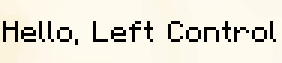
## NbtComponent
The `NbtComponent` displays NBT data from a block, an entity, or a storage. The
`interpret` property can be used to interpret the NBT data as a text component, if the parsing fails, nothing is displayed.
The `nbt` property can be used to specify the path to the NBT data.
If `nbt` points to an array, then it will display all the elements joined in the form `Element1, Element2` etc.
The `separator` property can be used to change the separator between the elements of the array.
### Example
```kotlin
val nbtComponent = nbtComponent("Health", entity = nearestEntity {
type = EntityType.CREEPER
})
```
In-game output:
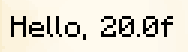
## ScoreComponent
The `ScoreComponent` displays the score of an entity for a specific objective. The
`name` property can be used to specify the name of the entity whose score to display, it can be a selector or a literal name (will use the
player with that name). It can also be `*` to select the entity seeing the text component.
The `objective` property can be used to specify the name of the objective to display the score of.
A `value` property can be used to specify a fixed value to display regardless of the score.
### Example
```kotlin
val scoreComponent = scoreComponent("test")
```
In-game output:
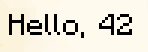
## TranslatedTextComponent
The
`TranslatedTextComponent` displays translated text using translation keys. You can also pass arguments to the translation key with the
`with` argument, which should be a list of text components or strings.
A `fallback` property can be used to specify a fallback text if the translation key is not found.
### Example
```kotlin
val translatedTextComponent = translatedTextComponent("chat.type.text", "Ayfri", "Hello !")
```
In-game output:
## Hover Event
Hover events display extra information when the text is hovered over, it can be either text, an item, or an entity. Use
`showText` to display text, `showItem` to display an item, and `showEntity` to display an entity.
Note that to show an entity, you have to have its UUID as a string.
### Hover Event Example
```kotlin
val hoverEventComponent = textComponent("Hover over me!") {
hoverEvent {
showText("Hello, world!")
}
}
```
In-game output:

### Hover Item Example
```kotlin
val hoverItemComponent = textComponent("Hover over me!") {
hoverEvent {
showItem(Items.DIAMOND_SWORD {
damage(5)
})
}
}
```
In-game output:
## Click Event
Click events perform an action when the text is clicked. The action can be to:
- Change the page of the book if reading a book
- Copy some text to the clipboard
- Open a file
- Open a URL
- Run a command
- Suggest a command (insert the command in the chat but don't run it)
### Click Event Example
```kotlin
val clickEventComponent = textComponent("Click me!") {
clickEvent {
runCommand {
say("Hello, world!")
}
}
}
```
## Object Components
Object components render atlas sprites or player skins inside chat. They require the
`ObjectTextComponent` family and can be built via
`objectComponent` or `playerObjectComponent` depending on the source.
### AtlasObjectTextComponent
- `atlas` - The atlas that contains the sprite. Optional when the sprite already resolves to an atlas entry, otherwise provide an explicit
`AtlasArgument`.
- `sprite` - The `ModelArgument` that identifies the sprite to render and is required.
Use `objectComponent` to construct atlas objects, optionally passing an atlas override.
```kotlin
val atlasObject = objectComponent(
sprite = Textures.Block.COMMAND_BLOCK_BACK,
atlas = Atlases.BLOCKS
)
```
In-game output:
### PlayerObjectTextComponent
- `hat` - Whether to display the player's hat layer (true/false) or leave it untouched when null.
- `player` - A `PlayerProfile` describing the skin whose head should render; provide either a name, UUID, or both plus properties.
`playerObjectComponent` accepts a `PlayerProfile`, name, or `UUIDArgument`, and the nested `player` block lets you add
`PlayerProperty`
estimations.
```kotlin
val playerObject = playerObjectComponent("ayfri") {
player {
property("textures", "base64_encoded_texture_data")
}
}
```
In-game output:

Notice that there is a shadow on the player's head, you can disable it by setting `shadowColor` to 0.
```kotlin
val playerObject = playerObjectComponent("ayfri") {
shadowColor = argb(0, 0, 0, 0)
}
```
In-game output:

These components respect the same formatting as any other chat component, so you can still chain them, color them, or attach hover and click
behaviors.
---
## Colors
---
root: .components.layouts.MarkdownLayout
title: Colors
nav-title: Colors
description: Guide to using colors in Kore, including named colors, RGB/ARGB, dye colors, and how different contexts serialize them.
keywords: minecraft, kore, colors, rgb, argb, dyes, components, particles
date-created: 2025-08-11
date-modified: 2025-08-11
routeOverride: /docs/concepts/colors
---
# Overview
Kore provides a unified `Color` API that covers three families of colors used by Minecraft:
- `FormattingColor` and `BossBarColor` (named colors for chat, UI, teams, etc.)
- `RGB` and `ARGB` (numeric colors)
- `DyeColors` (the 16 dye colors used by entities and items)
For the vanilla reference on color behavior, see the Minecraft Wiki’s Color page (`https://minecraft.wiki/w/Color`).
## Color types in Kore
- `Color` (sealed interface): umbrella type accepted by most helpers.
- `FormattingColor`: named chat/formatting colors (e.g. `Color.RED`, `Color.AQUA`).
- `BossBarColor`: bossbar’s named colors.
- `RGB` / `ARGB`: numeric colors. `RGB` is `#rrggbb`, `ARGB` is `#aarrggbb`.
- `DyeColors`: 16 dye colors (white, orange, magenta, …, black) for collars, shulkers, sheep, tropical fish, etc.
Helpers to create numeric colors:
```kotlin
import io.github.ayfri.kore.arguments.colors.*
val c1 = color(85, 255, 255) // RGB
val c2 = color('#55ffff') // RGB from hex string
val c3 = color(0x55ffff) // RGB from decimal
val c4 = argb(255, 85, 255, 255) // ARGB
val c5 = argb('#ff55ffff') // ARGB from hex string
```
Conversions and utils:
```kotlin
val rgb = Color.AQUA.toRGB() // Named/Bossbar/ARGB → RGB
val argb = rgb.toARGB(alpha = 200)
val mixed = mix(rgb(255, 0, 0), 0.25, rgb(0, 0, 255), 0.75)
```
## Random colors
Kore provides static `random()` helpers on the color classes to simplify testing and procedural generation. You can also use a
`Random` instance to generate random colors with a specific seed.
These helpers are available on:
- **`RGB`**: `RGB.random(random: Random = Random)`: returns a random RGB
- **`ARGB`**: `ARGB.random(random: Random = Random, alpha: Boolean = false)`: returns a random ARGB; set
`alpha = true` to randomize the alpha channel
- **`FormattingColor`**: `FormattingColor.random(random: Random = Random)`: returns a random named formatting color
- **`BossBarColor`**: `BossBarColor.random(random: Random = Random)`: returns a random named bossbar color
### Example usage:
```kotlin
import kotlin.random.Random
import io.github.ayfri.kore.arguments.colors.*
import io.github.ayfri.kore.arguments.enums.DyeColors
val randomRgb = RGB.random()
val randomArgb = ARGB.random(random = Random(12345))
val randomArgbWithAlpha = ARGB.random(alpha = true)
val randomFormatting = FormattingColor.random()
```
These helpers were added to make it easy to generate example content, tests, or procedurally-generated visuals.
## Serialization formats by context
Different Minecraft systems expect colors in different formats. Kore picks the right format automatically via serializers.
- Chat components (`color`, `shadow_color`): string
- Named colors emit lowercase names (e.g. `"red"`).
- `RGB` emits `"#rrggbb"`; `ARGB` emits `"#aarrggbb"`.
- Item components (decimal ints):
- `dyedColor(..)`: decimal (or object with `rgb` decimal when tooltip flag is present)
[See on GitHub](https://github.com/Ayfri/Kore/tree/master/kore/src/main/kotlin/io/github/ayfri/kore/arguments/components/item/DyedColorComponent.kt#L14)
```kotlin
@Serializable(RGB.Companion.ColorAsDecimalSerializer::class) var rgb: RGB,
```
- `mapColor(..)`: decimal
[See on GitHub](https://github.com/Ayfri/Kore/tree/master/kore/src/main/kotlin/io/github/ayfri/kore/arguments/components/item/MapColorComponent.kt#L13)
```kotlin
InlineSerializer(RGB.Companion.ColorAsDecimalSerializer, MapColorComponent::color)
```
- `potionContents(customColor=..)`: decimal
[See on GitHub](https://github.com/Ayfri/Kore/tree/master/kore/src/main/kotlin/io/github/ayfri/kore/arguments/components/item/PotionContentsComponent.kt#L29-L30)
```kotlin
@Serializable(RGB.Companion.ColorAsDecimalSerializer::class)
var customColor: RGB? = null,
```
- Firework explosion `colors` / `fade_colors`: decimal list
[See on GitHub](https://github.com/Ayfri/Kore/tree/master/kore/src/main/kotlin/io/github/ayfri/kore/arguments/components/item/FireworkExplosionComponent.kt#L30-L32)
```kotlin
var colors: List<@Serializable(RGB.Companion.ColorAsDecimalSerializer::class) RGB>? = null,
@SerialName("fade_colors")
var fadeColors: List<@Serializable(RGB.Companion.ColorAsDecimalSerializer::class) RGB>? = null,
```
- Worldgen Biomes (decimal ints):
[See on GitHub](https://github.com/Ayfri/Kore/tree/master/kore/src/main/kotlin/io/github/ayfri/kore/features/worldgen/biome/types/BiomeEffects.kt#L12-L17)
```kotlin
@Serializable(ColorAsDecimalSerializer::class) var skyColor: Color = color(7907327)
@Serializable(ColorAsDecimalSerializer::class) var fogColor: Color = color(12638463)
@Serializable(ColorAsDecimalSerializer::class) var waterColor: Color = color(4159204)
@Serializable(ColorAsDecimalSerializer::class) var waterFogColor: Color = color(329011)
@Serializable(ColorAsDecimalSerializer::class) var grassColor: Color? = null
@Serializable(ColorAsDecimalSerializer::class) var foliageColor: Color? = null
```
- Particles:
- Command particles (decimal ints): Dust, DustColorTransition, Trail
[See on GitHub](https://github.com/Ayfri/Kore/tree/master/kore/src/main/kotlin/io/github/ayfri/kore/commands/particle/types/DustParticleType.kt#L21)
```kotlin
var color: @Serializable(ColorAsDecimalSerializer::class) Color,
```
[See on GitHub](https://github.com/Ayfri/Kore/tree/master/kore/src/main/kotlin/io/github/ayfri/kore/commands/particle/types/DustColorTransitionParticleType.kt#L22-L25)
```kotlin
var fromColor: @Serializable(ColorAsDecimalSerializer::class) Color,
var toColor: @Serializable(ColorAsDecimalSerializer::class) Color,
```
[See on GitHub](https://github.com/Ayfri/Kore/tree/master/kore/src/main/kotlin/io/github/ayfri/kore/commands/particle/types/TrailParticleType.kt#L22)
```kotlin
var color: @Serializable(ColorAsDecimalSerializer::class) Color,
```
- Enchantment effect particles (double arrays `[r, g, b]` in 0..1):
[See on GitHub](https://github.com/Ayfri/Kore/tree/master/kore/src/main/kotlin/io/github/ayfri/kore/features/enchantments/effects/entity/spawnparticles/types/DustParticleType.kt#L11)
```kotlin
var color: @Serializable(ColorAsDoubleArraySerializer::class) Color,
```
[See on GitHub](https://github.com/Ayfri/Kore/tree/master/kore/src/main/kotlin/io/github/ayfri/kore/features/enchantments/effects/entity/spawnparticles/types/DustColorTransitionParticleType.kt#L12-L14)
```kotlin
var fromColor: @Serializable(ColorAsDoubleArraySerializer::class) Color,
var toColor: @Serializable(ColorAsDoubleArraySerializer::class) Color,
```
[See on GitHub](https://github.com/Ayfri/Kore/tree/master/kore/src/main/kotlin/io/github/ayfri/kore/features/enchantments/effects/entity/spawnparticles/types/EntityEffectParticleType.kt#L11)
```kotlin
var color: @Serializable(ColorAsDoubleArraySerializer::class) Color,
```
- UI and commands using named colors (strings):
- Teams, Scoreboards, Bossbar: `FormattingColor` / `BossBarColor`
[See on GitHub](https://github.com/Ayfri/Kore/tree/master/kore/src/main/kotlin/io/github/ayfri/kore/commands/Teams.kt#L43)
```kotlin
fun color(color: FormattingColor) = fn.addLine(..., literal("color"), color)
```
[See on GitHub](https://github.com/Ayfri/Kore/tree/master/kore/src/main/kotlin/io/github/ayfri/kore/commands/BossBar.kt#L57)
```kotlin
fun setColor(color: BossBarColor) = fn.addLine(..., literal("color"), color)
```
## Dye colors and where they’re used
`DyeColors` are used for entity variants and certain item/entity data components:
- `catCollar(..)`, `wolfCollar(..)`, `sheepColor(..)`, `shulkerColor(..)`
[See on GitHub](https://github.com/Ayfri/Kore/tree/master/kore/src/main/kotlin/io/github/ayfri/kore/arguments/components/entity/CatCollar.kt#L11-L22)
```kotlin
data class CatCollar(var color: DyeColors)
// ... existing code ...
fun ComponentsScope.catCollar(color: DyeColors)
```
[See on GitHub](https://github.com/Ayfri/Kore/tree/master/kore/src/main/kotlin/io/github/ayfri/kore/arguments/components/entity/WolfCollar.kt#L11-L22)
```kotlin
data class WolfCollar(var color: DyeColors)
// ... existing code ...
fun ComponentsScope.wolfCollar(color: DyeColors)
```
[See on GitHub](https://github.com/Ayfri/Kore/tree/master/kore/src/main/kotlin/io/github/ayfri/kore/arguments/components/entity/SheepColor.kt#L11-L22)
```kotlin
data class SheepColor(var color: DyeColors)
// ... existing code ...
fun ComponentsScope.sheepColor(color: DyeColors)
```
[See on GitHub](https://github.com/Ayfri/Kore/tree/master/kore/src/main/kotlin/io/github/ayfri/kore/arguments/components/entity/ShulkerColor.kt#L11-L22)
```kotlin
data class ShulkerColor(var color: DyeColors)
// ... existing code ...
fun ComponentsScope.shulkerColor(color: DyeColors)
```
## Practical examples
Chat components (string serialization):
```kotlin
import io.github.ayfri.kore.arguments.chatcomponents.textComponent
import io.github.ayfri.kore.arguments.colors.Color
val title = textComponent('Legendary Sword', Color.AQUA)
```
Dyed leather color (decimal serialization):
```kotlin
import io.github.ayfri.kore.generated.Items
import io.github.ayfri.kore.arguments.colors.Color
val dyedHelmet = Items.LEATHER_HELMET {
dyedColor(Color.AQUA)
}
```
Map color (decimal serialization):
```kotlin
import io.github.ayfri.kore.generated.Items
import io.github.ayfri.kore.arguments.colors.rgb
val withMapColor = Items.STONE {
mapColor(rgb(85, 255, 255))
}
```
Fireworks (decimal lists):
```kotlin
import io.github.ayfri.kore.generated.Items
import io.github.ayfri.kore.generated.FireworkExplosionShape
import io.github.ayfri.kore.arguments.colors.Color
val rocket = Items.FIREWORK_ROCKET {
fireworks(flightDuration = 1) {
explosion(FireworkExplosionShape.BURST) {
colors(Color.AQUA)
fadeColors(Color.BLACK, Color.WHITE)
hasTrail = true
hasFlicker = true
}
}
}
```
Biome effects (decimal):
```kotlin
import io.github.ayfri.kore.features.worldgen.biome.types.BiomeEffects
import io.github.ayfri.kore.arguments.colors.color
val effects = BiomeEffects(
skyColor = color(7907327),
waterColor = color(4159204)
)
```
Particles
- Command dust (decimal):
```kotlin
import io.github.ayfri.kore.commands.particle.types.Dust
import io.github.ayfri.kore.arguments.colors.Color
val p = Dust(color = Color.RED, scale = 1.0)
```
- Enchantment dust (double array):
```kotlin
import io.github.ayfri.kore.features.enchantments.effects.entity.spawnparticles.types.DustParticleType
import io.github.ayfri.kore.generated.arguments.types.ParticleTypeArgument
import io.github.ayfri.kore.arguments.colors.rgb
val enchantDust = DustParticleType(
type = ParticleTypeArgument('minecraft:dust'),
color = rgb(255, 0, 0)
)
```
Entity variant dye usage:
```kotlin
import io.github.ayfri.kore.generated.Items
import io.github.ayfri.kore.arguments.enums.DyeColors
val cat = Items.CAT_SPAWN_EGG {
catCollar(DyeColors.RED)
}
```
## Notes
- Passing `Color` to component helpers that use decimal or double-array formats is safe: Kore converts automatically via
`toRGB()`.
- Use `DyeColors` when the game mechanic expects a dye color (collars, sheep, shulkers, tropical fish), and `FormattingColor`/
`BossBarColor` for chat/UI tints.
## Further reading
- Minecraft Wiki - Color: [`https://minecraft.wiki/w/Color`](https://minecraft.wiki/w/Color)
---
## Components
---
root: .components.layouts.MarkdownLayout
title: Components
nav-title: Components
description: A guide for using components in Minecraft with Kore.
keywords: minecraft, datapack, kore, guide, components
date-created: 2024-01-08
date-modified: 2026-02-03
routeOverride: /docs/concepts/components
---
In Minecraft, data components are structured key-value properties used to define and store behavior and attributes. They are attached to different things:
- Item components: properties that live on item stacks (e.g., `enchantments`, `food`,
`attribute_modifiers`). They affect how items behave in inventories, commands, containers, etc.
- Entity variant components: properties exposed as components for certain entity variants when represented as items or spawn eggs (e.g.,
`wolf/variant`, `cat/collar`). These follow the same component mechanics but target entity-specific customization.
This page focuses on using item components with Kore. For the vanilla reference and exhaustive definitions, see the Minecraft Wiki’s Data component format (
`https://minecraft.wiki/w/Data_component_format`).
The Kore library provides a comprehensive and user-friendly way to work with these components, enabling you to create custom items with ease. This article will guide you through the process of using components with Kore, showcasing examples and best practices.
## Creating Custom Items with Components
Let's dive into creating custom items with various components using Kore. Below are examples of how to define and manipulate item properties such as attribute modifiers, enchantments, and more.
### Attribute Modifiers
Attribute modifiers allow you to alter the attributes of an item, such as increasing damage or changing the scale. Here's how to define a stone sword with an attribute modifier using Kore:
```kotlin
import io.github.ayfri.kore.arguments.types.literals.randomUUID
import io.github.ayfri.kore.commands.AttributeModifierOperation
import io.github.ayfri.kore.generated.Items
import io.github.ayfri.kore.generated.Attributes
val uuid = randomUUID()
val attributeModifiersTest = Items.STONE_SWORD {
attributeModifiers {
modifier(
type = Attributes.SCALE,
amount = 1.0,
name = "Big!",
operation = AttributeModifierOperation.ADD_VALUE,
uuid = uuid,
)
}
}
```
### Enchantments
You can add enchantments to items to give them special abilities. Here’s an example of adding the Sharpness enchantment to a stone sword:
```kotlin
import io.github.ayfri.kore.generated.Enchantments
val enchantmentsTest = Items.STONE_SWORD {
enchantments(mapOf(Enchantments.SHARPNESS to 5))
}
```
Check out the [Enchantments](./enchantments) article for more information on how to use enchantments with Kore.
### Custom Names and Lore
Custom names and lore can be added to items to give them unique identifiers and background stories:
```kotlin
import io.github.ayfri.kore.arguments.chatcomponents.textComponent
import io.github.ayfri.kore.arguments.colors.Color
val customNameTest = Items.STONE_SWORD {
customName(textComponent("Legendary Sword", Color.AQUA))
}
```
### Fireworks
You can define the properties of fireworks, including the shape and colors of the explosions:
```kotlin
import io.github.ayfri.kore.generated.FireworkExplosionShape
import io.github.ayfri.kore.arguments.colors.Color
val fireworksTest = Items.FIREWORK_ROCKET {
fireworks(flightDuration = 1) {
explosion(FireworkExplosionShape.BURST) {
colors(Color.AQUA)
fadeColors(Color.BLACK, Color.WHITE)
hasTrail = true
hasFlicker = true
}
}
}
```
See how to set custom colors in the [Colors](./colors) article.
### Custom Block Data
You can define custom properties for blocks using block entity data. Here's an example of adding custom data to a bee nest block:
```kotlin
import io.github.ayfri.kore.generated.Blocks
import io.github.ayfri.kore.generated.Items
val blockEntityDataTest = Items.BEE_NEST {
blockEntityData(Blocks.BEE_NEST) {
this["test"] = "test"
}
}
```
### Profile
The profile component can be either a player profile or a texture-based profile.
#### Player Profile
A player profile uses a player's name or UUID:
```kotlin
Items.PLAYER_HEAD {
playerProfile("Notch")
}
```
#### Texture Profile
A texture profile allows you to specify textures and models:
```kotlin
Items.PLAYER_HEAD {
textureProfile(texture = "tex") {
model = MannequinModel.SLIM
}
}
```
### Recipes result with components
You can define recipes with components as well. Here's an example of crafting a custom enchanted golden apple using a shaped recipe:
```kotlin
recipes {
craftingShaped("enchanted_golden_apple") {
pattern(
"GGG",
"GAG",
"GGG"
)
key("G", Items.GOLD_BLOCK)
key("A", Items.APPLE)
result(Items.ENCHANTED_GOLDEN_APPLE {
food(
nutrition = 10,
saturation = 5.0f,
) {
effect(
probability = 1f,
id = Effects.REGENERATION,
duration = 40,
amplifier = 1,
ambient = true,
showParticles = true,
showIcon = true
)
}
})
}
}
```
## Example Usage
To give yourself an item with custom components using the
`/give` command, you can define the item and its components as shown in the following example:
```kotlin
import io.github.ayfri.kore.generated.Items
import io.github.ayfri.kore.utils.set
// Define the item with a custom name
val customStone = Items.STONE {
fireResistant()
customName(textComponent("Special Stone", Color.AQUA))
rarity(Rarities.EPIC)
lore(
textComponent("A stone with special properties.", Color.GRAY) +
text("Use it wisely!", Color.GRAY)
)
}
// Use the /give command to give the item to yourself
give(self(), customStone)
```
This example creates a custom stone item with a special name "Special Stone" in aqua color and gives it to the player using the
`/give`
command.
### Full list of Item components
Below is an alphabetical list of all item component helpers available in Kore. The names match the DSL functions you call inside an
`Items.* { }` builder.
| Helper | Description |
|--------------------------------------|---------------------------------------------------------------------------------------------------|
| `attributeModifiers(..)` | Modifies entity attributes (e.g., attack damage, speed, armor) when the item is equipped or held. |
| `bannerPatterns(..)` | Defines the layered patterns displayed on a banner or shield. |
| `baseColor(..)` | Sets the base color of a banner before patterns are applied. |
| `bees { .. }` | Stores bee entities inside a beehive or bee nest item. |
| `blockEntityData(..)` | Attaches custom NBT data to a block entity when the item is placed. |
| `blocksAttacks(..)` | Configures how the item blocks incoming attacks when used (like a shield). |
| `blockState(..)` | Sets block state properties (e.g., facing, powered) when the item is placed. |
| `breakSound(..)` | Specifies the sound played when the item breaks from durability loss. |
| `bucketEntityData(..)` | Stores entity data for mobs captured in buckets (e.g., fish, axolotl). |
| `bundleContents(..)` | Defines the items stored inside a bundle. |
| `canBreak(..)` | Restricts which blocks this item can break in Adventure mode. |
| `canPlaceOn(..)` | Restricts which blocks this item can be placed on in Adventure mode. |
| `chargedProjectiles(..)` | Stores projectiles loaded into a crossbow. |
| `consumable(..) { .. }` | Makes the item consumable with configurable eating time, animation, sound, and effects. |
| `container(..)` | Stores items inside a container item (e.g., shulker box). |
| `containerLoot(..)` | References a loot table to generate container contents when opened. |
| `customData(..)` | Attaches arbitrary custom NBT data for use by datapacks or mods. |
| `customModelData(..)` | Provides numeric values for custom item model selection in resource packs. |
| `customName(..)` | Sets a custom display name for the item (supports text components). |
| `damage(..)` | Sets the current damage/durability consumed on a damageable item. |
| `damageResistant(..)` | Makes the item entity resistant to specific damage types (e.g., fire, explosions). |
| `damageType(..)` | Specifies the damage type dealt when attacking with this item. |
| `deathProtection(..)` | Prevents death and applies effects when the holder would die (like a totem). |
| `debugStickState(..)` | Stores the selected block state property for the debug stick per block type. |
| `dyedColor(..)` | Sets the dye color for leather armor or other dyeable items. |
| `enchantable(..)` | Defines the enchantability value affecting enchantment quality at enchanting tables. |
| `enchantmentGlintOverride(..)` | Forces the enchantment glint on or off regardless of enchantments. |
| `enchantments(..)` | Applies enchantments with their levels to the item. |
| `entityData(..)` | Stores entity NBT data for spawn eggs or items that spawn entities. |
| `equippable(..)` | Configures equipment slot, sounds, and model when the item is worn. |
| `fireworkExplosion(..)` | Defines a single firework star explosion shape, colors, and effects. |
| `fireworks(..)` | Configures firework rocket flight duration and explosion effects. |
| `food(..)` | Makes the item edible with nutrition, saturation, and optional effects. |
| `glider()` | Enables elytra-like gliding when equipped in the chest slot. |
| `instrument(..)` | Specifies the goat horn sound variant when the item is used. |
| `intangibleProjectile()` | Makes projectiles from this item pass through entities without collision. |
| `itemModel(..)` | Overrides the item's model with a custom model resource location. |
| `itemName(..)` | Sets the item's base name (different from custom name; not italicized). |
| `jukeboxPlayable(..)` | Allows the item to be played in a jukebox with a specified music disc track. |
| `kineticWeapon(..) { .. }` | Configures kinetic weapon properties for mounted combat (reach, damage multiplier, conditions). |
| `lock(..)` | Requires a matching item predicate (key) to open this container. |
| `lodestoneTarget(..)` | Makes a compass point to specific coordinates in a dimension. |
| `lore(..)` | Adds tooltip lines below the item name for descriptions or flavor text. |
| `mapColor(..)` | Sets the color tint for filled map item textures. |
| `mapDecorations(..)` | Adds custom icons/markers displayed on a filled map. |
| `mapId(..)` | Links the item to a specific map data ID for filled maps. |
| `maxDamage(..)` | Sets the maximum durability before the item breaks. |
| `maxStackSize(..)` | Overrides how many items can stack in a single inventory slot (1-99). |
| `minimumAttackCharge(..)` | Sets the minimum attack charge (0.0-1.0) required for full damage. |
| `noteBlockSound(..)` | Specifies the sound a note block plays when this player head is above it. |
| `ominousBottleAmplifier(..)` | Sets the Bad Omen effect amplifier (0-4) when consuming an ominous bottle. |
| `piercingWeapon(..) { .. }` | Configures piercing weapon properties (reach, knockback, dismount behavior). |
| `playerProfile(..)` | Sets the player skin displayed on a player head item. |
| `potDecorations(..)` | Defines the pottery sherds or bricks on each face of a decorated pot. |
| `potionContents(..)` | Configures potion color, effects, and custom potion mixtures. |
| `potionDurationScale(..)` | Multiplies the duration of potion effects from this item. |
| `providesBannerPatterns(..)` | Registers this item as a banner pattern source for the loom. |
| `providesTrimMaterial(..)` | Registers this item as an armor trim material for the smithing table. |
| `rarity(..)` | Sets the item name color tier (common, uncommon, rare, epic). |
| `recipes(..)` | Unlocks specified recipes when this knowledge book is used. |
| `repairable(..)` | Defines which items can repair this item on an anvil. |
| `repairCost(..)` | Sets the anvil repair cost penalty for combining or renaming. |
| `storedEnchantments(..)` | Stores enchantments in an enchanted book for anvil application. |
| `suspiciousStewEffectsComponent(..)` | Defines the status effects applied when consuming suspicious stew. |
| `swingAnimation(..)` | Configures the swing animation type (none, stab, whack) and duration. |
| `tool { .. }` | Configures mining speeds, suitable blocks, and durability cost for tools. |
| `tooltipDisplay(..)` | Controls which tooltip sections are shown or hidden. |
| `tooltipStyle(..)` | Applies a custom tooltip background/border style from a resource pack. |
| `trim(..)` | Applies an armor trim pattern and material to armor items. |
| `unbreakable()` | Prevents the item from taking durability damage. |
| `useCooldown(..)` | Applies a cooldown period after using this item. |
| `useEffects(..)` | Configures use effects like allowing sprinting and speed multiplier while using. |
| `useRemainder(..)` | Specifies an item left behind after this item is fully consumed. |
| `weapon(..)` | Configures melee weapon properties like damage and attack speed. |
| `writableBookContent(..)` | Stores editable pages in a book and quill. |
| `writtenBookContent(..)` | Stores signed book content including title, author, and pages. |
## Works great with Inventory Manager
If you build rich items with components and want to enforce them in player GUIs or chest slots, pair them with the [Inventory Manager](./helpers/inventory-manager). It lets you keep specific items in slots, react to takes, and clean up other slots while preserving all component data.
## Patch items
When you need to patch components on existing stacks (set name/lore, toggle tooltips, edit container contents, etc.) at runtime, use [Item Modifiers](./item-modifiers). Kore maps the vanilla functions like
`set_components`, `set_contents`, `set_fireworks`, and more.
## Custom Component
You can create custom components by extending the
`CustomComponent` class. Here's an example of a custom component that adds a custom attribute to an item:
```kotlin
package your.package
import io.github.ayfri.kore.arguments.components.ComponentsScope
import io.github.ayfri.kore.arguments.components.types.CustomComponent
import io.github.ayfri.kore.arguments.types.resources.FunctionArgument
import io.github.ayfri.kore.arguments.types.resources.SoundArgument
import io.github.ayfri.kore.utils.nbt
import kotlinx.serialization.Serializable
import kotlinx.serialization.SerialName
@Serializable
data class UseComponent(
var function: FunctionArgument,
@SerialName("durability_damages") // properties aren't renamed to snake_case because of a limitation in KNBT library
var durabilityDamages: Int? = null, // optional property, equals to 0 in Minecraft
var cooldown: Float? = null, // optional property, equals to 0 in Minecraft
var consume: Boolean? = null, // optional property, equals to false in Minecraft
var sound: SoundArgument? = null, // optional property, equals to null in Minecraft
) : CustomComponent(
nbt {
this["function"] = function
this["damage"] = damage
this["cooldown"] = cooldown
this["consume"] = consume
this["sound"] = sound
}
)
fun ComponentsScope.use(
function: FunctionArgument,
damage: Int? = null,
cooldown: Float? = null,
consume: Boolean? = null,
sound: SoundArgument? = null,
) = apply {
this["use_component"] = UseComponent(function, damage, cooldown, consume, sound)
}
```
And here's how you can use this custom component in an item definition:
```kotlin
import io.github.ayfri.kore.generated.Items
import io.github.ayfri.kore.generated.Sounds
import your.package.use
val customItem = Items.DIAMOND_SWORD {
val myFunction = function("use_weapon") {
// Your function code here.
}
use(
function = myFunction,
durabilityDamages = 4,
cooldown = 1.5f,
sound = Sounds.Entity.Player.Attack.CRIT1
)
}
// Result:
minecraft:diamond_sword[use_component ={ function:"datapack:use_weapon", damage:4, cooldown:1.5f, sound:"entity/player/attack/crit1" }]
```
## Entity Variant Components (25w04a+)
> *Introduced in snapshot [25w04a](https://www.minecraft.net/en-us/article/minecraft-snapshot-25w04a)*
>
> Entity variants such as axolotl colours, cat collars or tropical-fish patterns are now exposed as **data components
** and can be used on entities, spawn-egg items, mob buckets and paintings. This replaces the old `type_specific` NBT fields.
Kore ships dedicated helpers for each of these components. You can attach them to an
`Items.*` builder the exact same way you attach any other component:
```kotlin
import io.github.ayfri.kore.generated.Items
import io.github.ayfri.kore.arguments.enums.*
// Axolotl bucket with the blue variant
val blueAxolotlBucket = Items.AXOLOTL_BUCKET {
axolotlVariant(AxolotlVariants.BLUE)
}
// Cat spawn-egg with a red collar
val redCollarCat = Items.CAT_SPAWN_EGG {
catCollar(DyeColors.RED)
}
// Painting item selecting the "kebab" variant (namespace implied)
val kebabPainting = Items.PAINTING {
paintingVariant(PaintingVariants.KEBAB)
}
```
These components can also be queried inside predicates:
```kotlin
predicate("only_blue_axolotls") {
entityProperties {
components {
axolotlVariant(AxolotlVariants.BLUE)
}
}
}
```
The full list of variant helpers currently included in Kore is:
- `axolotlVariant(..)`
- `catCollar(..)` / `catVariant(..)`
- `foxVariant(..)`
- `frogVariant(..)`
- `horseVariant(..)`
- `llamaVariant(..)`
- `mooshroomVariant(..)`
- `paintingVariant(..)`
- `parrotVariant(..)`
- `pigVariant(..)`
- `rabbitVariant(..)`
- `salmonSize(..)`
- `sheepColor(..)`
- `shulkerColor(..)`
- `tropicalFishBaseColor(..)` / `tropicalFishPattern(..)` / `tropicalFishPatternColor(..)`
- `villagerVariant(..)`
- `wolfCollar(..)` / `wolfVariant(..)`
They follow the exact same naming and DSL pattern you already know:
```kotlin
fun ComponentsScope.wolfVariant(variant: WolfVariants) { /*…*/ }
```
Because the logic lives in regular data components, you automatically get:
• Compatibility with `itemStack` / `Items.*` DSL • Predicate support through `components {}`
• Correct serialisation back to the vanilla command-/NBT-syntax
Feel free to mix several variant components on the same `ComponentsScope`:
```kotlin
Items.WOLF_SPAWN_EGG {
wolfCollar(DyeColors.BLACK)
wolfVariant(WolfVariants.SNOWY)
}
```
## Component Matchers & Item Predicates
Kore provides powerful tools for matching and filtering items based on their components. This is useful in predicates, execute conditions,
and loot tables.
### Complete Example: Custom Tool Upgrade System
Here's a practical example showing how to use item predicates to create a tool upgrade system that detects enchanted, damaged tools and
replaces them with upgraded versions:
```kotlin
dataPack("tool_upgrades") {
// Predicate to find diamond swords that need upgrading
predicate("upgradeable_sword") {
matchTool {
items(Items.DIAMOND_SWORD)
predicates {
// Must have Sharpness enchantment
enchantments {
enchantment(Enchantments.SHARPNESS, level = rangeOrInt(1..4))
}
// Must be damaged (durability used)
damage {
damage = rangeOrInt(1..1000)
}
}
}
}
// Function to check player's held item and upgrade it
function("check_upgrade") {
// Check if holding an upgradeable sword
execute {
ifCondition {
items(
self(),
ItemSlot.WEAPON_MAINHAND,
Items.DIAMOND_SWORD.predicate {
subPredicates {
enchantments {
enchantment(Enchantments.SHARPNESS, level = rangeOrInt(3..4))
}
}
}
)
}
run {
// Replace with netherite sword keeping enchantments
items.modify(self(), ItemSlot.WEAPON_MAINHAND, itemModifier("upgrade_to_netherite"))
tellraw(self(), textComponent("Your sword has been upgraded!", Color.GOLD))
}
}
}
// Clear specific items from inventory using predicates
function("clear_broken_tools") {
// Clear any tool with 1 durability left
clear(allPlayers(), itemPredicate {
subPredicates {
damage {
durability = rangeOrInt(1)
}
}
})
}
// Give reward only if player has specific item combination
function("check_collection") {
execute {
// Check for a goat horn (any variant)
ifCondition {
items(
self(),
ItemSlot.INVENTORY,
itemPredicate {
isPresent(ItemComponentTypes.INSTRUMENT)
}
)
}
// Check for enchanted book with Mending
ifCondition {
items(
self(),
ItemSlot.INVENTORY,
Items.ENCHANTED_BOOK.predicate {
subPredicates {
storedEnchantments {
enchantment(Enchantments.MENDING)
}
}
}
)
}
run {
give(self(), Items.NETHER_STAR)
}
}
}
}
```
### Item Predicates
Item predicates let you filter items by their components using the command syntax `- [predicate]`:
```kotlin
import io.github.ayfri.kore.arguments.components.*
import io.github.ayfri.kore.arguments.components.item.*
import io.github.ayfri.kore.generated.Items
import io.github.ayfri.kore.generated.ItemComponentTypes
// Match items with specific component values
val damagedSword = Items.DIAMOND_SWORD.predicate {
damage(10)
}
// Result: minecraft:diamond_sword[damage=10]
// Match any item with a component present (existence check)
val hasInstrument = itemPredicate {
isPresent(ItemComponentTypes.INSTRUMENT)
}
// Result: *[instrument]
// Partial matching with ~ syntax
val customDataMatch = Items.STONE.predicate {
customData {
this["myKey"] = "myValue"
}
partial(ItemComponentTypes.CUSTOM_DATA)
}
// Result: minecraft:stone[custom_data~{myKey:"myValue"}]
// Negated predicates (component must NOT have this value)
val notDamaged = Items.DIAMOND_SWORD.predicate {
!damage(0)
}
// Result: minecraft:diamond_sword[!damage=0]
// Multiple alternatives with OR
val multipleValues = Items.STONE.predicate {
damage(1) or damage(2) or damage(3)
}
// Result: minecraft:stone[damage=1|damage=2|damage=3]
// Count predicate
val stackOf10 = Items.DIAMOND.predicate {
count(10)
}
// Result: minecraft:diamond[count=10]
```
### Component Matchers (Sub-Predicates)
For more complex matching logic, use `subPredicates` with component matchers. These serialize to JSON format for use in predicate files:
```kotlin
import io.github.ayfri.kore.features.predicates.sub.item.ItemStackSubPredicates
import io.github.ayfri.kore.arguments.components.matchers.*
import io.github.ayfri.kore.arguments.numbers.ranges.rangeOrInt
val subPredicate = ItemStackSubPredicates().apply {
// Match damage component with range
damage {
durability = rangeOrInt(1..100)
damage = rangeOrInt(0..10)
}
// Match enchantments
enchantments {
enchantment(Enchantments.SHARPNESS, level = 3)
}
// Match potion contents
potionContents(Effects.SPEED, Effects.STRENGTH)
}
```
### Existence Checks
You can check if a component exists on an item without matching a specific value:
```kotlin
// In item predicates (command form)
val hasInstrument = itemPredicate {
isPresent(ItemComponentTypes.INSTRUMENT)
}
// Result: *[instrument]
// In sub-predicates (JSON form for predicate files)
val existsCheck = ItemStackSubPredicates().apply {
exists(ItemComponentTypes.INSTRUMENT)
}
// Result: {"minecraft:instrument": {}}
// Multiple existence checks
val multipleExists = ItemStackSubPredicates().apply {
exists(ItemComponentTypes.INSTRUMENT)
exists(ItemComponentTypes.DAMAGE)
}
// Result: {"minecraft:instrument": {}, "minecraft:damage": {}}
```
### Available Component Matchers
| Matcher | Description |
|---------------------------|------------------------------------------------|
| `attributeModifiers { }` | Match attribute modifier properties |
| `bundlerContents { }` | Match bundle contents |
| `container { }` | Match container slot contents |
| `customData { }` | Match custom NBT data |
| `damage { }` | Match damage/durability values |
| `enchantments { }` | Match enchantment types and levels |
| `exists(component)` | Check if component exists (empty `{}` matcher) |
| `fireworkExplosion { }` | Match firework star properties |
| `fireworks { }` | Match firework rocket properties |
| `jukeboxPlayable { }` | Match jukebox song |
| `potionContents(..)` | Match potion effects |
| `storedEnchantments { }` | Match stored enchantments (enchanted books) |
| `trim { }` | Match armor trim pattern/material |
| `writableBookContent { }` | Match book pages |
| `writtenBookContent { }` | Match signed book content |
## Conclusion
Components are a powerful tool for customizing Minecraft objects, and the Kore library makes it easier than ever to work with these components programmatically. Whether you're adding custom attributes, enchantments, or creating complex items with multiple components, Kore provides a robust and intuitive API for enhancing your Minecraft experience.
By following the examples and practices outlined in this article, you can leverage the full potential of components in your Minecraft projects, creating richer and more engaging content for players.
Happy crafting!
## See Also
- [Predicates](../data-driven/predicates) - Use components in predicate conditions
- [Item Modifiers](../data-driven/item-modifiers) - Patch components at runtime
- [Recipes](../data-driven/recipes) - Use components in recipe results
- [Inventory Manager](../helpers/inventory-manager) - Enforce component-rich items in slots
### External Resources
- [Minecraft Wiki: Data component format](https://minecraft.wiki/w/Data_component_format) - Official component reference
---
## Scoreboards
---
root: .components.layouts.MarkdownLayout
title: Scoreboards
nav-title: Scoreboards
description: A guide for managing scoreboards in a Minecraft datapack using Kore.
keywords: minecraft, datapack, kore, guide, scoreboards
date-created: 2024-04-06
date-modified: 2026-02-03
routeOverride: /docs/concepts/scoreboards
---
# Scoreboards
Scoreboards track numeric values for players and entities. They're essential for game mechanics, timers, and storing data. For the full scoreboard command reference, see [Commands](../commands/commands#scoreboard-command).
You can manage scoreboards with the `scoreboard` command:
```kotlin
scoreboard.objectives.add("my_objective", ScoreboardCriteria.DUMMY)
```
## Creating objectives
You have multiple forms of the `scoreboard` command:
```kotlin
scoreboard {
objectives {
add("my_objective", ScoreboardCriteria.DUMMY)
// this form lets you manage multiple objectives at once
}
}
scoreboard {
objective("my_objective") {
add(ScoreboardCriteria.DUMMY)
// this form lets you manage a single objective
}
}
```
## Managing objectives
You can add, remove, set display name, set display slot, set render type of objectives:
```kotlin
scoreboard {
objective("my_objective") {
add(ScoreboardCriteria.DUMMY, displayName = textComponent("My Objective", Color.GOLD))
setDisplaySlot(DisplaySlots.sidebar)
setRenderType(RenderType.INTEGER)
}
}
```
## Manage players
You can manage players with the `players` block:
```kotlin
scoreboard {
players {
add(allPlayers(), "my_objective", 1)
remove(self(), "my_objective", 5)
reset(self(), "my_objective")
set(self(), "my_objective", 10)
operation(self(), "my_objective", Operation.ADD, self(), "my_objective")
}
player(self()) {
add("my_objective", 1)
remove("my_objective", 5)
reset("my_objective")
set("my_objective", 10)
operation("my_objective", Operation.ADD, self(), "my_objective")
}
}
```
You can also manage an objective for multiple selectors at once:
```kotlin
scoreboard {
players {
objective("my_objective") {
add(self(), 1)
remove(self(), 5)
reset(self())
set(self(), 10)
operation(self(), Operation.ADD, self(), objective)
}
}
}
```
Or also manage an objective for a single selector:
```kotlin
scoreboard {
player(self()) {
objective("my_objective") {
add(1)
remove(5)
reset()
set(10)
operation(Operation.ADD, self(), objective)
}
}
}
```
These methods offer a more readable way to manage objectives, and avoid repetition operations invoking multiple times the same selector/objective.
## Scoreboard Displays
Scoreboard Displays are a new helper that let you manage right sidebar displays, like on servers.
You can create a display with the `scoreboardDisplay` function:
```kotlin
scoreboardDisplay("my_display") {
displayName = textComponent("My Display", Color.GOLD)
setLine(0, textComponent("Line 1", Color.AQUA))
appendLine(textComponent("Line 2", Color.AQUA))
emptyLine()
appendLine("Line 4", Color.AQUA)
appendLine(textComponent("Line 2", Color.AQUA)) {
createIf { // this line will only be created if the condition is true, this is executed in an `execute if` block
predicate("stonks")
}
}
}
```
You can also change the line numbers display:
```kotlin
scoreboardDisplay("my_display") {
decreasing = false
startingScore = 0
}
```
#### New since 1.20.3
You can now hide the values of the lines:
```kotlin
scoreboardDisplay("my_display") {
appendLine("a") {
hideValue = true // this will hide the value of the line
}
appendLine("b")
hideValues() // this will hide the values of all lines
// you can also provide a range of indices for the lines to hide
}
```
Feel free to add feedback if you have any idea to improve this or to use other features from the new
`scoreboard players display numberformat` subcommand.
### Resetting Scoreboard Displays
You can reset all scoreboards with the `resetAll` function:
```kotlin
ScoreboardDisplay.resetAll()
```
### Limitations
Scoreboard Displays are displayed the same way to everyone, so you can't have different displays for different players. You can at least have different displays for different team colors, but that's all (so there's a property to set the display slot). The sidebar is limited to 15 lines, so you can't have more than 15 lines in a display.
### How it works
Scoreboard Displays are generated using fake players and teams, it will create teams with randomized numbers as name to avoid conflicts. Each line = 1 team, and each team has a suffix with the line text, then a fake player is added to the team with the score of the line number. For dynamic animations of displays, there aren't any solution for that currently. The only way to do that is to use a binary tree of functions, checking the score of the player between 0 and the middle of the maximum score, then between the middle and the maximum, and split the function in two, and so on. Then, when you arrive to the last function, you can call the
`setLine` function to set the line text. And you repeat this for each line.
If you have a better solution, maybe using macros, feel free to create functions for that and create a pull request.
#### New since 1.20.3
Now scoreboard displays can be created more easily as you can now customize the display of each player as a text component. No teams are created anymore, and the display is generated using the
`scoreboard players display name` command, achieving the same result.
---
# Helpers
## Display Entities
---
root: .components.layouts.MarkdownLayout
title: Display Entities
nav-title: Display Entities
description: A guide for creating Display Entities in the world.
keywords: minecraft, datapack, kore, guide, display-entities
date-created: 2024-04-06
date-modified: 2024-04-06
routeOverride: /docs/helpers/display-entities
---
# Display Entities
## Entity Displays
Entity displays are used to display blocks/items/text in the world. You can define multiple properties for the display, such as transformation, billboard mode, shadow etc.
```kotlin
val entityDisplay = blockDisplay {
blockState(Blocks.GRASS_BLOCK) {
properties {
this["snowy"] = true
}
}
transformation {
leftRotation {
quaternionNormalized(0.0, 0.0, 0.0, 1.0)
}
scale = vec3(2.0)
translation {
y = 2.0
}
}
billboardMode = BillboardMode.CENTER
shadowRadius = 0.5f
}
summon(entity = entityDisplay.entityType, pos = vec3(0, 0, 0), nbt = entityDisplay.toNbt())
// will summon a grass block with snow on top, scaled by 2, rotated by 0 degrees and translated by 2 blocks on the y axis at the position 0, 0, 0
```
## Block Displays
Block displays are used to display blocks in the world. They are created by calling `blockDiplay()` DSL.
```kotlin
val blockDisplay = blockDisplay {
blockState(Blocks.GRASS_BLOCK) {
properties {
this["snowy"] = true
}
}
}
```
## Item Displays
Item displays are used to display items in the world. They are created by calling `itemDisplay()` DSL.
```kotlin
val itemDisplay = itemDisplay {
item(Items.DIAMOND_SWORD) {
name = textComponent("test")
enchantments {
Enchantments.SHARPNESS at 1
Enchantments.UNBREAKING at 3
}
modifiers {
modifier(Attributes.ATTACK_DAMAGE, 1.0, AttributeModifierOperation.ADD)
}
}
}
```
## Text Displays
Text displays are used to display text in the world. They are created by calling `textDisplay()` DSL.
```kotlin
val textDisplay = textDisplay {
text("test", Color.RED) {
bold = true
}
}
```
## Transformations
Transformations are used to modify the translation, left/right rotations and scale of displays. They are created by calling `transformation`
DSL. You can also apply directly matrix transformations and use quaternions, axis angles or use Euler angles for rotations.
```kotlin
transformation {
leftRotation {
quaternionNormalized(0.0, 0.0, 0.0, 1.0)
}
scale = vec3(2.0)
translation {
y = 2.0
}
}
```
## Interpolations
You can convert your display entity into an "interpolable" display entity by calling
`interpolable()` on it. This will allow you to interpolate between the current transformation and the target transformation in a given time.
```kotlin
val interpolableEntityDisplay = blockDisplay {
blockState(Blocks.STONE_BLOCK)
}.interpolable(position = vec3(0, 0, 0))
interpolableEntityDisplay.summon()
interpolableEntityDisplay.interpolateTo(duration = 2.seconds) {
translation {
y = 2.0
}
}
```
I will later add more methods and maybe a complete DSL for making full animations.
---
## Inventory Manager
---
root: .components.layouts.MarkdownLayout
title: Inventory Manager
nav-title: Inventory Manager
description: Listen to slot events and control containers (players, blocks) with Kore's Inventory Manager.
keywords: minecraft, datapack, kore, inventory, container, slots, events, gui
date-created: 2025-08-11
date-modified: 2025-08-11
routeOverride: /docs/helpers/inventory-manager
---
# Inventory Manager
Kore’s Inventory Manager lets you declaratively control inventories on entities or blocks and react to slot events.
- Manage items in any `ContainerArgument` (players, entities, or block containers).
- Register slot listeners that fire when an item is taken from a slot.
- Keep a slot populated, clear other slots, or run custom logic every tick.
- Auto-generate the required load/tick functions and minimal scoreboards to drive the listeners.
## Quick start
```kotlin
import io.github.ayfri.kore.arguments.types.literals.nearestPlayer
import io.github.ayfri.kore.arguments.colors.Color
import io.github.ayfri.kore.arguments.chatcomponents.textComponent
import io.github.ayfri.kore.commands.TitleLocation
import io.github.ayfri.kore.generated.Items
import io.github.ayfri.kore.helpers.inventorymanager.inventoryManager
function("inventory_demo") {
val playerInv = inventoryManager(nearestPlayer())
playerInv.slotEvent(HOTBAR[0], Items.NETHER_STAR {
this["display"] = nbt {
this["Name"] = textComponent("Do not move me", color = Color.RED).toJsonString()
}
}) {
onTake {
title(self(), TitleLocation.ACTIONBAR, textComponent("Stop taking me!", color = Color.RED))
}
duringTake { setItemInSlot() }
onTick { clearAllItemsNotInSlot(); killAllItemsNotInSlot() }
setItemInSlot() // seed the slot once
}
// Start listeners for this manager
playerInv.generateSlotsListeners()
}
```
Tip: Use the builder variant to both declare listeners and auto-generate them in one go:
```kotlin
inventoryManager(nearestPlayer()) {
slotEvent(HOTBAR[0], Items.DIAMOND) { setItemInSlot() }
generateSlotsListeners()
}
```
## Block containers
You can target block inventories as well by passing a `Vec3` and (optionally) placing a container block first:
```kotlin
val chestPos = vec3(0, -59, 0)
inventoryManager(chestPos) {
setBlock(Blocks.CHEST)
slotEvent(CONTAINER[0], Items.DIAMOND_SWORD) {
onTake { tellraw(allPlayers(), text("You took the sword!", Color.RED)) }
duringTake { setItemInSlot() }
onTick { clearAllItemsNotInSlot(); killAllItemsNotInSlot() }
setItemInSlot()
}
generateSlotsListeners()
}
```
## API overview
- `inventoryManager(container)` – Create a manager for any `ContainerArgument` (`EntityArgument` or `Vec3`).
- `slotEvent(slot, expectedItem) { … }` – Register handlers for a single slot.
- `onTake { … }` – Fires once when the slot transitions from expected item to something else.
- `duringTake { … }` – Fires every tick while the slot is not holding the expected item; useful to enforce state.
- `onTick { … }` – Runs every tick regardless of state; convenient for housekeeping.
- Helpers inside the scope:
- `setItemInSlot()` – Put back the expected item into the slot.
- `clearAllItemsNotInSlot([targets])` – Clear all other slots.
- `killAllItemsNotInSlot()` – Remove dropped items that don’t belong to this slot.
- `generateSlotsListeners()` – Emits the `load`/`tick` functions and scoreboard wiring for all registered listeners.
- `setBlock(block)` – When the container is a position, place a block (e.g., a chest) before managing its contents.
- `clear(slot)`, `clearAll()`, `clearAll(item)` – Utilities to wipe inventory content.
Internally, Inventory Manager relies on a scoreboard objective and a tiny helper marker entity (for non-entity containers) to detect state transitions. Names are auto-namespaced and unique per datapack.
## Removing detectors
To clean up objectives created by Inventory Manager across runs:
```kotlin
dataPack("my_dp") {
InventoryManager.removeClickDetectors()
}
```
## Full example
This combines a player inventory policy with messaging and a chest that constantly re-seeds its first slot. It mirrors the test coverage used in Kore’s own suite.
```kotlin
fun Function.inventoryManagerTests() {
val counter = "take_counter"
val playerInv = inventoryManager(nearestPlayer())
playerInv.slotEvent(HOTBAR[0], Items.NETHER_STAR) {
onTake {
title(self(), TitleLocation.ACTIONBAR, text("Don’t take me", Color.RED))
scoreboard.players.add(self(), counter, 1)
}
duringTake { setItemInSlot() }
onTick { clearAllItemsNotInSlot(); killAllItemsNotInSlot() }
setItemInSlot()
}
playerInv.generateSlotsListeners()
datapack.load {
scoreboard.objectives.add(counter)
scoreboard.players.set(playerInv.container as ScoreHolderArgument, counter, 0)
}
inventoryManager(vec3(0, -59, 0)) {
setBlock(Blocks.CHEST)
slotEvent(CONTAINER[0], Items.DIAMOND_SWORD) {
onTake { tellraw(allPlayers(), text("You took the diamond sword from the chest", Color.RED)) }
duringTake { setItemInSlot() }
onTick { clearAllItemsNotInSlot(); killAllItemsNotInSlot() }
setItemInSlot()
}
generateSlotsListeners()
}
}
```
## See also
- [Scheduler](./scheduler) – Run repeated or delayed logic that complements inventory policies.
- [Components](../components) – Define complex items (names, lore, enchantments) you can enforce in slots.
- [Predicates](../predicates) – Validate component-based item properties in other contexts.
- [Scoreboards](../scoreboards) – Background knowledge on objectives used under the hood.
---
## Mannequins
---
root: .components.layouts.MarkdownLayout
title: Mannequins
nav-title: Mannequins
description: A guide for creating Mannequins in the world.
keywords: minecraft, datapack, kore, guide, mannequins
date-created: 2026-01-25
date-modified: 2026-01-25
routeOverride: /docs/helpers/mannequins
---
# Mannequins
Mannequins are special entities that can display player skins and textures. They are highly customizable, allowing you to change their profile, hidden layers, and main hand.
## Creating a Mannequin
You can create a mannequin using the `mannequin` DSL.
```kotlin
val myMannequin = mannequin {
hiddenLayers(MannequinLayer.CAPE, MannequinLayer.HAT)
mainHand = MannequinHand.LEFT
playerProfile("Ayfri")
}
summon(myMannequin.entityType, vec3(), myMannequin.toNbt())
```
## Profiles
Mannequins can have two types of profiles: `PlayerProfile` and `TextureProfile`.
### Player Profile
A player profile uses a player's name or UUID to fetch their skin and properties.
```kotlin
mannequin {
playerProfile(name = "Steve", id = uuid("8667ba71-b85a-4004-af54-457a9734eed7"))
}
```
### Texture Profile
A texture profile allows you to specify a direct texture, and optionally a cape, elytra, and model type.
```kotlin
mannequin {
textureProfile(texture = "tex") {
cape = model("cape")
model = MannequinModel.SLIM
}
}
```
## Customization
Mannequins support additional fields for further customization:
```kotlin
mannequin {
description = textComponent("Test")
hideDescription = false
immovable = true
pose = MannequinPose.CROUCHING
}
```
### Pose
The `pose` field allows you to set the mannequin's pose. Available poses are:
- `STANDING`
- `CROUCHING`
- `SWIMMING`
- `FALL_FLYING`
- `SLEEPING`
## Hidden Layers
You can hide specific layers of the mannequin's skin using the `hiddenLayers` function.
Available layers:
- `CAPE`
- `HAT`
- `JACKET`
- `LEFT_PANTS_LEG`
- `LEFT_SLEEVE`
- `RIGHT_PANTS_LEG`
- `RIGHT_SLEEVE`
```kotlin
mannequin {
hiddenLayers(MannequinLayer.JACKET, MannequinLayer.HAT)
}
```
## Main Hand
You can set which hand is the main hand of the mannequin.
```kotlin
mannequin {
mainHand = MannequinHand.RIGHT
}
```
---
## Scheduler
---
root: .components.layouts.MarkdownLayout
title: Scheduler
nav-title: Scheduler
description: A guide for scheduling tasks in Kore.
keywords: minecraft, datapack, kore, guide, scheduler, schedule, loop, task, tasks
date-created: 2025-03-26
date-modified: 2025-03-26
routeOverride: /docs/helpers/scheduler
---
# Scheduler in Kore
This document explains how to schedule and run tasks at specific times or intervals using Kore's built-in scheduler. Schedulers help automate recurring actions, delayed tasks, and cleanup when tasks are no longer needed.
## Overview
A "Scheduler" in Kore lets you:
- Schedule a one-time execution of a function or a block of code.
- Schedule repeating tasks with a fixed period.
- Persist references to scheduled tasks so they can be modified or canceled.
All scheduling logic revolves around three core classes:
1. [Scheduler](https://github.com/Ayfri/Kore/blob/master/kore/src/main/kotlin/io/github/ayfri/kore/helpers/Scheduler.kt#L34) – Represents a single scheduled task (with optional delay and period).
2. [UnScheduler](https://github.com/Ayfri/Kore/blob/master/kore/src/main/kotlin/io/github/ayfri/kore/helpers/UnScheduler.kt#L34) – Cancels, or clears, repeating tasks.
3. [SchedulerManager](https://github.com/Ayfri/Kore/blob/master/kore/src/main/kotlin/io/github/ayfri/kore/helpers/SchedulerManager.kt#L42) – Maintains a list of schedulers for a given DataPack and offers convenience methods to add or remove them.
**Note:**
**Schedulers are saved and loaded from a `scheduler_setup` function that is added to the `minecraft/load.json` tag.**
## Basic Usage
Use the DataPack extension function schedulerManager to get or create a SchedulerManager for your datapack:
```kotlin
val datapack = dataPack("my_datapack") {
// ...
schedulerManager {
// ...
}
// ...
}
```
Inside the schedulerManager block, you can add schedulers with different behaviors by calling addScheduler. Common calls are:
- `addScheduler(delay)` – Executes once after a given delay.
- `addScheduler(delay, period)` – Executes once after delay, then repeats every period.
- `addScheduler(block)` – Executes right away if no delay or period is specified.
In many cases, you'll pass a function block (Function.() -> Command) so you can include DSL commands:
### One-Time Execution
If you only want to run a function once after a delay:
```kotlin
schedulerManager {
addScheduler(5.seconds) {
say("I run after 5 seconds!")
}
}
```
### Recurrent Execution
For periodic tasks:
```kotlin
schedulerManager {
addScheduler(3.seconds, 1.seconds) {
// This code runs first after 3 seconds, then every 1 second.
debug("Repeated task!")
}
}
```
### Schedule by reference
You can also schedule a task by reference:
```kotlin
val myFunction = function("my_function") {
debug("Hello, world!")
}
schedulerManager {
addScheduler(myFunction, 10.seconds)
}
```
### Canceling a Repeating Task
If you have a repeating scheduler, you can unschedule it when you no longer need it:
1. Pass a named function or store the return value of addScheduler.
2. Call unSchedule or removeScheduler.
Example removing by reference:
```kotlin
val repeatingScheduler = addScheduler(2.seconds, 2.seconds) {
debug("Repeat every 2 seconds!")
}
// Later in the code, for instance in another function:
unSchedule(repeatingScheduler.function) // stops the repeating task
```
Or remove by function name:
```kotlin
removeScheduler("my_function_to_remove")
```
### Canceling all tasks
You can cancel all tasks by calling clearSchedulers:
```kotlin
unScheduleAll()
```
## Complex Example
Below is a more advanced scenario showing how to:
1. Run a periodic task (initial delay + repeating period).
2. Store custom data in a named storage using the /data command.
3. Use execute to conditionally run commands based on stored data.
In this example, we keep a running "counter" in a storage and increment it every time the repeating task runs. We also demonstrate how to read from that storage in subsequent commands.
### Full Example
```kotlin
import io.github.ayfri.kore.DataPack
import io.github.ayfri.kore.arguments.numbers.seconds
import io.github.ayfri.kore.arguments.types.resources.StorageArgument
import io.github.ayfri.kore.commands.data
import io.github.ayfri.kore.commands.execute
import io.github.ayfri.kore.commands.value
import io.github.ayfri.kore.functions.function
import io.github.ayfri.kore.generated.EntityTypes
fun DataPack.complexSchedulerExample() {
// Create a storage reference for storing and reading data
val myStorage = storage("kore_example:counter_storage")
// A function that resets the counter at any time
function("reset_counter") {
data(myStorage) {
merge {
value("counter", 0)
}
}
say("Counter has been reset to 0!")
}
schedulerManager {
// Turn on debug logs for demonstration
debug = true
// Create a repeating scheduler. It starts after 2 seconds, repeats every 4 seconds.
addScheduler(2.seconds, 4.seconds) {
val tempEntity = entity("#temp_entity")
// 1) Store the value in a score
execute {
storeResult {
score(tempEntity, "counter")
}
run {
data(myStorage) {
get("counter")
}
}
}
// 2) Increment the score
scoreboard.objective(tempEntity, "counter").add(1)
// 3) Store the score in the storage
execute {
storeResult {
storage(myStorage, "counter")
}
run {
scoreboard.objective(tempEntity, "counter").get()
}
}
// 4) Print out the current counter using execute + data get
execute {
// We can conditionally run commands if the counter is above a threshold, etc.
run {
// Show the updated counter in chat every time this repeats
data(myStorage) {
get("counter")
}
// This prints the raw integer. Let's also do a friendly message:
say("Counter incremented!")
}
}
// 5) Condition example: if the counter >= 5, summon something or do logic
// Check if the score is >= 5, as we already stored the value in a score
execute {
// Compare the counter with a threshold, e.g. 5
ifCondition {
score(tempEntity, "counter") greaterOrEqual 5
}
run {
summon(EntityTypes.LIGHTNING_BOLT)
say("Counter is >= 5. Summoned lightning!")
}
}
}
// Another single-run task in 10 seconds to reset everything
addScheduler(10.seconds) {
function("reset_counter")
say("All done, resetting!")
}
}
}
```
Explanation:
1. We create a custom storage named "kore_example:counter_storage" to maintain a key called "counter".
2. We set up a repeating task (delayed by 2 seconds, repeats every 4 seconds). Inside that repeating schedule:
- We store the counter in a score
- We increment the counter in storage.
- We show the updated counter using data get and say commands.
- We run a condition (ifData … >= 5) to check if "counter" has reached 5 or more, then summon a lightning bolt.
3. We also add a single-run scheduler at 10 seconds that calls a function to reset the counter and prints a final message.
## Conclusion
- Schedulers let you automate tasks in your datapack with fixed delays or repetition.
- Use a SchedulerManager on your DataPack via `schedulerManager { … }`.
- Add, remove, or clear schedulers by referencing either the assigned function or the function name.
- Combine schedulers with any usual commands for fully automated or repeated logic (debugging, storing data, advanced "execute" conditions, etc.).
This powerful system helps keep your datapack logic neatly organized and easy to maintain when you need repeated or delayed operations.
---
# Advanced
## Bindings
---
root: .components.layouts.MarkdownLayout
title: Bindings
nav-title: Bindings
description: Import existing datapacks and generate Kotlin bindings.
keywords: kore, bindings, import, datapack, github, modrinth, curseforge
date-created: 2026-01-23
date-modified: 2026-02-03
routeOverride: /docs/advanced/bindings
position: 3
---
# Bindings (Import Existing Datapacks)
> [!WARNING]
> The bindings module is **experimental**. APIs and generated output may change without notice.
The bindings module lets you import existing datapacks and generates Kotlin types so you can reference functions, resources, and tags safely in your code.
## Add the module
If you are working in a multi-module setup:
```kotlin
dependencies {
implementation("io.github.ayfri.kore:bindings:")
}
```
## Quick start
```kotlin
import io.github.ayfri.kore.bindings.api.importDatapacks
importDatapacks {
configuration {
outputPath("src/main/kotlin")
packagePrefix = "kore.dependencies"
}
github("pixigeko.minecraft-default-data:1.21.8") {
subPath = "data"
}
modrinth("vanilla-refresh")
curseforge("repurposed-structures-illager-invasion-compat")
url("https://example.com/pack.zip")
}
```
## Using generated bindings
When you import a datapack, Kore generates a `data object` with a name derived from the datapack's name (e.g., `VanillaRefresh`).
### Accessing resources
Resources are organized by namespace and type. If a datapack has only one namespace, resources are accessible directly:
```kotlin
import kore.dependencies.vanillarefresh.VanillaRefresh
function("my_function") {
// Call a function from the imported datapack
function(VanillaRefresh.Functions.MAIN_TICK)
// Reference a loot table (see Commands for loot usage)
loot(VanillaRefresh.LootTables.BLOCKS.IRON_ORE)
}
```
For more on using commands with imported resources, see [Commands](../commands/commands).
If the datapack uses multiple namespaces, they are nested:
```kotlin
VanillaRefresh.Minecraft.LootTables.CHESTS.ABANDONED_MINESHAFT
```
### Tags
Tags are also imported and can be used wherever a tag of that type is expected:
```kotlin
function("my_function") {
// Check if the item is in an imported item tag
execute {
`if`(entity(self), items(VanillaRefresh.Tags.Items.MY_CUSTOM_TAG))
}
}
```
### Pack metadata
The generated object also contains information about the original datapack:
```kotlin
val path = VanillaRefresh.PATH // Path to the source file/folder
val packMeta = VanillaRefresh.pack // PackSection object from pack.mcmeta
```
## Generated structure
For each imported datapack, a Kotlin file is generated containing:
- A `data object` named after the datapack.
- Nested `data object`s for each namespace (if multiple).
- Nested `enum`s or `object`s for each resource type:
- `Functions`: All `.mcfunction` files.
- `Advancements`: All advancements.
- `LootTables`: All loot tables.
- `Recipes`: All recipes.
- `Tags`: All tags, further nested by type (`Blocks`, `Items`, `Functions`, etc.).
- `Worldgen`: All worldgen resources, further nested by type (`Biomes`, `Structures`, etc.).
Subfolders in the datapack are preserved as nested objects.
## Explore without generating
You can explore the content of a datapack programmatically without generating any code.
```kotlin
import io.github.ayfri.kore.bindings.api.exploreDatapacks
val datapacks = exploreDatapacks {
github("user.repo:main")
}
val pack = datapacks.first()
println("Datapack: ${pack.name}")
println("Functions: ${pack.functions.size}")
pack.functions.forEach { println(" - ${it.id}") }
```
## Download sources
### GitHub
Downloads a repository or a specific asset from a release.
Patterns:
- `user.repo`: Latest commit on the default branch.
- `user.repo:tag`: Specific tag, branch, or commit.
- `user.repo:tag:asset.zip`: Specific asset from a release.
```kotlin
github("pixigeko.minecraft-default-data:1.21.8")
```
### Modrinth
Downloads the latest or a specific version of a Modrinth project.
Patterns:
- `slug`: Latest stable version.
- `slug:version`: Specific version ID or number.
```kotlin
modrinth("vanilla-refresh")
```
### CurseForge
Downloads from CurseForge. Requires the `CURSEFORGE_API_KEY` environment variable.
Patterns:
- `projectId`: Latest file for the project.
- `projectId:fileId`: Specific file.
- `slug`: Project slug.
- `slug:fileId`: Specific file for a project slug.
- `URL`: Full CurseForge project URL.
```kotlin
curseforge("418120") // Project ID
```
### URL / local path
Patterns:
- `https://example.com/pack.zip`
- `./path/to/pack` (Local folder)
- `./path/to/pack.zip` (Local zip)
## Configuration
### Global configuration
Defined in the `configuration {}` block:
| Property | Default | Description |
|----------------------|---------------------------------|--------------------------------------------------|
| `outputPath` | `build/generated/kore/imported` | Directory where Kotlin files will be generated. |
| `packagePrefix` | `kore.dependencies` | Base package for all generated bindings. |
| `generateSingleFile` | `true` | If true, generates one Kotlin file per datapack. |
| `skipCache` | `false` | If true, re-downloads even if already in cache. |
| `debug` | `false` | Prints extra information during the process. |
### Per-datapack configuration
Defined in the block following a source:
```kotlin
github("user.repo") {
remappedName = "MyPack" // Change the generated object name
packageName = "custom.pkg" // Change the package for this pack
subPath = "datapacks/main" // Only import from this subfolder
includes = listOf("data/**") // Only include files matching these patterns
excludes = listOf("**/test/**") // Exclude files matching these patterns
}
```
## Cache
Downloaded files are cached in `~/.kore/cache/datapacks` to speed up subsequent runs. Use
`skipCache = true` in the global configuration or delete the cache folder to force a re-download.
## Troubleshooting
- **Rate Limits**: GitHub API is limited for unauthenticated calls.
- **CurseForge API**: Ensure your API key is valid and has permissions for the project.
- **Invalid resources**: If a resource type is unknown to Kore, it will be skipped to avoid generating invalid code.
---
## GitHub Actions Publishing
---
root: .components.layouts.MarkdownLayout
title: GitHub Actions Publishing
nav-title: GitHub Actions Publishing
description: Automatically publish your Kore datapacks using GitHub Actions with mc-publish.
keywords: minecraft, datapack, kore, github actions, publishing, automation, ci/cd
date-created: 2025-09-30
date-modified: 2025-09-30
routeOverride: /docs/advanced/github-actions-publishing
---
# GitHub Actions Publishing
This guide shows you how to automatically publish your Kore-generated datapacks to various platforms using GitHub Actions and the
`mc-publish` action.
## Prerequisites
- A GitHub repository containing your Kore project
- Accounts on target platforms (Modrinth, CurseForge, etc.)
- API tokens for each platform you want to publish to
## What is mc-publish?
[mc-publish](https://github.com/Kira-NT/mc-publish) is a GitHub Action that simplifies publishing Minecraft projects across multiple platforms including Modrinth, CurseForge, and GitHub Releases. It automatically detects project metadata and handles the complex publication process with minimal configuration.
## Setting Up GitHub Secrets
Before configuring your workflow, you'll need to add your platform tokens as GitHub secrets:
1. Go to your repository's **Settings** → **Secrets and variables** → **Actions**
2. Add the following secrets:
- `MODRINTH_TOKEN`: Your Modrinth API token
- `CURSEFORGE_TOKEN`: Your CurseForge API token
- `GITHUB_TOKEN` is automatically provided by GitHub
> **Note:** Only add secrets for platforms you plan to publish to.
## Basic Workflow Setup
Create `.github/workflows/publish.yml` in your repository:
```yaml
name: Publish Datapack
on:
release:
types: [ published ]
workflow_dispatch: # Allow manual triggering
jobs:
publish:
runs-on: ubuntu-latest
permissions:
contents: write
steps:
- name: Checkout repository
uses: actions/checkout@v5
- name: Set up JDK 21
uses: actions/setup-java@v5
with:
cache: gradle
distribution: 'temurin'
java-version: 21
- name: Ensure Gradle is executable
run: chmod +x gradlew
- name: Setup Gradle
uses: gradle/actions/setup-gradle@v4
- name: Build datapack
run: ./gradlew build
- name: Publish to platforms
uses: Kir-Antipov/mc-publish@v3.3
with:
# Modrinth configuration
modrinth-id: YOUR_PROJECT_ID
modrinth-token: ${{ secrets.MODRINTH_TOKEN }}
# CurseForge configuration
curseforge-id: YOUR_PROJECT_ID
curseforge-token: ${{ secrets.CURSEFORGE_TOKEN }}
# GitHub Releases
github-token: ${{ secrets.GITHUB_TOKEN }}
```
Ensure to use `datapack.generateZip()` in your build script to generate a zip file containing your datapack.
## Advanced Configuration
For more control over the publishing process, you can customize various aspects:
```yaml
- name: Publish to platforms
uses: Kir-Antipov/mc-publish@v3.3
with:
# Project identification
modrinth-id: AANobbMI
modrinth-token: ${{ secrets.MODRINTH_TOKEN }}
curseforge-id: 394468
curseforge-token: ${{ secrets.CURSEFORGE_TOKEN }}
github-token: ${{ secrets.GITHUB_TOKEN }}
# Version configuration
name: "My Datapack v${{ github.ref_name }}"
version: ${{ github.ref_name }}
version-type: release # alpha, beta, or release
# File selection
files: |
out/*.zip
!out/*-unfinished.zip
# Supported game versions
game-versions: |
1.21
1.21.5
1.21.6
# Mod loaders (if exporting to Jars)
loaders: |
fabric
forge
# Release configuration
changelog-file: CHANGELOG.md
dependencies: |
fabric-api(required){modrinth:P7dR8mSH}{curseforge:306612}
# Platform-specific settings
modrinth-featured: true
curseforge-java-versions: |
Java 21
github-prerelease: ${{ contains(github.ref_name, 'beta') || contains(github.ref_name, 'alpha') }}
github-draft: false
```
## Kore-Specific Configuration
## Workflow Triggers
You can configure when the publishing workflow runs:
```yaml
on:
# Trigger on new releases
release:
types: [ published ]
# Trigger on version tags
push:
tags:
- 'v*'
# Allow manual triggering
workflow_dispatch:
inputs:
version-type:
description: 'Release type'
required: true
default: 'release'
type: choice
options:
- release
- beta
- alpha
```
## Platform-Specific Features
### Modrinth
- Supports featured projects
- Automatic dependency resolution
- Rich markdown changelog support
```yaml
modrinth-featured: true
modrinth-unfeature-mode: subset
```
### CurseForge
- Java version specification
- Custom display name support
```yaml
curseforge-java-versions: |
Java 17
Java 21
curseforge-display-name: "My Awesome Datapack"
```
### GitHub Releases
- Draft and prerelease support
- Asset management
```yaml
github-draft: false
github-prerelease: ${{ contains(github.ref_name, 'pre') }}
github-tag: ${{ github.ref_name }}
```
This helps mc-publish automatically detect project metadata.
## Best Practices
### 1. Version Management
Use semantic versioning and Git tags:
```bash
git tag v1.0.0
git push origin v1.0.0
```
### 2. Changelog Management
Maintain a `CHANGELOG.md` file following [Keep a Changelog](https://keepachangelog.com/) format:
```markdown
# Changelog
## [1.0.0] - 2025-09-30
### Added
- Initial release with basic functionality
- Support for Minecraft 1.21
### Changed
- Improved performance of item generation
### Fixed
- Fixed issue with advancement rewards
```
### 3. Testing Before Publishing
Add a test job before publishing:
```yaml
jobs:
test:
runs-on: ubuntu-latest
steps:
- uses: actions/checkout@v5
- name: Set up JDK 21
uses: actions/setup-java@v5
with:
java-version: '21'
distribution: 'temurin'
- name: Run tests
run: ./gradlew test
publish:
needs: test
runs-on: ubuntu-latest
# ... publishing steps
```
## Troubleshooting
### Common Issues
1. **Missing files**: Ensure you exported the datapack to the correct directory
2. **Invalid tokens**: Verify your secrets are correctly set in GitHub
3. **Permission errors**: Ensure the workflow has `contents: write` permission
### Debugging
Enable debug logging by adding:
```yaml
env:
ACTIONS_RUNNER_DEBUG: true
ACTIONS_STEP_DEBUG: true
```
## Complete Example
Here's a complete workflow for a Kore datapack project:
```yaml
name: Publish Datapack
on:
release:
types: [ published ]
workflow_dispatch:
jobs:
publish:
runs-on: ubuntu-latest
permissions:
contents: write
steps:
- name: Checkout repository
uses: actions/checkout@v5
- name: Set up JDK 21
uses: actions/setup-java@v5
with:
cache: gradle
distribution: 'temurin'
java-version: 21
- name: Ensure Gradle is executable
run: chmod +x gradlew
- name: Setup Gradle
uses: gradle/actions/setup-gradle@v4
- name: Generate datapack
run: ./gradlew run
- name: Publish to platforms
uses: Kir-Antipov/mc-publish@v3.3
with:
name: "${{ github.event.repository.name }} ${{ github.ref_name }}"
version: ${{ github.ref_name }}
version-type: release
files: ${{ github.event.repository.name }}-${{ github.ref_name }}.zip
game-versions: |
1.21
1.21.5
1.12.6
modrinth-id: YOUR_MODRINTH_ID
modrinth-token: ${{ secrets.MODRINTH_TOKEN }}
modrinth-featured: true
curseforge-id: YOUR_CURSEFORGE_ID
curseforge-token: ${{ secrets.CURSEFORGE_TOKEN }}
github-token: ${{ secrets.GITHUB_TOKEN }}
github-tag: ${{ github.ref_name }}
changelog-file: CHANGELOG.md
```
## See Also
- [Creating a Datapack](./creating-a-datapack)
- [Configuration](./configuration)
- [mc-publish Documentation](https://github.com/Kir-Antipov/mc-publish)
- [GitHub Actions Documentation](https://docs.github.com/en/actions)
---
## Known Issues
---
root: .components.layouts.MarkdownLayout
title: Known Issues
nav-title: Known Issues
description: A list of known issues and limitations in Kore.
keywords: kore, guide, documentation, known issues
date-created: 2025-08-27
date-modified: 2025-08-27
routeOverride: /docs/advanced/known-issues
---
# Missing features
## SNBT
Some SNBT features are not supported yet. Kore depends on another library for writing SNBT which does not support them yet.
The main features that are not supported are:
- Heterogeneous lists (e.g. `[1, "string", {key: "value"}]`)
- SNBT operations (`bool(arg)`, `uuid(arg)`)
Such features would be very hard to implement just in Kore, but if you really need them, maybe we could consider creating our own SNBT library.
## Resource Packs
Kore is only designed to create Data Packs, not Resource Packs, but it could be implemented in the future.
## Updates
Kore is sometimes a little bit outdated, and some features may not work as expected. I am working on my free time to keep it up to date, so fill free to help me update it by contributing to the project.
---
## Test Features
---
root: .components.layouts.MarkdownLayout
title: Test Features
nav-title: Test Features
description: A comprehensive guide for creating test instances and test environments in Minecraft's GameTest framework with Kore.
keywords: minecraft, datapack, kore, guide, test, testing, environment, instance, gametest, automation
date-created: 2025-01-08
date-modified: 2025-01-08
routeOverride: /docs/advanced/test-features
---
# Test Features
Minecraft 1.21.5 (Snapshot 25w03a) introduced a major overhaul to the **GameTest framework
** - an automated end-to-end testing system for datapack functionality. Kore provides comprehensive support using a type-safe Kotlin DSL that generates JSON files for the
`test_instance` and `test_environment` registries.
## Test Environments
Test environments define preconditions and context for automated test execution.
### Creating Test Environments
```kotlin
dataPack("my_datapack") {
testEnvironments {
// Environment definitions
}
}
```
### Environment Types
#### Combined Environments
Combine multiple conditions using `allOf`:
```kotlin
testEnvironments {
val rules = gameRules("no_mobs") {
this[Gamerules.DO_MOB_SPAWNING] = false
}
val time = timeOfDay("dawn", 1000)
val weather = weather("rain", Weather.RAIN)
val combined = allOf("complex_test", rules, time, weather)
}
```
#### Function Environment
Execute setup and teardown functions:
```kotlin
val myFunction = function("test_function") {
say("Hello, world!")
}
testEnvironments {
function("setup_env") {
setup(myFunction)
teardown(myFunction)
}
}
```
#### Game Rules Environment
Create controlled testing conditions:
```kotlin
testEnvironments {
gameRules("controlled_env") {
this[Gamerules.DO_DAYLIGHT_CYCLE] = false
this[Gamerules.DO_FIRE_TICK] = false
this[Gamerules.DO_MOB_SPAWNING] = false
this[Gamerules.MAX_ENTITY_CRAMMING] = 100
this[Gamerules.RANDOM_TICK_SPEED] = 0
}
}
```
#### Time Environment
Ensure consistent timing:
```kotlin
testEnvironments {
val morningEnv = timeOfDay("morning", 1000) // Dawn
val noonEnv = timeOfDay("noon", 6000) // Noon
val nightEnv = timeOfDay("night", 18000) // Midnight
}
```
#### Weather Environment
Control weather conditions:
```kotlin
testEnvironments {
val clearEnv = weather("clear_weather", Weather.CLEAR)
val rainEnv = weather("rain_weather", Weather.RAIN)
val stormEnv = weather("storm_weather", Weather.THUNDER)
}
```
## Test Instances
Test instances define automated tests with structures and execution parameters.
### Test Types
- **Block-Based**: Use test blocks (Start, Log, Fail, Accept) with redstone logic
- **Function-Based**: Use programmatic function control
### Basic Examples
```kotlin
testInstances {
// Block-based test
testInstance("basic_test") {
blockBased()
environment(env)
maxTicks = 100
structure(Structures.AncientCity.Structures.BARRACKS)
}
// Function-based test
testInstance("function_test") {
environment(env)
functionBased()
maxTicks = 200
structure(Structures.AncientCity.Structures.BARRACKS)
function {
setup(myFunction)
teardown(myFunction)
}
}
}
```
### Advanced Configuration
```kotlin
testInstance("advanced_test") {
clockwise90() // Structure rotation
environment(env)
functionBased()
manualOnly = true // Manual execution only
maxAttempts = 3 // Retry attempts
maxTicks = 300 // Timeout
required = true // Must pass
requiredSuccesses = 2 // Success count needed
setupTicks = 20 // Preparation time
skyAccess = false // Structure placement
structure(Structures.AncientCity.Structures.BARRACKS)
function {
setup(myFunction)
teardown(myFunction)
}
}
```
## Using Predefined Structures
```kotlin
// Ancient City
structure(Structures.AncientCity.CityCenter.CITY_CENTER_1)
structure(Structures.AncientCity.Structures.BARRACKS)
// Bastion
structure(Structures.Bastion.Treasure.Bases.LAVA_BASIN)
structure(Structures.Bastion.Units.CenterPieces.CENTER_0)
// Simple structures
structure(Structures.Igloo.TOP)
structure(Structures.Shipwreck.RIGHTSIDEUP_FULL)
// Trial Chambers
structure(Structures.TrialChambers.Chamber.ASSEMBLY)
structure(Structures.TrialChambers.Corridor.ENTRANCE_1)
// Villages
structure(Structures.Village.Desert.Houses.DESERT_TEMPLE_1)
structure(Structures.Village.Plains.Houses.PLAINS_SMALL_HOUSE_1)
```
## Test Commands
### Test Selectors
```kotlin
// Basic selectors
allTests() // "*:*" - all tests
minecraftTests() // "minecraft:*" - minecraft tests
testSelector("my_pack:*") // All tests in namespace
testSelector("*_combat") // Tests ending with "_combat"
testSelector("test_?") // Single character wildcard
```
### Command Examples
```kotlin
function("test_example") {
test {
val selector = testSelector("my_pack:test_*")
// Basic usage
run(selector)
runClosest()
runMultiple(selector, 5)
// Management
create(TestInstanceArgument("test", "pack"))
locate(selector)
pos("variable")
// Cleanup
clearAll()
resetClosest()
stop()
// Verification
verify(TestInstanceArgument("test1", "pack"),
TestInstanceArgument("test2", "pack"))
}
}
```
## Test Execution
### Manual Commands
```mcfunction
# Basic execution
/test run my_datapack:basic_test
/test runmultiple my_datapack:basic_test my_datapack:function_test
/test runclosest
/test runfailed
# Management
/test create my_datapack:new_test 16 16 16
/test locate my_datapack:test_*
/test pos test_position
# Cleanup
/test clearall 15
/test resetclosest
/test stop
```
## Complete Example
```kotlin
fun DataPack.createTestSuite() {
// Test functions
val cleanupFunction = function("test_cleanup") {
say("Cleaning up test")
}
val setupFunction = function("test_setup") {
say("Setting up test")
}
// Environments
testEnvironments {
val controlled = gameRules("controlled") {
this[Gamerules.DO_DAYLIGHT_CYCLE] = false
this[Gamerules.DO_MOB_SPAWNING] = false
this[Gamerules.RANDOM_TICK_SPEED] = 0
}
val dayTime = timeOfDay("day", 6000)
val controlledDay = allOf("controlled_day", controlled, dayTime)
}
testInstances {
// Basic redstone test
testInstance("redstone_basic") {
blockBased()
environment(testEnvironmentsBuilder.allOf("controlled_day",
testEnvironmentsBuilder.gameRules("controlled") {
this[Gamerules.DO_DAYLIGHT_CYCLE] = false
},
testEnvironmentsBuilder.timeOfDay("day", 6000)
))
maxTicks = 100
required = true
structure(Structures.AncientCity.Structures.BARRACKS)
}
// Complex function test
testInstance("complex_logic_test") {
environment(testEnvironmentsBuilder.gameRules("controlled") {
this[Gamerules.DO_DAYLIGHT_CYCLE] = false
this[Gamerules.DO_MOB_SPAWNING] = false
this[Gamerules.RANDOM_TICK_SPEED] = 0
})
functionBased()
maxAttempts = 2
maxTicks = 200
required = true
structure(Structures.AncientCity.Structures.BARRACKS)
function {
setup(setupFunction)
teardown(cleanupFunction)
}
}
// Directional test
testInstance("directional_blocks") {
blockBased()
clockwise90()
environment(testEnvironmentsBuilder.gameRules("controlled") {
this[Gamerules.DO_DAYLIGHT_CYCLE] = false
})
maxTicks = 120
required = true
structure(Structures.AncientCity.Structures.BARRACKS)
}
// Lightning test
testInstance("lightning_rod_test") {
blockBased()
environment(testEnvironmentsBuilder.weather("thunder", Weather.THUNDER))
maxAttempts = 3
maxTicks = 400
skyAccess = true
structure(Structures.AncientCity.Structures.BARRACKS)
}
// Mob spawning test
testInstance("mob_spawning") {
blockBased()
environment(testEnvironmentsBuilder.timeOfDay("night", 18000))
maxTicks = 300
setupTicks = 40
structure(Structures.AncientCity.Structures.BARRACKS)
}
}
}
```
## Best Practices
- **Combine environments** with `allOf` for complex scenarios
- **Mark critical tests** as `required = true`
- **Set appropriate timeouts** with `maxTicks`
- **Use controlled conditions** with game rules for predictable results
- **Use predefined structures** from `Structures` constants
## API Reference
### Test Environment Functions
```kotlin
testEnvironments {
allOf(name, ...environments)
function(name) { setup(...); teardown(...) }
gameRules(name) { this[rule] = value }
timeOfDay(name, time)
weather(name, weather)
}
```
### Test Instance Functions
```kotlin
testInstances {
testInstance(name) {
blockBased() / functionBased()
environment(env)
function { setup(...); teardown(...) }
maxTicks = 100
required = true
structure(Structures.Category.STRUCTURE_NAME)
// rotation, timing, and other properties
}
}
```
### Game Rules Configuration
```kotlin
gameRules("name") {
this[Gamerules.DO_DAYLIGHT_CYCLE] = false
this[Gamerules.DO_FIRE_TICK] = false
this[Gamerules.DO_MOB_SPAWNING] = false
this[Gamerules.MAX_ENTITY_CRAMMING] = 100
this[Gamerules.RANDOM_TICK_SPEED] = 0
}
```
This DSL provides a type-safe way to create automated tests for Minecraft datapacks using the GameTest framework introduced in snapshot 25w03a.
---
# Home
## Home
---
root: .components.layouts.MarkdownLayout
title: Home
nav-title: Home
description: Welcome to the Kore wiki!
keywords: minecraft, datapack, kore, guide
date-created: 2024-04-06
date-modified: 2026-02-03
routeOverride: /docs/home
position: 0
---
# Kore
**Welcome to the Kore wiki!**
Kore is a Kotlin library for building Minecraft datapacks with a concise, type-safe Kotlin DSL. It focuses on readable builders, stable
generation of datapack JSON, and tight integration with vanilla concepts (functions, loot tables, predicates, worldgen, ...).
## Quick start
- **Getting started**: Check out the [Getting Started](/docs/getting-started) guide for a step-by-step introduction to creating your first datapack.
- **Prerequisites**: Java 21+ and a Kotlin-capable build environment.
- **Starter template**: use the `Kore Template` for a ready-to-run project: [`Kore Template`](https://github.com/Ayfri/Kore-Template).
- **Create & generate**: see [Creating A Datapack](./creating-a-datapack) for lifecycle and output options (`.generate()`, `.generateZip()`, `.generateJar()`).
{{{ .components.doc.FeatureGrid }}}
### Minimal example
```kotlin
fun main() {
dataPack("example") {
function("display_text") { tellraw(allPlayers(), textComponent("Hello World!")) }
}.generateZip()
}
```
## Essential reading
- **[Getting Started](./getting-started)**: step-by-step guide to create your first datapack.
- **[Creating A Datapack](./guides/creating-a-datapack)**: lifecycle, output paths, and generation options.
- **[Commands](./commands/commands)**: comprehensive guide to all Minecraft commands with examples.
- **[Functions](./commands/functions)**: building functions, tags, and command helpers.
## Full documentation index
### Core Guides
- [Configuration](./guides/configuration) - JSON formatting and generation options.
### Commands
- [Macros](./commands/macros) - dynamic command arguments for reusable functions.
### Concepts
- [Components](./concepts/components) - item/component builders and custom components.
- [Chat Components](./concepts/chat-components) - formatted messages and text components.
- [Colors](./concepts/colors) - chat colors and formatting options.
- [Scoreboards](./concepts/scoreboards) - objectives, teams, and scoreboard displays.
### Data-Driven
- [Predicates](./data-driven/predicates) - reusable conditions used by loot tables, advancements and item modifiers.
- [Loot Tables](./data-driven/loot-tables) & [Item Modifiers](./data-driven/item-modifiers) - tables, pools and
`/item modify` helpers.
- [Recipes](./data-driven/recipes) & [Advancements](./data-driven/advancements) - crafting, rewards and integration.
- [Enchantments](./data-driven/enchantments) - custom enchantment definitions.
- [Dialogs](./data-driven/dialogs) - NPC dialog systems.
- [Worldgen](./data-driven/worldgen) - biomes, features and dimension examples.
- [Tags](./data-driven/tags) - custom tag definitions for grouping items, blocks, entities, etc.
### Helpers
- [Display Entities](./helpers/display-entities) - text, block, and item displays.
- [Inventory Manager](./helpers/inventory-manager) - inventory manipulation helpers.
- [Mannequins](./helpers/mannequins) - armor stand helpers.
- [Scheduler](./helpers/scheduler) - delayed function execution patterns.
### Advanced
- [Bindings](./advanced/bindings) - import existing datapacks and generate Kotlin bindings (experimental).
- [GitHub Actions Publishing](./advanced/github-actions-publishing) - automate datapack publishing.
- [Test Features (GameTest)](./advanced/test-features) - testing datapacks with GameTest.
- [Known Issues](./advanced/known-issues) - workarounds and limitations.
## Short tips
- Keep builders small and reusable; prefer extracting predicates and modifiers.
- Enable `prettyPrint` in [`Configuration`](./guides/configuration) during development for readable JSON.
- Use [`Components`](./concepts/components) + [
`Predicates`](./data-driven/predicates) together for robust item checks and inventory management.
## Known issues
Check out the [Known Issues](/docs/advanced/known-issues) page for a list of known issues and workarounds.
## Community & source
- **Repository**: [Kore](https://github.com/Ayfri/Kore)
- **Starter template**: [Kore Template](https://github.com/Ayfri/Kore-Template)
- **LLM-friendly documentation**: [llms.txt](https://kore.ayfri.com/llms.txt) | [llms-full.txt](https://kore.ayfri.com/llms-full.txt)
For hands-on examples, follow the doc pages above - most pages include runnable snippets and links to test cases in the repository.
---
# Getting started
## Getting Started
---
root: .components.layouts.MarkdownLayout
title: Getting Started
nav-title: Getting Started
description: Step-by-step guide to create your first Minecraft datapack with Kore.
keywords: minecraft, datapack, kore, getting started, quickstart, kotlin
date-created: 2025-08-21
date-modified: 2026-02-03
routeOverride: /docs/getting-started
position: 1
---
# Getting Started
This guide takes you from zero to a working datapack using Kore and Kotlin. It also highlights a few Kotlin/Kore tips that Java beginners often miss.
## Prerequisites
- [Java 21 (JDK 21)](https://jdk.java.net/archive/) or higher
- Kotlin + Gradle (using the Gradle wrapper is recommended)
- An IDE with Kotlin support (IntelliJ IDEA recommended)
- Basic knowledge of Minecraft datapacks will help you.
## Option A: Use the Kore Template (recommended)
The fastest way to start is the Kore Template repository. It's preconfigured and ready to run.
- On GitHub: open https://github.com/Ayfri/Kore-Template and click “Use this template” to create your repo, or clone it directly.
- In IntelliJ IDEA:
1) File > New > Project from Version Control
2) Enter URL: https://github.com/Ayfri/Kore-Template and choose a directory
3) Open the project, trust it, let Gradle import/sync
4) In the `src/main/kotlin` folder, open `Main.kt` and run the `main` function
The template already sets Java 21 and enables the required Kotlin options.
## Option B: Add Kore to an existing project
Add the dependency to your build file.
### Gradle (Kotlin)
```kotlin
dependencies {
implementation("io.github.ayfri.kore:kore:VERSION")
}
```
### Gradle (Groovy)
```groovy
dependencies {
implementation 'io.github.ayfri.kore:kore:VERSION'
}
```
### Maven
```xml
io.github.ayfri.kore
kore
VERSION
```
### Amper
```yaml
dependencies:
- io.github.ayfri.kore:kore:VERSION
```
### Kotlin configuration
Enable context receivers (parameters) and set Java toolchain in your `build.gradle.kts`:
```kotlin
kotlin {
compilerOptions {
freeCompilerArgs.add("-Xcontext-parameters")
}
jvmToolchain(21)
}
```
## Your first datapack (Hello, Kore)
Create a `Main.kt` and paste:
```kotlin
fun main() {
val datapack = dataPack("hello_kore") {
function("display_text") {
tellraw(allPlayers(), textComponent("Hello Kore!"))
}
pack {
description = textComponent("Hello Kore datapack")
}
}
// Generate a zip you can drop in your world's datapacks folder
datapack.generateZip()
// Alternatively, generate files in a folder: datapack.generate()
}
```
- Run `main` from your IDE.
- A datapack archive is produced; put it into your Minecraft world's `datapacks/` folder.
- In-game, run: `/function hello_kore:display_text`.
## Tips for Kotlin newcomers
- **Null safety:** Kotlin's type system distinguishes nullable and non-nullable types. Use `?` for nullable types and prefer safe calls (
`?.`) and the Elvis operator (`?:`). See [Null Safety](https://kotlinlang.org/docs/null-safety.html).
```kotlin
val name: String? = System.getenv("USER")
val length: Int = name?.length ?: 0 // safe call + default when null
```
- **Type inference:** You rarely need to specify types explicitly-Kotlin infers them for you. Use
`val` for read-only variables and
`var` for mutable ones. Prefer `val` for immutability.
```kotlin
val count = 0 // Int inferred
var title = "Hello" // String inferred
// Prefer val; use var only when you need to reassign
```
- **Smart casts:** The compiler automatically casts types after checks (e.g., `if (x is String) { x.length }`).
```kotlin
fun lengthIfString(x: Any): Int = if (x is String) x.length else 0
```
- **Extension functions:** Add new functions to existing types without inheritance. Kore uses this for DSLs. See [Extensions](https://kotlinlang.org/docs/extensions.html).
```kotlin
fun String.titleCase(): String = replaceFirstChar { it.titlecase() }
// Usage: "kore".titleCase() -> "Kore"
```
- **Standard library:
** Kotlin's standard library is rich-explore [kotlinlang.org/api/latest/jvm/stdlib/](https://kotlinlang.org/api/latest/jvm/stdlib/).
```kotlin
val names = listOf("Alex", "Steve", "Sam")
val shout = names.map { it.uppercase() }.filter { it.startsWith("S") }
```
- DSLs + context receivers: Inside `dataPack { ... }`, many builders are available without qualifiers. The compiler flag `-Xcontext-parameters` is required.
- Extract helpers with extensions: Attach utilities to `DataPack` to keep code organized:
```kotlin
fun DataPack.myBasics() = function("setup") {
// your setup
}
fun main() = dataPack("my_pack") {
myBasics()
}
```
- Name collisions in builders: Some builder names exist in multiple contexts (e.g., `nbt`, `predicate`). If your IDE auto-imports the wrong symbol, qualify with `this.` inside the DSL scope to target the correct function, or fix the import.
Example:
```kotlin
predicate("my_function") {
this.nbt("my_nbt") { /* ... */ } // Use this to correctly import nbt()
}
```
Then just remove `this.` now that you know the import is correct.
- Idempotency: Declaring the same record twice is safe, Kore only keeps the last one.
- **Kotlin Playground:** Try out code online at [play.kotlinlang.org](https://play.kotlinlang.org/).
- **Official docs:** The [Kotlin documentation](https://kotlinlang.org/docs/home.html) is excellent for learning language features and best practices.
## Project layout and outputs
- Your code lives under `src/main/kotlin` (template already set).
- Generated datapacks: `.generate()` writes a folder; `.generateZip()` writes a zip; `.generateJar()` targets mod loaders.
- During development, enable pretty JSON in [Configuration](./configuration) to inspect outputs.
- Split your code into multiple files to keep things organized.
## Troubleshooting
- Unresolved DSL symbols: Ensure the Kore dependency is on the classpath and `-Xcontext-parameters` is enabled.
- Java version errors: Verify `jvmToolchain(21)` and that your JDK is 21.
- Dev loop: Re-run your program after edits to regenerate the datapack.
## What to read next
Essential pages for new users:
- [Creating a Datapack](./guides/creating-a-datapack) - lifecycle and output options
- [Commands](./commands/commands) - comprehensive guide to all Minecraft commands
- [Functions](./commands/functions) - building functions and command helpers
- [Recipes](./data-driven/recipes) - how to create recipes
- [Bindings](./advanced/bindings) - import existing datapacks (experimental)
For the full documentation index, see [Home](./home).
## See also
- “Hello World” walkthrough: [Kore Hello World](https://ayfri.com/articles/kore-hello-world/)
- Minecraft wiki: [Datapack](https://minecraft.wiki/w/Data_pack)
- [Kore on GitHub](https://github.com/Ayfri/Kore)
- [Kore on Maven Central](https://central.sonatype.com/search?q=io.github.ayfri.kore)
- [Kore on Discord](https://discord.ayfri.com)
---